
Plugin
Updated
XElementor Glitch Heading
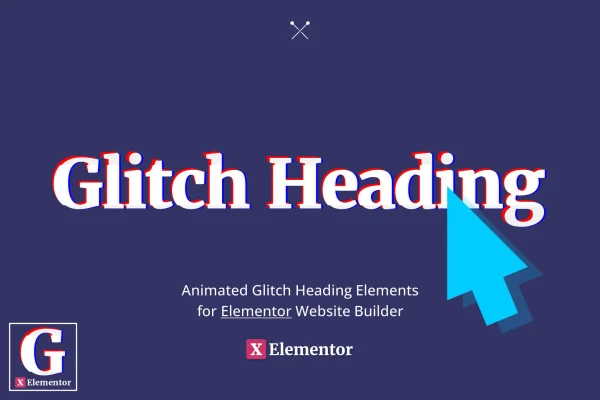
XElementor Glitch Heading is a WordPress plugin that adds a glitch animation to headings built in Elementor. You place it in the editor like any other element, then adjust the colors, speed and intensity of the effect so your titles take on a cyber, electric style.
- Version
- 1.0.0
- Released
- Jun 24, 2022
- Type
- WordPress plugin
- Requires
- Elementor
- Licence
- GPL
- Included in
- Every plan, or $3.99 on its own
What’s new in XElementor Glitch Heading 1.0.0
Version 1.0.0 · Jun 24, 2022
Latest
- NewInitial release.
What it does
Plain headings do their job, but on a site with a futuristic or tech theme they can look flat next to the rest of the design. This plugin gives you a heading element with a built-in glitch animation, so post titles and main headings flicker and distort in the style of a broken digital screen. It works inside Elementor's drag and drop editor, which means you add and style the effect on the page itself instead of writing custom code.
Once the heading is on the page, you can tune the glitch intensity, colors, animation speed and text effects to match your branding. The code is built with HTML, CSS and JavaScript, and the headings are responsive and retina ready, so they display cleanly on desktop and mobile screens. The effect is designed to keep text readable and to stay out of the way of screen readers. It suits blogs, portfolios, online stores and any site leaning into a modern, cyber look.
Best for
- Tech, gaming and cyber themed websites built with Elementor
- Creative portfolios that want animated, attention-grabbing titles
- Designers adding a futuristic style to client sites
Features
Works in the Elementor editor
Add glitch animated headings through Elementor's drag and drop interface, placing and styling them on the page alongside your other elements.
Glitch heading animation
Applies a distorted, flickering glitch effect to post titles and main headings, giving them a cyber and electric look that draws the eye.
Adjustable intensity and speed
Control how strong the glitch effect is and how fast the animation runs, from a subtle flicker to a more noticeable distortion.
Custom colors and text effects
Set the colors and text effects of each glitch heading so the animation fits your site's branding and overall design.
Responsive and retina ready
Glitch headings are built to display crisply on high resolution desktop monitors as well as tablets and mobile screens.
Lightweight HTML, CSS and JS
The effect is built with a small codebase of HTML, CSS and JavaScript, keeping the plugin focused on the one job it does.
Accessibility in mind
Headings are designed to stay readable and not interfere with screen readers or other accessibility tools used by your visitors.
Questions about XElementor Glitch Heading
Do I need Elementor to use this plugin?
Yes. The plugin is built for the Elementor Website Builder and adds its glitch heading as an element you work with inside the Elementor editor, so Elementor needs to be active on your WordPress site.
Can I change how the glitch effect looks?
You can. The settings let you adjust glitch intensity, colors, animation speed and text effects, so you can keep the animation subtle or make it bold, and match it to your brand colors.
Will the glitch headings look right on phones?
The headings are responsive and retina ready, so they are designed to stay sharp and display properly on mobile screens, tablets and high resolution desktop monitors.
Does the animation make headings hard to read for some visitors?
The effect is designed to keep headings readable and not interfere with screen readers or other accessibility tools, so the underlying heading text remains available to assistive technology.
Is XElementor Glitch Heading free?
The code of XElementor Glitch Heading is licensed under the GPL, so anyone may use, change and share it. GPL Feast is a paid service: a plan or a single purchase gives you the download and automatic updates. The developer's own support, licence key and online services are not included.
Which version of XElementor Glitch Heading is this?
Version 1.0.0, released Jun 24, 2022. New versions appear here when the developer publishes them, and members get them as automatic updates.
How do I update XElementor Glitch Heading?
Install the free GPL Feast Updater on your site and connect it with your API key. It installs new versions of XElementor Glitch Heading automatically and keeps a backup, so you can roll back.
What does XElementor Glitch Heading need?
XElementor Glitch Heading needs Elementor installed and active.
You might also like






