Plugin
Updated
XT Floating Cart Pro
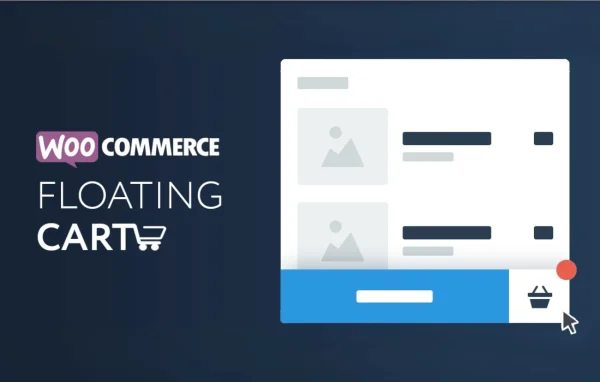
XT WooCommerce Floating Cart Pro by XplodedThemes is a WooCommerce plugin that adds a floating cart to your store. The cart stays visible as customers browse, so they can review items, change quantities, apply coupons and head to checkout without leaving the page they are on.
- Version
- 2.8.11
- Released
- Jul 16, 2026
- Developer
- XT Plugins
- Type
- WordPress plugin
- Requires
- WooCommerce
- Licence
- GPL
- Included in
- Every plan, or $3.99 a year on its own
What’s new in XT Floating Cart Pro 2.8.11
Version 2.8.11 · Jul 16, 2026
Latest
- ImprovedXT Framework 2.5.14, preventing first-request fatal errors and repeated upgrade redirects while switching to a newer embedded framework
What it does
On a standard WooCommerce store, checking the cart usually means opening a separate page and then finding your way back to the products. This plugin puts the cart in a floating panel that is available as shoppers move around the store. Items are added and removed with Ajax, so the page does not reload, and a fly to cart animation shows the product moving into the cart when it is added. Shoppers can adjust quantities, clear the cart or restore it with one click, and complete their order from an express checkout form inside the panel.
The panel also gives you room to show extra information and offers. A free shipping progress bar tells customers how close they are to the threshold, visible savings show what they save, and upsell, cross-sell and suggested products appear right in the cart. You can change colors, backgrounds, fonts, icons and loading spinners, set width and height or let the cart size itself, choose which devices show it and hide it on selected pages. It handles variations, bundles and composite products, supports right-to-left languages and works with PayPal and WooCommerce checkout options. WooCommerce is required.
Best for
- WooCommerce stores wanting a cart that stays on screen
- Shops using free shipping thresholds and in-cart upsells
- Stores selling in right-to-left languages
Features
Ajax add to cart
Customers add and remove products instantly without page reloads, and the floating cart updates in place as they keep browsing your store.
Express checkout form
Shoppers can complete their purchase directly from the floating cart, with PayPal and WooCommerce checkout options available from the panel.
Free shipping progress bar
A progress bar shows customers how far they are from your free shipping threshold, alongside a display of the savings in their cart.
Upsells and suggested products
Upsell, cross-sell and suggested product recommendations appear inside the cart, so shoppers see related items while reviewing their order.
Coupon support in the cart
Customers can apply promotional coupon codes from within the floating cart instead of waiting until they reach the checkout page.
Custom look and sizing
Adjust colors, backgrounds, fonts, SVG, image or font icons and loading spinners, and set the cart width and height or use auto height.
Device and page visibility
Choose which devices display the floating cart, whether desktop, tablet or mobile, and exclude it from specific pages where you do not want it.
Complex product types
The cart handles WooCommerce variations, bundles and composite products, and lets shoppers clear or restore the cart with one click.
XT Floating Cart Pro older versions
- 2.8.7Sep 29, 20251 improvement, 1 fix
- 2.8.6Apr 11, 20252 fixes
- 2.8.4Nov 5, 20241 improvement, 1 security fix
- 2.8.2Nov 4, 2024
- 2.8.1Sep 15, 2024
- 2.8.0Jul 30, 2024
- 2.7.9Apr 16, 2024
- 2.7.7Feb 29, 2024
- 2.7.6Feb 2, 2024
- 2.7.5Aug 26, 2023
Members and buyers of this product can download older versions.
13 older versions in all. If you need one that is not listed, ask support.
Questions about XT Floating Cart Pro
Does this work without WooCommerce?
No. It is built for WooCommerce and requires it. The floating cart, Ajax add to cart, express checkout and other features all work with your WooCommerce products, cart and checkout.
Can customers check out from the floating cart?
Yes. An express checkout form lets shoppers finish their purchase directly from the floating cart, and it works with PayPal and WooCommerce checkout options, so they do not have to visit a separate cart page first.
Will it handle variable and bundled products?
It supports WooCommerce variations, bundles and composite products inside the cart. Shoppers can adjust quantities, remove items, and clear or restore the whole cart with one click.
Can I hide the cart on mobile or on certain pages?
Yes. Device visibility settings let you choose whether the cart shows on desktops, tablets and mobiles, and an exclude pages option hides it on selected pages. You can also set its width and height or let it size automatically.
Is XT Floating Cart Pro free?
The code of XT Floating Cart Pro is licensed under the GPL, so anyone may use, change and share it. GPL Feast is a paid service: a plan or a single purchase gives you the download and automatic updates. The developer's own support, licence key and online services are not included.
Which version of XT Floating Cart Pro is this?
Version 2.8.11, released Jul 16, 2026. New versions appear here when the developer publishes them, and members get them as automatic updates.
How do I update XT Floating Cart Pro?
Install the free GPL Feast Updater on your site and connect it with your API key. It installs new versions of XT Floating Cart Pro automatically and keeps a backup, so you can roll back.
What does XT Floating Cart Pro need?
XT Floating Cart Pro needs WooCommerce installed and active.
More from XT Plugins