Plugin
Updated
XT Quick View Pro
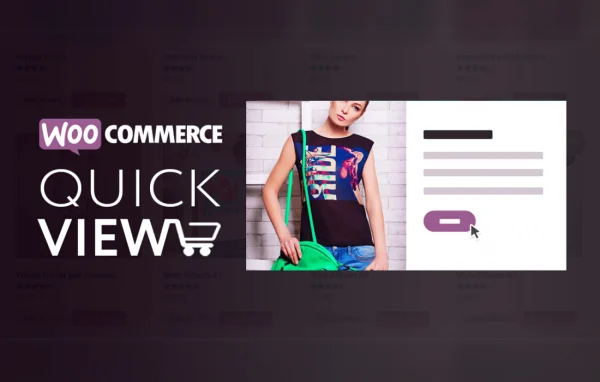
XT WooCommerce Quick View Pro by XplodedThemes is a WooCommerce plugin that opens product details in a pop-up modal. Shoppers can look at images, pick variations and add items to the cart from the shop or category page, without opening each product page.
- Version
- 2.1.6
- Released
- Oct 3, 2025
- Developer
- XT Plugins
- Type
- WordPress plugin
- Requires
- WooCommerce
- Licence
- GPL
- Included in
- Every plan, or $3.99 a year on its own
What’s new in XT Quick View Pro 2.1.6
Version 2.1.6 · Oct 3, 2025
Latest
- FixedMinor CSS fixed within the customizer panels
- ImprovedXT Framework update
What it does
Browsing a shop often means clicking into one product page, going back, and clicking into the next. This plugin gives each product a quick view trigger that opens its details in a modal on the current page. Shoppers see the product images, information and add to cart button in one place, and previous and next arrows let them move through other products inside the same modal. It requires WooCommerce and works with variable products and Ajax add to cart.
Store owners can choose between Morphing, Full Screen and Inline modal types and decide where the trigger appears: before, after or below the add to cart button, or on hover over the product image. Styling is handled in the WordPress Customizer with a live preview, covering fonts, colors, dimensions, overlay, shadows, icons and transitions without code. Developers can use action hooks to add custom info sections, and the modal is built to work on touch devices and mobile screens.
Best for
- WooCommerce stores with large product catalogs
- Shops selling variable products like clothing or accessories
- Developers building custom WooCommerce storefronts for clients
Features
Three modal types
Choose a Morphing, Full Screen or Inline modal so the quick view matches the look and layout of your store.
Product navigation arrows
Previous and next arrows inside the modal let shoppers move from one product to the next without closing the quick view.
Flexible trigger placement
Place the quick view trigger before, after or below the add to cart button, or show it on hover over the product image.
Live Customizer styling
Adjust fonts, colors, dimensions, overlay, shadows and transitions in the WordPress Customizer and see each change in a live preview.
Built-in image slider
Product images display in a slider with fade or slide animations, autoplay, a grayscale transition and a thumbnail gallery carousel, plus an optional lightbox.
Variations and Ajax add to cart
Shoppers can select WooCommerce product variations and add items to the cart directly from the quick view modal.
Custom info sections
Action hooks let you insert your own content or promotional messages into the quick view layout.
Touch and mobile friendly
The modal is optimized for touch devices and mobile screens, so it stays usable on phones and tablets.
XT Quick View Pro older versions
- 2.1.1Feb 17, 20242 improvements, 1 fix
- 2.1.0Nov 16, 20231 improvement
- 1.9.9Apr 18, 20231 new, 2 improvements
Members and buyers of this product can download older versions.
Questions about XT Quick View Pro
Can customers buy variable products from the quick view?
Yes. The modal supports WooCommerce product variations and Ajax add to cart, so a shopper can choose options such as size or color and add the item to the cart without leaving the shop page.
Will the quick view match my store design?
You can pick from Morphing, Full Screen and Inline modal types, then adjust fonts, colors, dimensions, overlay, shadows, icons, arrows and transitions in the WordPress Customizer with a live preview. No code is needed for these changes.
Does it work with other WooCommerce extensions?
It is compatible with Woo Floating Cart and Woo Variation Swatches, so you can pair the quick view with a floating cart and swatch-style variation selectors for a more connected shopping flow.
Can I add my own content inside the modal?
Yes. Action hooks let you add custom info sections to the quick view layout, which is useful for extra product notes, shipping messages or promotional text.
Is XT Quick View Pro free?
The code of XT Quick View Pro is licensed under the GPL, so anyone may use, change and share it. GPL Feast is a paid service: a plan or a single purchase gives you the download and automatic updates. The developer's own support, licence key and online services are not included.
Which version of XT Quick View Pro is this?
Version 2.1.6, released Oct 3, 2025. New versions appear here when the developer publishes them, and members get them as automatic updates.
How do I update XT Quick View Pro?
Install the free GPL Feast Updater on your site and connect it with your API key. It installs new versions of XT Quick View Pro automatically and keeps a backup, so you can roll back.
What does XT Quick View Pro need?
XT Quick View Pro needs WooCommerce installed and active.
More from XT Plugins