
Plugin
Updated
YellowPencil Pro
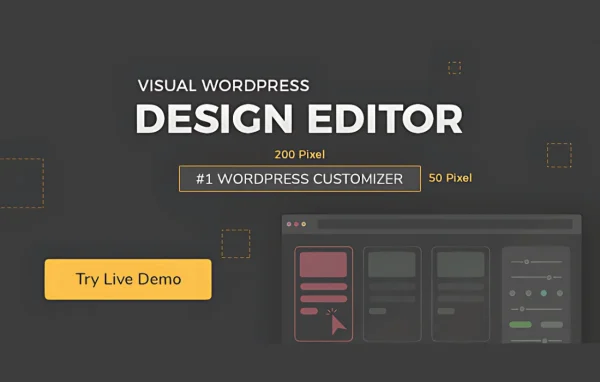
YellowPencil Pro by WaspThemes is a visual CSS style editor plugin for WordPress. You click any element on your site, adjust its fonts, colors, spacing or layout in a live preview, and the plugin writes the CSS for you.
- Version
- 7.6.7
- Released
- Jul 7, 2025
- Developer
- WaspThemes
- Type
- WordPress plugin
- Licence
- GPL
- Included in
- Every plan, or $3.99 on its own
What’s new in YellowPencil Pro 7.6.7
Version 7.6.7
Latest
- FixedA few minor bugs.
What it does
Small design changes often mean digging through theme files or guessing at CSS selectors. This plugin replaces that guesswork with a point-and-click editor. You select an element directly on the page, choose the properties you want to change, and watch the result update in real time. It handles margins, padding, backgrounds, borders, shadows, typography and colors, so most visual tweaks can be made without opening a code editor.
The editor fits beginners who want to customize a theme without learning CSS, and developers who want a faster way to produce styles they can still inspect. The generated CSS is visible and exportable, selectors can target any element, class or ID, and you can set different styles for desktops, tablets and smartphones. Undo, redo and a change history let you try ideas and roll them back when something does not look right.
Best for
- WordPress owners customizing a theme without writing CSS
- Freelancers making quick visual changes for clients
- Developers who want visual editing with exportable CSS
Features
Point-and-click element editing
Select any element directly on your website and start changing its styles right away, with a drag-and-drop interface that shows each change in real time.
Wide range of styling options
Adjust fonts, colors, backgrounds, borders, shadows, margins and padding, with multiple color pickers and flexible typography settings to match your brand.
Live CSS code output
View the CSS the editor generates as you work and export it, which gives advanced users full visibility into what has changed.
Responsive design control
Set how elements look on desktops, tablets and smartphones separately, so your layout can be tuned for each screen size.
Advanced selector support
Target any HTML element, class or ID precisely, so your styles apply only to the parts of the page you mean to change.
Over 60 animation effects
Add motion to page elements by choosing from more than 60 animation effects, applied visually through the same editor.
Undo, redo and history
Step backward and forward through your edits and review your change history, which makes it easy to experiment and reverse mistakes.
YellowPencil Pro older versions
- 7.6.6Apr 2, 2025
- 7.6.5Sep 28, 20241 fix
- 7.6.4Aug 22, 20241 fix
- 7.6.1Mar 27, 20241 fix
- 7.6.0Jun 1, 2023
- 7.5.9Apr 18, 2023
- 7.5.8Apr 18, 2023
Members and buyers of this product can download older versions.
Questions about YellowPencil Pro
Do I need to know CSS to use this editor?
No. You click an element on your page and change its fonts, colors, spacing or borders through visual controls, with a live preview. The plugin generates the CSS for you, though you can view and export that code if you want to work with it directly.
Can I style my site differently on phones and tablets?
Yes. The editor includes responsive design controls, so you can set separate styles for desktops, tablets and smartphones. This is useful for fixing spacing, font sizes or layouts that look fine on a large screen but need adjusting on smaller devices.
Can I target a specific class or ID instead of a whole element type?
Yes. Advanced selector support lets you target any HTML element, class or ID, so a change can apply to one button or section without affecting similar elements elsewhere on the site.
What happens if I make a change I do not like?
You can use undo and redo to move through your edits, and the history management keeps track of what you have changed. That makes it safe to try different looks and return to an earlier state.
Is YellowPencil Pro free?
The code of YellowPencil Pro is licensed under the GPL, so anyone may use, change and share it. GPL Feast is a paid service: a plan or a single purchase gives you the download and automatic updates. The developer's own support, licence key and online services are not included.
Which version of YellowPencil Pro is this?
Version 7.6.7, released Jul 7, 2025. New versions appear here when the developer publishes them, and members get them as automatic updates.
How do I update YellowPencil Pro?
Install the free GPL Feast Updater on your site and connect it with your API key. It installs new versions of YellowPencil Pro automatically and keeps a backup, so you can roll back.
You might also like






