
Plugin
Updated
YouTube & Vimeo Video Player and Slider With Playlist WordPress Plugin
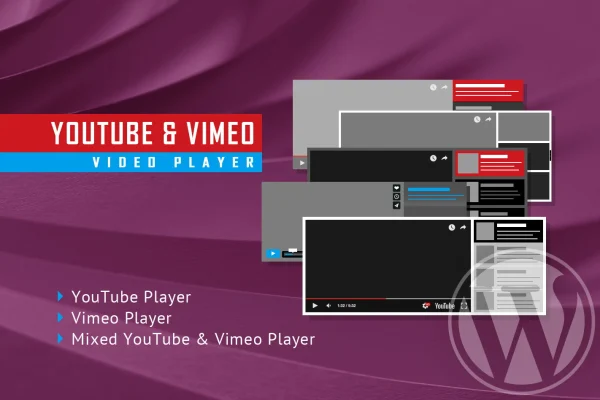
The YouTube & Vimeo Video Player and Slider With Playlist WordPress Plugin adds a video player and slider to your site. You add videos from YouTube or Vimeo by entering their video IDs, and the plugin arranges them into a playlist-style slider that you can color to match your theme.
- Version
- 3.9.1
- Released
- Aug 26, 2026
- Type
- WordPress plugin
- Licence
- GPL
- Included in
- Every plan, or $3.99 on its own
What’s new in YouTube & Vimeo Video Player and Slider With Playlist WordPress Plugin 3.9.1
Version 3.9.1 · Aug 26, 2026
Latest
What it does
Embedding videos one at a time with default players can leave a page looking scattered, especially when you want to present a series of clips together. This plugin gathers YouTube and Vimeo videos into a single player with a slider, so visitors can browse a set of videos in one place. For YouTube videos, it pulls thumbnails, titles and descriptions automatically from YouTube's servers, which saves you from typing that information in by hand.
Setup centers on video IDs: you enter the ID for each video and the plugin builds the player and slider. The layout is responsive by default and works on iOS and Android devices, with an option to turn responsiveness off for older, non-responsive sites. Color settings let you match the player to your branding. You can also add your own YouTube API key to work within Google's quota limits, which helps keep YouTube content loading as expected.
Best for
- Bloggers presenting video series alongside written posts
- Educators organizing lesson videos into a browsable playlist
- Businesses and creatives featuring product or portfolio videos
Features
YouTube and Vimeo support
Add videos from either YouTube or Vimeo by entering the video ID, and mix content from both platforms in the same player and slider.
Automatic YouTube metadata
Thumbnails, titles and descriptions are fetched from YouTube's servers automatically, so your video details stay accurate without manual entry.
Custom color schemes
Adjust the colors of the player and slider so they fit your site's branding and the look of your current theme.
Responsive layout with off switch
The player adapts to different screen sizes by default, and you can disable responsiveness when placing it on a legacy or non-responsive site.
Mobile device compatibility
Video playback and the slider are built to work on iOS and Android smartphones and tablets as well as desktop screens.
Your own YouTube API key
Enter a YouTube API key you generate yourself to handle Google's quota restrictions and keep YouTube video features working.
Cross-browser compatibility
The player and slider are designed to work across major web browsers, giving visitors a consistent experience.
Questions about YouTube & Vimeo Video Player and Slider With Playlist WordPress Plugin
Can I use both YouTube and Vimeo videos in the same slider?
Yes. The plugin supports videos from both YouTube and Vimeo, and you add each one by entering its video ID. That lets you feature your own uploads or other videos from either platform in one player.
Do I have to type in titles and thumbnails for each video?
Not for YouTube videos. The plugin automatically retrieves thumbnails, titles and descriptions from YouTube's servers, so those details appear without manual entry once you add the video ID.
Why would I need a YouTube API key?
Google applies quota restrictions to YouTube API requests. The plugin lets you enter your own YouTube API key so those limits are tied to your account, which helps keep the YouTube features, like fetching video details, working without interruption.
Will it work on an older site that is not responsive?
Yes. The layout is responsive by default, but there is an option to disable responsiveness. That makes it easier to fit the player and slider into legacy or non-responsive site designs.
Is YouTube & Vimeo Video Player and Slider With Playlist WordPress Plugin free?
The code of YouTube & Vimeo Video Player and Slider With Playlist WordPress Plugin is licensed under the GPL, so anyone may use, change and share it. GPL Feast is a paid service: a plan or a single purchase gives you the download and automatic updates. The developer's own support, licence key and online services are not included.
Which version of YouTube & Vimeo Video Player and Slider With Playlist WordPress Plugin is this?
Version 3.9.1, released Aug 26, 2026. New versions appear here when the developer publishes them, and members get them as automatic updates.
How do I update YouTube & Vimeo Video Player and Slider With Playlist WordPress Plugin?
Install the free GPL Feast Updater on your site and connect it with your API key. It installs new versions of YouTube & Vimeo Video Player and Slider With Playlist WordPress Plugin automatically and keeps a backup, so you can roll back.
You might also like







YouTube & Vimeo Video Player and Slider With Playlist WordPress Pluginv3.9.1 · From $14/month or $3.99
See plans