
Plugin
Updated
ZF WordPress Category Search
ZF WordPress Category Search is a WordPress plugin that lets visitors narrow their searches to specific categories, tags and taxonomies. It replaces a single catch-all search box with one that offers category tabs, radio buttons or dropdowns, plus extra filters for things like authors, dates and prices.
- Version
- 2.7
- Released
- May 2, 2023
- Type
- WordPress plugin
- Licence
- GPL
- Included in
- Every plan, or $3.99 on its own
What’s new in ZF WordPress Category Search 2.7
Version 2.7
Latest
- NewAdded translatable and properly escaped
- NewAdded .pot template file
- RemovedRemoved en_US.mo and en_US.po
- RemovedRemoved assets from CDN
- ImprovedData Validation
- ImprovedAdded "use strict" to js
What it does
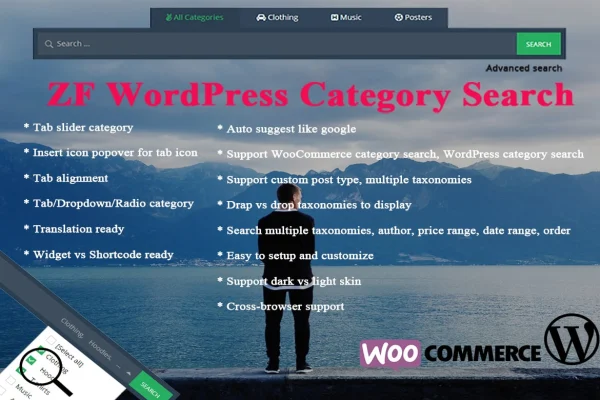
The default WordPress search looks through everything at once, which gets messy on sites with many categories, custom post types or a large product catalog. This plugin gives visitors a way to pick where they want to look before they search. You can present categories as a tab slider, radio buttons or a dropdown menu, and add icons to tabs as visual cues. An auto-suggest feature shows instant suggestions as people type, so they can jump to a matching result.
Setup happens through drag-and-drop configuration of the taxonomies that appear in the search interface, so you choose what shows up without writing code. The search box can be placed with a widget or a shortcode, and it comes with dark and light skins to suit your design. It works with WooCommerce and Easy Digital Downloads for category-based product searches, supports custom post types and taxonomies, and is translation ready for sites in other languages.
Best for
- Content-heavy blogs and magazines with many categories
- WooCommerce or Easy Digital Downloads stores
- Sites built on custom post types and taxonomies
Features
Tab slider categories
Arrange search categories into tabs that visitors can slide through, with optional icon popovers on each tab to give quick visual hints about what it covers.
Several category display styles
Show categories as tabs, radio buttons or a dropdown menu, depending on which layout fits your site design and the number of categories you have.
Auto-suggest search
Visitors see instant search suggestions as they type, similar to the suggestions people are used to from Google, which helps them reach matching content faster.
WooCommerce and Easy Digital Downloads
Search products by category in stores built on WooCommerce or Easy Digital Downloads, so shoppers can narrow results to the product groups they care about.
Custom post types and taxonomies
Search across custom content types and multiple taxonomies, which suits sites that organize content beyond the standard posts, pages and categories.
Drag-and-drop taxonomy setup
Choose which categories and taxonomies appear in the search interface by dragging and dropping them, with no coding needed to change the setup.
Advanced filtering options
Let visitors filter searches by categories, tags, authors, price ranges and date ranges to find posts or products that match specific criteria.
Widgets, shortcodes and skins
Place the search box anywhere with a widget or shortcode, and switch between dark and light skins to match the look of your theme.
Questions about ZF WordPress Category Search
Can I use this to search products in my WooCommerce store?
Yes. The plugin supports WooCommerce and Easy Digital Downloads, so shoppers can run category-based product searches. Filters such as price ranges are also available, which helps visitors narrow product results to what fits their needs.
How do I choose which categories appear in the search box?
Categories and taxonomies are configured with a drag-and-drop interface. You pick which ones show up in the search, and no coding is required. You can then display them as tabs, radio buttons or a dropdown menu.
Where can I place the search form on my site?
The search box can be added through a widget, such as in a sidebar, or through a shortcode inside pages and posts. That gives you flexibility to put category search wherever your visitors are most likely to use it.
Does it work on a site in a language other than English?
The plugin is translation ready and includes a .pot template file, so its text can be translated for sites that run in other languages or serve a multilingual audience.
Is ZF WordPress Category Search free?
The code of ZF WordPress Category Search is licensed under the GPL, so anyone may use, change and share it. GPL Feast is a paid service: a plan or a single purchase gives you the download and automatic updates. The developer's own support, licence key and online services are not included.
Which version of ZF WordPress Category Search is this?
Version 2.7, released May 2, 2023. New versions appear here when the developer publishes them, and members get them as automatic updates.
How do I update ZF WordPress Category Search?
Install the free GPL Feast Updater on your site and connect it with your API key. It installs new versions of ZF WordPress Category Search automatically and keeps a backup, so you can roll back.
You might also like






