
Plugin
Updated
Zuper - Shoutcast and Icecast Radio Player With History
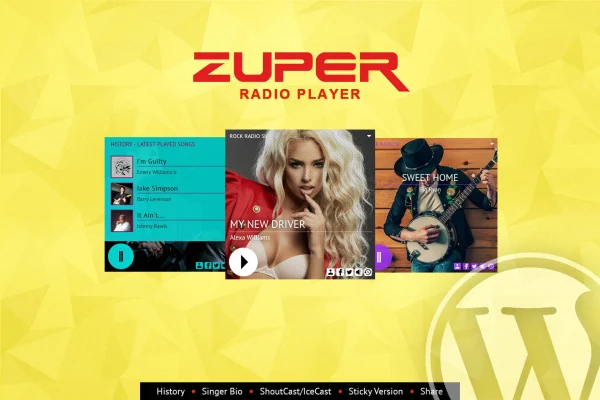
Zuper - Shoutcast and Icecast Radio Player With History is a WordPress plugin that puts a live internet radio player on your site. You give it a stream URL, and it plays MP3 radio from Shoutcast or Icecast servers while showing the track that is currently on air.
- Version
- 3.6
- Released
- Feb 18, 2024
- Type
- WordPress plugin
- Licence
- GPL
- Included in
- Every plan, or $3.99 on its own
What’s new in Zuper - Shoutcast and Icecast Radio Player With History 3.6
Version 3.6 · Feb 18, 2024
Latest
What it does
Adding a live radio stream to a WordPress site usually means wrestling with embed codes and keeping now-playing details up to date by hand. This plugin handles both jobs. It connects to Shoutcast and Icecast servers, which covers most internet radio stations, and it fetches the current song information automatically. When an artist photo is available, the player displays it next to the track details, so the player stays current without any manual edits.
The player is responsive and works on desktops, tablets and phones, including iOS and Android devices. You can pick a black or white skin and adjust the colors to match your site. If your layout is not responsive, you can switch the responsive behavior off so the player fits a fixed design. It is built with HTML, CSS and JavaScript, and PSD design files are included for anyone who wants to rework the look in more detail.
Best for
- Internet radio stations running Shoutcast or Icecast
- Music blogs that want a live stream player
- Community or hobby broadcasters with WordPress sites
Features
Shoutcast and Icecast streams
Plays MP3 radio from Shoutcast and Icecast servers, so it works with the streaming setups used by most internet radio stations.
Automatic now-playing details
Fetches the currently playing song and artist name from the stream and shows the artist photo when one is available.
Simple stream setup
Configuration centers on one step: add your radio stream URL and the player takes care of connecting and displaying track information.
Black and white skins
Choose between a black skin and a white skin, then adjust the colors so the player fits your site's theme and branding.
Responsive and mobile ready
The player adapts to different screen sizes and works on iOS and Android, so listeners can tune in from phones and tablets.
Optional responsive toggle
Turn off responsive behavior when you need to place the player inside a fixed-width, non-responsive page layout.
Cross-browser playback
Works in modern web browsers, giving visitors consistent playback whichever browser they use to listen.
PSD design files included
Comes with PSD files for designers who want to adjust the player's graphics or create custom branding beyond the color settings.
Questions about Zuper - Shoutcast and Icecast Radio Player With History
Will it work with my radio station's stream?
It supports MP3 streams from Shoutcast and Icecast servers, which most internet radio stations use. If your station broadcasts through either of those servers, you add the stream URL and the player connects to it.
Does the player show what song is playing?
Yes. It automatically fetches the current song and artist information from the stream and updates it as tracks change. When an artist image is available, the player shows that photo alongside the track details.
Can I change how the player looks?
You can choose a black or white skin and customize the colors to suit your site. For deeper changes, PSD design files are included so you can rework the graphics and branding.
Will listeners be able to use it on their phones?
The player is responsive and works on iOS and Android devices as well as desktops and tablets. If your site uses a fixed layout, you can disable the responsive behavior so it fits properly.
Is Zuper - Shoutcast and Icecast Radio Player With History free?
The code of Zuper - Shoutcast and Icecast Radio Player With History is licensed under the GPL, so anyone may use, change and share it. GPL Feast is a paid service: a plan or a single purchase gives you the download and automatic updates. The developer's own support, licence key and online services are not included.
Which version of Zuper - Shoutcast and Icecast Radio Player With History is this?
Version 3.6, released Feb 18, 2024. New versions appear here when the developer publishes them, and members get them as automatic updates.
How do I update Zuper - Shoutcast and Icecast Radio Player With History?
Install the free GPL Feast Updater on your site and connect it with your API key. It installs new versions of Zuper - Shoutcast and Icecast Radio Player With History automatically and keeps a backup, so you can roll back.
You might also like






