
Plugin
Updated
Better Chat Support For Messenger
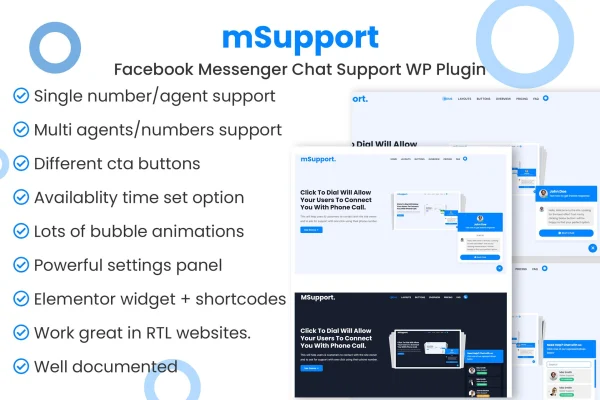
This WordPress plugin connects your site to Facebook Messenger so visitors can message you from a chat bubble or custom buttons. Conversations land on your connected Facebook page, and you can route people to a single support channel or to several agents.
- Version
- 1.2.22
- Released
- Jan 27, 2026
- Type
- WordPress plugin
- Requires
- Elementor
- Licence
- GPL
- Included in
- Every plan, or $3.99 on its own
What’s new in Better Chat Support For Messenger 1.2.22
Version 1.2.22 · Jan 27, 2026
Latest
- RemovedAppsero integration.
- ImprovedSome codebase.
What it does
Many visitors have a quick question and would rather send a message than fill out a contact form. This plugin places a Messenger chat bubble or custom buttons on your WordPress site, and a visitor can start a conversation in a few clicks. Every message arrives on your connected Facebook page, so replies happen in the same Messenger inbox your team already uses, and you avoid running a separate chat system.
Setup happens in the WordPress dashboard through a settings panel, with no coding needed. You can link a single Facebook page for a simple support channel, or add unlimited pages and agents so visitors can pick the right person to talk to. Button styles and placement can be adjusted to match your design, and the chat display is responsive and retina ready on desktops, tablets and phones. The plugin lists Elementor as a requirement.
Best for
- Small businesses answering customer questions through a Facebook page
- Support teams with several agents or departments
- Freelancers adding Messenger chat to client sites
Features
Single support option
Add a chat bubble linked to one Facebook page so visitors can send messages straight to your main support channel.
Unlimited pages and agents
Connect unlimited Facebook pages and agents, letting visitors choose the representative best suited to their question.
Customizable chat buttons
Pick from several button styles and placements so the chat entry point fits the look of your website.
Messages go to Facebook
All conversations are received on your connected Facebook page or pages, keeping support messages in one place.
Dashboard settings panel
Configure behavior, appearance and agent assignments from a settings panel inside WordPress, with no code required.
Responsive and retina ready
The chat bubble and buttons display crisply and adapt to desktops, tablets and smartphones.
Better Chat Support For Messenger older versions
- 1.1.1Feb 22, 2024
Members and buyers of this product can download older versions.
Questions about Better Chat Support For Messenger
Where do visitor messages end up?
Messages are delivered to the Facebook page you connect. You and your team reply through Messenger as usual, so there is no separate chat inbox to monitor inside WordPress.
Can I send visitors to different support agents?
Yes. The plugin supports unlimited Facebook pages and agents, so you can list several representatives and let visitors choose who to contact. If you only need one channel, the single support option links the chat bubble to one page.
Do I need coding skills to set it up?
No. Everything is managed from a settings panel in the WordPress dashboard, where you control appearance, button style, placement and agent assignments. The plugin lists Elementor as a requirement, so your site should have Elementor active.
Will the chat work on mobile devices?
The plugin is responsive and retina ready, so the chat bubble and buttons adapt to smartphones and tablets as well as desktop screens.
Is Better Chat Support For Messenger free?
The code of Better Chat Support For Messenger is licensed under the GPL, so anyone may use, change and share it. GPL Feast is a paid service: a plan or a single purchase gives you the download and automatic updates. The developer's own support, licence key and online services are not included.
Which version of Better Chat Support For Messenger is this?
Version 1.2.22, released Jan 27, 2026. New versions appear here when the developer publishes them, and members get them as automatic updates.
How do I update Better Chat Support For Messenger?
Install the free GPL Feast Updater on your site and connect it with your API key. It installs new versions of Better Chat Support For Messenger automatically and keeps a backup, so you can roll back.
What does Better Chat Support For Messenger need?
Better Chat Support For Messenger needs Elementor installed and active.
You might also like






