Plugin
Updated
BuildKit – Custom PC Builder – Product Configurator
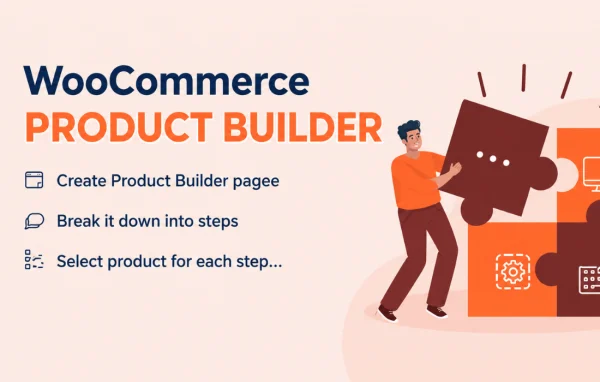
BuildKit by VillaTheme is a WooCommerce plugin that lets shoppers put together custom product sets one step at a time. It works well for PC builder shops, custom bundles and any store selling products made from several components, and it sends the finished set to the cart in one go.
- Version
- 2.3.10
- Released
- Aug 20, 2026
- Developer
- VillaTheme
- Type
- WordPress plugin
- Requires
- WooCommerce
- Licence
- GPL
- Included in
- Every plan, or $3.99 on its own
What’s new in BuildKit – Custom PC Builder – Product Configurator 2.3.10
Version 2.3.10 · Aug 20, 2026
Latest
- ImprovedOptimize code
- ImprovedCompatibility with WP 7.1 and WC 11.0
What it does
Selling products made from many parts can be confusing for shoppers. They have to find each component, work out whether the pieces fit together and then add everything to the cart separately. This plugin replaces that process with a guided builder. Customers move through a series of steps, pick an item at each stage and filter options by category, attributes and compatibility so they only see parts that make sense for their build.
As customers choose items, a live preview shows the current selection, and compatibility checks flag combinations that do not work together. When the configuration is finished, the whole set goes into the WooCommerce cart in a single action. Shoppers can also share a build by email or social media, print it or export it as a PDF for later review. Store owners can adjust the builder's look to match their brand, and the layout is mobile friendly.
Best for
- WooCommerce stores selling custom PC builds
- Shops offering customer-built product bundles
- Stores selling products assembled from multiple components
Features
Step-by-step product building
Customers create a custom product set by selecting one item at each step, which keeps multi-part purchases organized and easy to follow.
Product filtering
Shoppers can narrow down components by category, attributes and compatibility, so each step shows options that are relevant to their build.
Compatibility checks
The builder verifies that selected items work together and helps prevent customers from ordering combinations of parts that do not match.
Live preview of selections
A preview updates as components are chosen, letting customers review their full configuration before they add it to the cart.
Add the whole set to cart
Once the build is complete, customers can place the entire configured set into the WooCommerce cart in a single click.
Sharing by email and social
Customers can send their finished configurations by email or share them on social media with friends, colleagues or anyone helping them decide.
Print and PDF export
Completed builds can be printed or saved as a PDF, which is handy for offline review, presentations or keeping a record.
Customizable builder interface
Store owners can adjust the look and feel of the builder to fit their brand, and the layout works on mobile devices.
Questions about BuildKit – Custom PC Builder – Product Configurator
Does this plugin need WooCommerce?
Yes. It is built for WooCommerce and works with your store's existing products. Customers choose items from your catalog at each step of the builder, and the finished set is added to the standard WooCommerce cart.
Can it stop customers from choosing parts that do not fit together?
It includes compatibility checks that verify whether selected items work together. Shoppers can also filter components by compatibility, categories and attributes, which helps them avoid mismatched combinations while building a PC or another multi-part product.
Can customers save or share a build before buying?
Yes. A completed configuration can be shared by email or social media, printed, or exported as a PDF. This is useful when a customer wants a second opinion or needs a record of the parts for later.
Will the builder match my store's design?
Store owners can customize the builder interface to match their brand identity. The design is also mobile friendly, so customers can work through the steps on phones and tablets as well as desktops.
Is BuildKit – Custom PC Builder – Product Configurator free?
The code of BuildKit – Custom PC Builder – Product Configurator is licensed under the GPL, so anyone may use, change and share it. GPL Feast is a paid service: a plan or a single purchase gives you the download and automatic updates. The developer's own support, licence key and online services are not included.
Which version of BuildKit – Custom PC Builder – Product Configurator is this?
Version 2.3.10, released Aug 20, 2026. New versions appear here when the developer publishes them, and members get them as automatic updates.
How do I update BuildKit – Custom PC Builder – Product Configurator?
Install the free GPL Feast Updater on your site and connect it with your API key. It installs new versions of BuildKit – Custom PC Builder – Product Configurator automatically and keeps a backup, so you can roll back.
What does BuildKit – Custom PC Builder – Product Configurator need?
BuildKit – Custom PC Builder – Product Configurator needs WooCommerce installed and active.
More from VillaTheme