Plugin
Updated
Notivo – WooCommerce Notification – Boost Your Sales
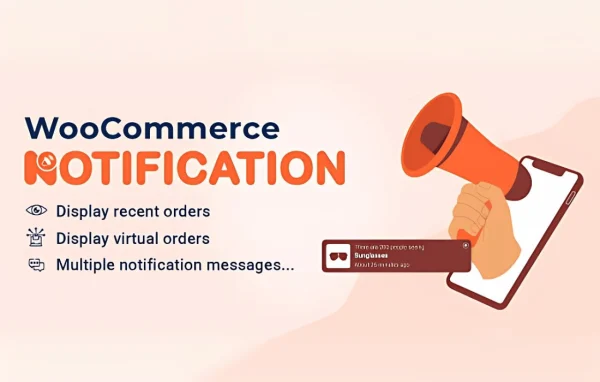
Notivo – WooCommerce Notification – Boost Your Sales is a WooCommerce plugin by Andy Ha that displays recent orders as small popup notifications on your storefront. Visitors see what other shoppers are buying, and you decide which orders, products and pages the popups cover.
- Version
- 1.7.2
- Released
- Aug 20, 2026
- Developer
- VillaTheme
- Type
- WordPress plugin
- Requires
- WooCommerce
- Licence
- GPL
- Included in
- Every plan, or $3.99 on its own
What’s new in Notivo – WooCommerce Notification – Boost Your Sales 1.7.2
Version 1.7.2 · Aug 20, 2026
Latest
- ImprovedVillaTheme support
What it does
Shoppers on a quiet store page can't tell whether anyone else is buying there. This plugin addresses that by turning your recent WooCommerce orders into popup notifications, a form of social proof similar to seeing other customers in a physical shop. It requires WooCommerce and works from your real order data, so the popups reflect actual activity you choose to surface.
You control the details. Pick which order statuses count, set the time frame for orders shown, exclude certain products and decide whether out-of-stock items appear. Popups can follow the current category page, link out to external or affiliate products, and match your site timezone. A coupon box can be placed on specific pages with WordPress conditional tags, and click tracking with reports shows how visitors respond.
Best for
- WooCommerce stores wanting visible social proof from real orders
- Affiliate shops linking popups to external product pages
- Store owners running page-specific coupon promotions
Features
Recent orders as popups
Shows recent sales from your WooCommerce store as popup notifications so visitors can see what other customers have been buying.
Order status selection
Choose which orders appear based on status, including Completed, Processing, On Hold, Cancelled, Refunded, Pending Payment or Failed.
Time-based order filtering
Set the time frame for orders that can be displayed, so the popups focus on the most recent or most relevant sales activity.
Category-aware notifications
On a category page, popups can be limited to products from that category, keeping the notifications related to what the visitor is browsing.
Product exclusions and stock control
Leave specific products out of notifications and choose whether products that are out of stock should be shown or hidden.
External and affiliate links
When a notification is clicked for an external or affiliate product, the visitor is sent directly to that product's external page.
Targeted coupon box popup
Assign a coupon popup to specific pages using WordPress conditional tags, which lets you run promotions only where they make sense.
Sounds, tracking and reports
Add optional alert sounds, track clicks on notifications and review reports on how the popups perform, with timestamps adjusted to your site timezone.
Notivo – WooCommerce Notification – Boost Your Sales older versions
- 1.7.1Jun 221 improvement
- 1.7.0Mar 301 improvement
- 1.6.10Mar 71 improvement
- 1.6.9Oct 31, 2025
- 1.6.7Aug 9, 2025
- 1.6.6Jun 17, 2025
- 1.6.5Mar 24, 2025
- 1.6.4Feb 21, 2025
- 1.6.3Feb 17, 2025
- 1.6.2Jan 29, 2025
Members and buyers of this product can download older versions.
18 older versions in all. If you need one that is not listed, ask support.
Questions about Notivo – WooCommerce Notification – Boost Your Sales
Does this plugin work without WooCommerce?
No. It requires WooCommerce, because the popup notifications are built from your WooCommerce orders and products. Settings such as order status filtering and category-specific popups depend on that store data.
Can I choose which orders show up in the popups?
Yes. You can filter by order status, such as Completed, Processing or On Hold, and set a time frame for eligible orders. You can also exclude specific products and decide whether out-of-stock products appear.
Can I show a coupon only on certain pages?
Yes. The coupon box popup can be assigned to specific pages using WordPress conditional tags, so a promotion appears only on the pages you choose instead of across the whole site.
How do I know if visitors are clicking the notifications?
The plugin includes click tracking and reporting. You can review how notifications perform and use that information to adjust which products, orders and pages your popups cover.
Is Notivo – WooCommerce Notification – Boost Your Sales free?
The code of Notivo – WooCommerce Notification – Boost Your Sales is licensed under the GPL, so anyone may use, change and share it. GPL Feast is a paid service: a plan or a single purchase gives you the download and automatic updates. The developer's own support, licence key and online services are not included.
Which version of Notivo – WooCommerce Notification – Boost Your Sales is this?
Version 1.7.2, released Aug 20, 2026. New versions appear here when the developer publishes them, and members get them as automatic updates.
How do I update Notivo – WooCommerce Notification – Boost Your Sales?
Install the free GPL Feast Updater on your site and connect it with your API key. It installs new versions of Notivo – WooCommerce Notification – Boost Your Sales automatically and keeps a backup, so you can roll back.
What does Notivo – WooCommerce Notification – Boost Your Sales need?
Notivo – WooCommerce Notification – Boost Your Sales needs WooCommerce installed and active.
More from VillaTheme