
Plugin
Updated
S2W - Import Shopify to WooCommerce Premium
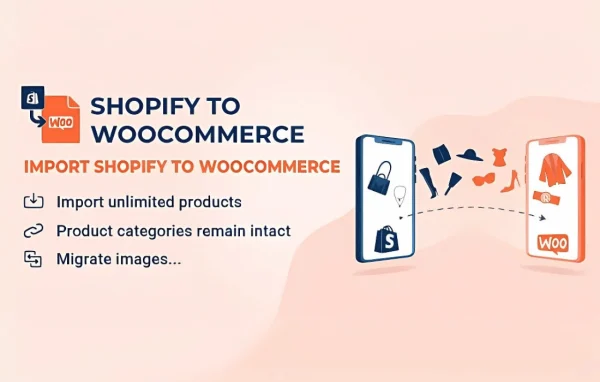
S2W - Import Shopify to WooCommerce is a WordPress plugin by villatheme that moves your Shopify store data into WooCommerce. It handles products, categories, tags, customers and orders, so you can switch platforms without rebuilding your catalog and records by hand.
- Version
- 1.4.7
- Released
- Aug 20, 2026
- Developer
- VillaTheme
- Type
- WordPress plugin
- Requires
- WooCommerce
- Licence
- GPL
- Included in
- Every plan, or $3.99 on its own
What’s new in S2W - Import Shopify to WooCommerce Premium 1.4.7
Version 1.4.7 · Aug 20, 2026
Latest
- ImprovedCompatible with WP 7.1
- ImprovedCompatibility check with WC 11.0
- ImprovedUpdate support class
What it does
Moving a store from Shopify to WooCommerce by hand means copying every product, variation, image and price, then recreating customer accounts and order records. That takes a long time and invites mistakes. This plugin automates the import of that data, bringing products with their variations, images, descriptions, SKUs and prices into WooCommerce, along with your categories and tags. It requires WooCommerce, since the data lands in a WooCommerce store on your WordPress site.
Beyond the catalog, the plugin imports customer accounts and details, plus order history with statuses, so your new store keeps its past sales records. It also carries over URL structures, meta titles and descriptions. For larger stores, you can import in batches to avoid overloading your server, and logging with error reports lets you follow progress and spot problems during the import. It suits store owners leaving Shopify as well as people running shops on both platforms.
Best for
- Shopify store owners moving to WooCommerce
- Agencies handling Shopify to WooCommerce migrations
- Merchants running shops on both Shopify and WooCommerce
Features
Full product import
Brings Shopify products into WooCommerce with their variations, images, descriptions, SKUs and prices, so your catalog arrives with its details intact.
Categories and tags
Recreates your Shopify product categories and tags in WooCommerce, keeping the way products are grouped and browsed consistent after the move.
Customer data import
Migrates customer accounts and their details from Shopify, so your existing customer base is already in place on the new store.
Order history migration
Imports Shopify orders with their statuses and details, giving your WooCommerce store a record of past sales from the start.
URL and meta data transfer
Carries over URL structures, meta titles and meta descriptions from Shopify, so your page addresses and search snippets follow you to WooCommerce.
Batch importing
Splits the import into batches, which helps when moving a large store and keeps the process from overloading your server.
Logs and error reports
Tracks migration progress and reports errors, so you can see what was imported and fix any issues that come up along the way.
S2W - Import Shopify to WooCommerce Premium older versions
- 1.4.6Jun 293 improvements
- 1.4.5Mar 201 improvement
- 1.4.4Feb 111 improvement
- 1.4.3Jan 27
- 1.4.0Jan 16
- 1.3.9Dec 26, 2025
- 1.3.7.2Sep 15, 2025
- 1.3.7Sep 1, 2025
- 1.3.6Aug 16, 2025
- 1.3.5Aug 2, 2025
Members and buyers of this product can download older versions.
23 older versions in all. If you need one that is not listed, ask support.
Questions about S2W - Import Shopify to WooCommerce Premium
What data can I bring over from Shopify?
The plugin imports products with variations, images, descriptions, SKUs and prices, along with product categories and tags. It also imports customer accounts and details, and order history including order statuses. URL structures, meta titles and meta descriptions are carried over too.
Do I need WooCommerce already set up?
Yes. The plugin requires WooCommerce, because it imports your Shopify data into a WooCommerce store on your WordPress site. Have WooCommerce active before you start the migration.
Can it handle a store with a large catalog?
It offers batch import options, which let you bring data over in smaller chunks. This is meant for larger stores and helps avoid overloading your server while the import runs.
How will I know if something goes wrong during the import?
The plugin includes detailed logging and error reporting. You can track migration progress and review reports that point to issues, which makes it easier to find and fix problems as they appear.
Is S2W - Import Shopify to WooCommerce Premium free?
The code of S2W - Import Shopify to WooCommerce Premium is licensed under the GPL, so anyone may use, change and share it. GPL Feast is a paid service: a plan or a single purchase gives you the download and automatic updates. The developer's own support, licence key and online services are not included.
Which version of S2W - Import Shopify to WooCommerce Premium is this?
Version 1.4.7, released Aug 20, 2026. New versions appear here when the developer publishes them, and members get them as automatic updates.
How do I update S2W - Import Shopify to WooCommerce Premium?
Install the free GPL Feast Updater on your site and connect it with your API key. It installs new versions of S2W - Import Shopify to WooCommerce Premium automatically and keeps a backup, so you can roll back.
What does S2W - Import Shopify to WooCommerce Premium need?
S2W - Import Shopify to WooCommerce Premium needs WooCommerce installed and active.
More from VillaTheme