Plugin
Updated
Mailonix - WooCommerce Email Template Customizer Premium
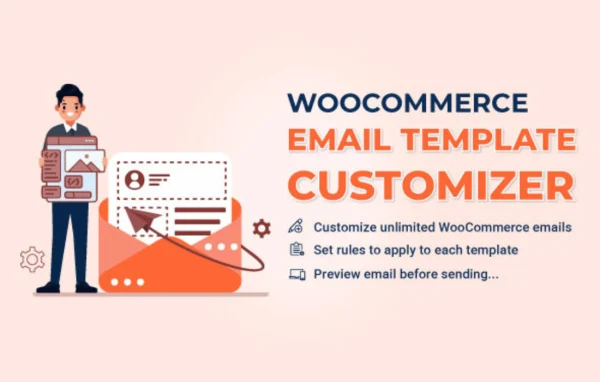
Mailonix - WooCommerce Email Template Customizer Premium is a WordPress plugin by VillaTheme for redesigning the emails your WooCommerce store sends. It gives you a drag and drop builder for creating branded templates with logos, images, order details and custom text, all without writing code.
- Version
- 1.4.2
- Released
- Sep 3, 2026
- Developer
- VillaTheme
- Type
- WordPress plugin
- Requires
- WooCommerce
- Licence
- GPL
- Included in
- Every plan, or $3.99 on its own
What’s new in Mailonix - WooCommerce Email Template Customizer Premium 1.4.2
Version 1.4.2 · Sep 3, 2026
Latest
- FixedTwo-column rows no longer inherit accidental pixel widths from the builder preview DOM — column widths are no longer serialized from the editor, and legacy px widths are ignored so Billing/Shipping columns render evenly again
- FixedLayout row columns now use fixed table layout with percentage widths so long Billing/Shipping content no longer expands the left column and squeezes the right column; inner address tables fill their column instead of shrink-wrapping with align=left
- FixedWooCommerce hook element (Order Details / Before-After table hooks) no longer breaks email HTML structure — missing closing tag caused raw <td> markup to appear as visible text at the top of sent emails
- FixedCustomer/Order note no longer outputs raw HTML markup in email (prevents showing tags like <td> in Outlook)
- FixedOrder Details styles 2 and 3 keep image, name and price in one row on mobile — each column now stacks on its own line in mobile preview and responsive email CSS
- ImprovedOrder Details styles 2/3 center image, name and price only on mobile (media query and builder mobile preview); desktop row layout is unchanged
- FixedProducts (“You May Also Like”) stay in a multi-column row on mobile — each product now stacks on its own line
- FixedMobile preview stacking 2-column headers (logo left / Help Center right) into a vertical layout that did not match Gmail app, which ignores media queries and keeps columns side-by-side
What it does
Default WooCommerce emails work, but they look generic and changing them usually means editing template files. This plugin replaces that process with a visual builder. You arrange layout rows and columns, drop in elements such as order details, billing and shipping addresses, customer notes and product suggestions, then style everything to match your store. A real-time preview shows your changes as you make them, including a mobile view, so you can check the layout before customers see it.
The plugin requires WooCommerce and works with its transactional emails, so order confirmations and other customer messages can share one consistent look. You can save multiple templates for different scenarios, add headers and footers with your logo and social links, and insert dynamic customer and order data. Templates are responsive and adapt to desktop and mobile screens. It is translation ready and compatible with WPML, which helps stores that send emails in more than one language.
Best for
- WooCommerce store owners wanting branded order emails
- Agencies building WooCommerce shops for clients
- Multilingual stores using WPML
Features
Drag and drop builder
Build email templates visually by placing and arranging elements in rows and columns, with no coding needed to change the layout or content.
Live preview with mobile view
See changes in real time as you edit, and switch to a mobile preview to check how stacked columns and product rows will look on phones.
WooCommerce transactional emails
Customize the transactional emails WooCommerce sends to customers so every order message carries the same branding and layout.
Dynamic order and customer data
Insert personalized details such as customer information, order details, billing and shipping addresses and order notes into your templates.
Custom headers and footers
Add logos, images, social media links and your own text to email headers and footers, including two-column header layouts.
Styling controls
Adjust fonts, colors, backgrounds and buttons, and pick from several order details styles to match the look of your storefront.
Multiple saved templates
Create and save several email templates for different scenarios and campaigns, then use the one that fits each type of message.
Translation and WPML support
The plugin is translation ready and compatible with WPML, so you can localize email templates for customers in different languages.
Mailonix - WooCommerce Email Template Customizer Premium older versions
- 1.4.1Aug 281 fix
- 1.4.0Aug 285 new, 7 improvements, 12 fixes
- 1.3.3Aug 213 improvements
- 1.3.2Jun 20
- 1.3.1Jun 5
- 1.3.0May 22
- 1.2.18Jan 23
- 1.2.17Nov 28, 2025
- 1.2.16Oct 3, 2025
- 1.2.15Sep 12, 2025
Members and buyers of this product can download older versions.
27 older versions in all. If you need one that is not listed, ask support.
Questions about Mailonix - WooCommerce Email Template Customizer Premium
Do I need to know HTML to design my emails?
No. The plugin uses a drag and drop builder, so you add elements like logos, images, text and order details visually. Styling options for fonts, colors, backgrounds and buttons are set through the interface rather than code.
Will my emails look right on phones?
Templates are responsive and adapt to different screen sizes. The builder includes a mobile preview, and elements such as order details and product suggestions stack into separate lines on small screens so content stays readable.
Can I include order information like addresses and products?
Yes. You can insert dynamic content such as customer data, order details, billing and shipping addresses and customer notes. There is also a products element for showing suggested items, such as a "You May Also Like" section.
Does it work with a multilingual store?
The plugin is translation ready and compatible with WPML, so you can localize your email templates and send messages to customers in their own language.
Is Mailonix - WooCommerce Email Template Customizer Premium free?
The code of Mailonix - WooCommerce Email Template Customizer Premium is licensed under the GPL, so anyone may use, change and share it. GPL Feast is a paid service: a plan or a single purchase gives you the download and automatic updates. The developer's own support, licence key and online services are not included.
Which version of Mailonix - WooCommerce Email Template Customizer Premium is this?
Version 1.4.2, released Sep 3, 2026. New versions appear here when the developer publishes them, and members get them as automatic updates.
How do I update Mailonix - WooCommerce Email Template Customizer Premium?
Install the free GPL Feast Updater on your site and connect it with your API key. It installs new versions of Mailonix - WooCommerce Email Template Customizer Premium automatically and keeps a backup, so you can roll back.
What does Mailonix - WooCommerce Email Template Customizer Premium need?
Mailonix - WooCommerce Email Template Customizer Premium needs WooCommerce installed and active.
More from VillaTheme