
Plugin
Updated
Chaty Pro
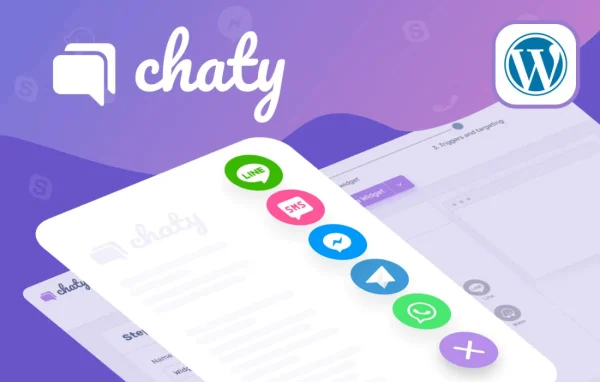
Chaty Pro by Premio is a WordPress plugin that places a customizable chat widget on your site. Visitors can contact you through channels such as WhatsApp, Facebook Messenger and email, and you decide where, when and to whom the widget appears.
- Version
- 3.6.1
- Released
- Sep 29, 2026
- Developer
- Premio
- Type
- WordPress plugin
- Licence
- GPL
- Included in
- Every plan, or $3.99 a year on its own
What’s new in Chaty Pro 3.6.1
Version 3.6.1
Latest
- ImprovedMore chat button shapes and call-to-action placement – improved chat button shape options and CTA placement
- FixedRemoved the target attribute when adding the email channel
- FixedChaty widget not showing after accepting cookies with CookieYes – fixed the widget so it appears after CookieYes consent is accepted
- NewCopy the WeChat user ID to the clipboard by clicking on it – added one-click copying for the WeChat user ID
What it does
Many visitors prefer to reach a business through the messaging app they already use, and a single contact form does not suit everyone. This plugin puts up to 25 chat apps, including WhatsApp and Messenger, into one widget so people can pick the channel they like. You can also assign several agents to one channel, which helps when pre-sales questions and support requests need to go to different people.
The widget is set up from your WordPress dashboard. You choose a design, colors, size and an icon, then set its exact position with X and Y pixel coordinates. Targeting rules let you show or hide widgets by page, day, hour, country, traffic source or device, and you can run several widgets on one site. Click tracking through Google Analytics and built-in widget analytics show which channels visitors use most.
Best for
- Online stores answering pre-sales and support questions
- Businesses whose customers use WhatsApp or Messenger
- Agencies managing contact widgets across client sites
Features
Up to 25 chat channels
Add apps such as WhatsApp, Messenger and email to one widget so visitors can contact you through the channel they already use.
Multiple agents per channel
Assign several agents under a single channel to split inquiries such as pre-sales questions and support requests among your team.
Dynamic chat pop-ups
Pick from two pop-up designs and adjust text and colors with merge tags that can draw on visitor behavior and WooCommerce data.
Custom widget design
Change background colors and size, choose between three designs or upload your own icon, and style each channel's color, hover text and icon.
Pixel-precise placement
Set the widget's position anywhere on the page by entering exact X and Y pixel coordinates.
Page, time and location targeting
Control where and when widgets appear by page, day, hour, date range, visitor country and traffic source, with separate widgets for different cases.
Email lead capture
Send visitor inquiries straight to your inbox with custom email subject lines, so leads arrive without a separate tool.
Analytics and click tracking
Track channel clicks in Google Analytics and review widget analytics on engagement and channel popularity.
Chaty Pro older versions
- 3.5.9Aug 71 improvement
- 3.5.8Jul 311 fix
- 3.5.7Jul 172 new, 1 improvement, 2 fixes
- 3.5.6Jul 10
- 3.5.5Jun 2
- 3.5.4May 12
- 3.5.3May 5
- 3.5.2May 4
- 3.5.1Apr 14
- 3.5.0Mar 2
Members and buyers of this product can download older versions.
29 older versions in all. If you need one that is not listed, ask support.
Questions about Chaty Pro
Which chat apps can I add to the widget?
You can add up to 25 chat apps, including WhatsApp, Facebook Messenger and email. WeChat is supported with a QR code, and visitors can copy the WeChat user ID with one click. Each channel can have its own color, hover text and icon.
Can I show different widgets on different pages?
Yes. You can create multiple widgets on one site and target each by page, device, visitor country or traffic source. You can also limit them to certain days and hours or schedule them for specific dates, which suits promotions and campaigns.
Does it work with WooCommerce?
The dynamic chat pop-ups can use merge tags based on visitor behavior and WooCommerce data, so invitation text can reflect what a shopper is doing in your store. You pick one of two pop-up designs and set the text and colors.
Can I track how visitors use the chat channels?
Yes. Clicks on each channel can be tracked automatically in Google Analytics, and the plugin includes widget analytics covering visitor engagement and which channels are most popular.
Is Chaty Pro free?
The code of Chaty Pro is licensed under the GPL, so anyone may use, change and share it. GPL Feast is a paid service: a plan or a single purchase gives you the download and automatic updates. The developer's own support, licence key and online services are not included.
Which version of Chaty Pro is this?
Version 3.6.1, released Sep 29, 2026. New versions appear here when the developer publishes them, and members get them as automatic updates.
How do I update Chaty Pro?
Install the free GPL Feast Updater on your site and connect it with your API key. It installs new versions of Chaty Pro automatically and keeps a backup, so you can roll back.
You might also like






