
Plugin
Updated
Countix – Sales Countdown Timer for WooCommerce and WordPress
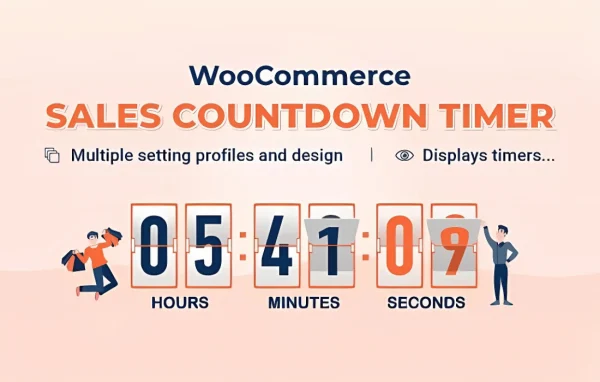
Countix is a WordPress plugin by VillaTheme that adds sales countdown timers and stock indicators to your store. It works with WooCommerce, reading your scheduled sale times and showing a countdown on each product page so shoppers can see exactly when an offer ends.
- Version
- 1.1.11
- Released
- Aug 20, 2026
- Developer
- VillaTheme
- Type
- WordPress plugin
- Requires
- WooCommerce
- Licence
- GPL
- Included in
- Every plan, or $3.99 on its own
What’s new in Countix – Sales Countdown Timer for WooCommerce and WordPress 1.1.11
Version 1.1.11 · Aug 20, 2026
Latest
- ImprovedVillaTheme support
What it does
Running a timed sale in WooCommerce usually means setting start and end dates, then hoping customers notice the deadline. This plugin puts that deadline on the product page as a visible countdown. Because it reads the sale schedule you already set, timers start and stop on their own when the sale period begins and ends, so you don't have to edit pages by hand each time a promotion changes.
You can place the timer before or after the price, next to the add-to-cart button, or near the product images, depending on how your product layout is built. Stock countdown indicators can show how much inventory is left. Timer styles, colors and fonts are adjustable from a settings panel with a live preview, and the plugin supports translation plugins such as WPML and right-to-left languages. It is meant to work with most themes and with page builders like Elementor and WPBakery.
Best for
- WooCommerce stores that run time-limited sales
- Shop owners who want low-stock notices on products
- Multilingual or right-to-left language online stores
Features
Timers from scheduled sales
Countdowns appear automatically on product pages based on the sale start and end dates you set in WooCommerce, and they switch on and off with the schedule.
Flexible timer placement
Show the countdown before or after the product price, before or after the add-to-cart button, or near the product images to suit your layout.
Stock countdown indicators
Display current stock levels alongside the timer so shoppers can see how many units of a product remain.
Customizable timer designs
Pick from multiple timer styles and adjust colors and fonts so the countdown matches the look of your store.
Settings panel with live preview
Configure timers through a settings panel without writing code, and check how they will look using the live preview options.
Responsive on any screen
Timers are built to display properly on phones, tablets and desktops, so the countdown stays readable at different screen sizes.
Translation and RTL support
Works with WPML and other translation plugins and supports right-to-left languages, which helps stores selling in more than one language.
Countix – Sales Countdown Timer for WooCommerce and WordPress older versions
- 1.1.10Jun 221 fix
- 1.1.9Mar 71 improvement
- 1.1.8Nov 10, 20251 improvement, 1 fix
- 1.1.7Aug 4, 2025
Members and buyers of this product can download older versions.
Questions about Countix – Sales Countdown Timer for WooCommerce and WordPress
Does it need WooCommerce to work?
Yes, WooCommerce is required. The plugin reads the scheduled sale dates from your WooCommerce products and uses them to show countdown timers on product pages, starting and stopping them automatically as each sale begins and ends.
Where on the product page can the timer appear?
You can position the countdown before or after the product price, before or after the add-to-cart button, or near the product images. This lets you fit the timer into your existing product page layout instead of reworking it.
Can I change how the countdown looks?
Yes. You can choose from multiple timer styles and adjust colors and fonts to match your brand. The settings panel includes live preview options, so you can see the result before publishing, and no coding is needed.
Will it work on a store in another language?
The plugin is compatible with WPML and other translation plugins, and it supports right-to-left languages. That makes it a reasonable fit for stores serving customers in several languages or in regions that read right to left.
Is Countix – Sales Countdown Timer for WooCommerce and WordPress free?
The code of Countix – Sales Countdown Timer for WooCommerce and WordPress is licensed under the GPL, so anyone may use, change and share it. GPL Feast is a paid service: a plan or a single purchase gives you the download and automatic updates. The developer's own support, licence key and online services are not included.
Which version of Countix – Sales Countdown Timer for WooCommerce and WordPress is this?
Version 1.1.11, released Aug 20, 2026. New versions appear here when the developer publishes them, and members get them as automatic updates.
How do I update Countix – Sales Countdown Timer for WooCommerce and WordPress?
Install the free GPL Feast Updater on your site and connect it with your API key. It installs new versions of Countix – Sales Countdown Timer for WooCommerce and WordPress automatically and keeps a backup, so you can roll back.
What does Countix – Sales Countdown Timer for WooCommerce and WordPress need?
Countix – Sales Countdown Timer for WooCommerce and WordPress needs WooCommerce installed and active.
More from VillaTheme







Countix – Sales Countdown Timer for WooCommerce and WordPressv1.1.11 · From $14/month or $3.99
See plans