Plugin
Updated
ElementsKit Pro
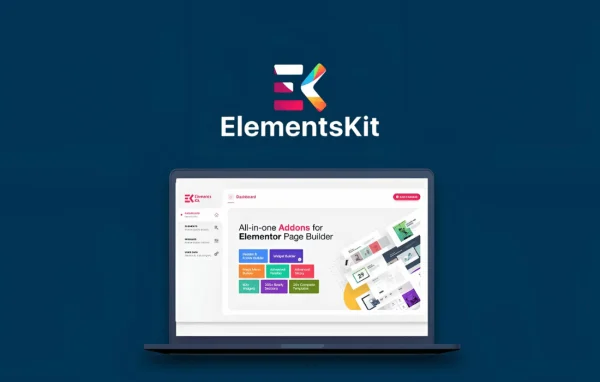
ElementsKit Pro by Wpmet is an add-on plugin for Elementor that gathers a large set of widgets, extensions and builders in one place. It lets you design custom headers, footers and mega menus, and it includes a library of ready-made homepages and sections to start pages faster.
- Version
- 4.10.7
- Released
- Oct 11, 2026
- Developer
- Wpmet
- Type
- WordPress plugin
- Requires
- Elementor and Elementskit Lite
- Licence
- GPL
- Included in
- Every plan, or $3.99 a year on its own
What’s new in ElementsKit Pro 4.10.7
Version 4.10.7 · Oct 11, 2026
Latest
- NewCopy and Paste actions using Elementor's latest Context Menu API.
- NewCross-domain content transfer using the Clipboard API with a manual paste fallback.
- ImprovedCopy and Paste compatibility with Containers, Flexbox, Grid, Div Block, and third-party Elementor widgets.
- ImprovedAdded conflict-free keyboard shortcuts for Copy (Ctrl+Alt+C) and Paste (Ctrl+Alt+V).
- ImprovedAdded guidance for configuring the Glass Morphism background effect.
- ImprovedElementsKit Header Footer compatibility with ShopEngine templates.
- ImprovedLite and Pro integration for PRO badges and automatic functional script loading when Pro is active.
- ImprovedMouse Cursor widget icon rendering compatibility with inline SVG icons.
What it does
Many Elementor users end up installing several separate add-ons to get headers, menus and extra widgets. This plugin puts those tools into a single package that works inside the Elementor editor. You build headers and footers visually, decide where each one appears using display conditions, and design mega menus with regular Elementor widgets. Creative widgets such as advanced accordions, flip boxes, fancy animated text, image masking, advanced tabs, toggles and blog post layouts sit alongside them.
For starting points, the layout library holds 98+ ready-made homepages and 791+ pre-built sections that you can drop in and adjust. A multi widget area lets you place standard WordPress widgets inside Elementor widgets, and custom controls like Ajax SELECT2 and an image picker help with more complex builds. You can switch individual widgets and extensions on or off so only the parts you use stay active. Off-canvas menus help with navigation on tablets and phones.
Best for
- Elementor users who want one add-on instead of many
- Freelancers and agencies building custom headers and mega menus
- Site owners who like starting from ready-made layouts
Features
Header and footer builder
Create custom headers and footers in Elementor with full control over their layout and content, then assign them to any page or section of your site.
Mega menu builder
Design responsive mega menus using Elementor widgets, so your navigation can hold columns, images and other content instead of plain link lists.
Conditional display settings
Choose exactly where headers, footers and other elements appear, with options for specific pages, archives or the entire site.
Large creative widget library
Use widgets such as advanced accordions, flip boxes, fancy animated text, image masking, advanced tabs, advanced toggles and blog post layouts, all customizable in Elementor.
Ready-made layout library
Start from 98+ ready-made homepages and 791+ pre-built sections, then edit the content and styling to fit your own project.
Multi widget area
Embed standard WordPress widgets inside Elementor widgets, which opens up more layout options for sidebars, tabs and similar areas.
Custom editor controls
Extra controls including Ajax SELECT2 and an image picker make it easier to build complex features inside the Elementor editor.
Module on and off switches
Enable or disable individual widgets and extensions so your site only loads the pieces you actually use.
ElementsKit Pro older versions
- 4.10.6Sep 291 improvement, 2 fixes
- 4.10.5Sep 214 new, 2 improvements, 11 fixes
- 4.10.4Sep 73 new, 1 improvement, 1 fix
- 4.10.3Aug 25
- 4.10.02Aug 13
- 4.10.01Aug 12
- 4.10.0Aug 11
- 4.5.3Jul 12
- 4.5.2Jul 2
- 4.5.1Jun 23
Members and buyers of this product can download older versions.
54 older versions in all. If you need one that is not listed, ask support.
Questions about ElementsKit Pro
Do I need Elementor to use this plugin?
Yes. It is an add-on for Elementor, so all of its widgets, builders and templates work inside the Elementor editor. You need Elementor active on your WordPress site before you can use any of its features.
Can I show a different header on certain pages?
Yes. The header and footer builder includes display conditions, so you can assign a header or footer to specific pages, to archives or to the entire site. This lets you use a custom layout on a landing page while keeping your standard header elsewhere.
Will unused widgets slow down my site?
You can turn individual widgets and extensions on or off from the plugin settings. Disabling the ones you do not need keeps only the parts you actually use active, which helps keep your setup lean.
Does it include templates I can start from?
It comes with a layout library of 98+ ready-made homepages and 791+ pre-built sections. You can insert them into your pages through Elementor and then change the text, images and styling to match your own site.
Is ElementsKit Pro free?
The code of ElementsKit Pro is licensed under the GPL, so anyone may use, change and share it. GPL Feast is a paid service: a plan or a single purchase gives you the download and automatic updates. The developer's own support, licence key and online services are not included.
Which version of ElementsKit Pro is this?
Version 4.10.7, released Oct 11, 2026. New versions appear here when the developer publishes them, and members get them as automatic updates.
How do I update ElementsKit Pro?
Install the free GPL Feast Updater on your site and connect it with your API key. It installs new versions of ElementsKit Pro automatically and keeps a backup, so you can roll back.
What does ElementsKit Pro need?
ElementsKit Pro needs Elementor and Elementskit Lite installed and active.
You might also like