Plugin
Updated
ShopEngine Pro
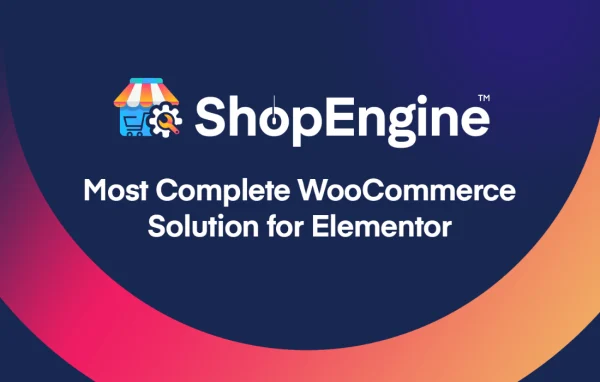
ShopEngine Pro by Wpmet is a WordPress plugin for building and customizing WooCommerce stores without code. It gives you a drag and drop builder for the default store pages and adds sales tools such as variation swatches, pre-orders, partial payments and flash sales.
- Version
- 2.7.7
- Released
- Oct 4, 2026
- Developer
- Wpmet
- Type
- WordPress plugin
- Requires
- WooCommerce, Elementor and Shopengine
- Licence
- GPL
- Included in
- Every plan, or $10.39 a year on its own
What’s new in ShopEngine Pro 2.7.7
Version 2.7.7 · Oct 4, 2026
Latest
- NewCurrency Position change control for product filters widget.
- NewStyle controllers for Rating, Brand and Color count badges for product filters widget.
- NewNormal/Hover/Active tabs for filter count and title colors in product filters widget.
- NewCircle Inner Icon Color control for the circle style in product filters widget.
- ImprovedSecurity and plugin codebase compliance with WordPress.org guidelines.
- ImprovedPrice filter now follows the selected currency symbol and position of the Currency Switcher module.
- FixedProduct filters widget performance issue.
- FixedCategory and subcategory toggle overlapping with the count badge in product filters widget.
What it does
WooCommerce handles the selling side of a store well, but its default shop, cart, checkout and account pages are hard to change without touching code. This plugin fixes that by letting you design each of those pages visually, along with the order success page. It works with Elementor and with the Gutenberg editor, so you can stay in whichever editor you already use. A broad widget library covers product info, cart contents, checkout forms and account management, so each part of a page can be placed and styled where you want it.
Beyond page design, it adds store features that would otherwise take several separate plugins. You can show product variations as color swatches, buttons, images or labels, accept pre-orders with closing dates, and let customers pay in installments. Flash sales can run on single products or whole categories, and sales pop-ups display buyer activity on your site. A quick view pop-up and a quick checkout button on product pages shorten the path to an order. It requires WooCommerce and Elementor, and layouts adapt to phones and tablets.
Best for
- WooCommerce store owners who want custom store pages
- Freelancers and agencies building Elementor shops for clients
- Stores selling variable products or upcoming releases
Features
Visual WooCommerce page builder
Design the shop, cart, checkout, my account and order success pages with a drag and drop interface, with no coding needed to change the layout.
Elementor and Gutenberg support
Build store pages in either Elementor or the Gutenberg block editor, so you can keep working in the editor that fits your workflow.
Variation swatches
Display product variations as color swatches, buttons, images or labels instead of plain dropdowns, which makes choosing a size or color clearer for shoppers.
Partial payments
Let customers pay for orders in installments. The feature works with all WooCommerce payment methods and supports variable products.
Product pre-orders
Take orders for upcoming products before they are in stock, with a pre-order status you can manage and closing dates for each offer.
Flash sales and sales pop-ups
Run time-limited sales on individual products or entire categories, and show pop-up notifications of real-time buyer activity or virtual sales on your pages.
Quick view and quick checkout
Visitors can preview product details in a pop-up without leaving the page, and a quick checkout button on product pages takes them straight to ordering.
Styled product filters
The product filters widget includes style controls for rating, brand and color count badges, plus normal, hover and active color tabs for filter titles and counts.
ShopEngine Pro older versions
- 2.7.6Aug 91 improvement, 1 fix
- 2.7.5Jul 12 new, 2 improvements, 1 fix
- 2.7.4Jun 96 new, 1 fix
- 2.7.2Feb 17
- 2.7.1Nov 24, 2025
- 2.7.0Nov 5, 2025
- 2.6.9Sep 27, 2025
- 2.6.8Sep 5, 2025
- 2.6.7Jul 23, 2025
- 2.6.6Jul 15, 2025
Members and buyers of this product can download older versions.
28 older versions in all. If you need one that is not listed, ask support.
Questions about ShopEngine Pro
Does it work with the Gutenberg editor or only Elementor?
It works with both. You can design your WooCommerce pages in Elementor or in the Gutenberg block editor. Note that the plugin lists WooCommerce and Elementor as requirements, so both should be active on your site.
Which WooCommerce pages can I redesign?
You can customize the shop page, cart, checkout, my account area and the order success page. A widget library covers product info, cart contents, checkout forms and account management for building those layouts.
Can customers pay for an order in parts?
Yes. The partial payment feature lets shoppers pay in installments. It supports all WooCommerce payment methods and works with variable products as well as simple ones.
Can I run sales on a whole category at once?
Yes. Flash sales can be set up for individual products or for entire categories, and they run for a set time. You can pair them with sales pop-ups that display buyer activity on your site.
Is ShopEngine Pro free?
The code of ShopEngine Pro is licensed under the GPL, so anyone may use, change and share it. GPL Feast is a paid service: a plan or a single purchase gives you the download and automatic updates. The developer's own support, licence key and online services are not included.
Which version of ShopEngine Pro is this?
Version 2.7.7, released Oct 4, 2026. New versions appear here when the developer publishes them, and members get them as automatic updates.
How do I update ShopEngine Pro?
Install the free GPL Feast Updater on your site and connect it with your API key. It installs new versions of ShopEngine Pro automatically and keeps a backup, so you can roll back.
What does ShopEngine Pro need?
ShopEngine Pro needs WooCommerce, Elementor and Shopengine installed and active.
You might also like