Plugin
Updated
GutenKit Blocks Pro
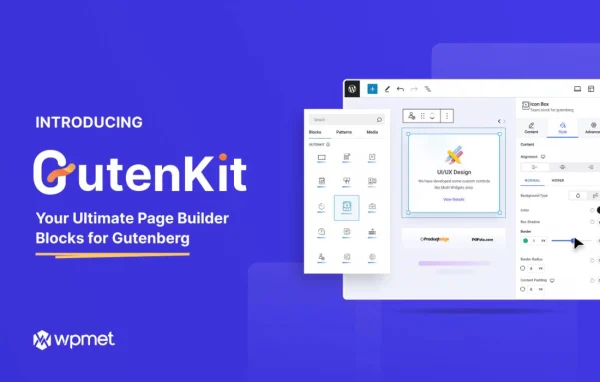
GutenKit Blocks Pro by Wpmet is a WordPress plugin that adds a collection of pre-designed blocks and ready-made templates to the Gutenberg editor. It gives you sliders, testimonials, pricing tables, call-to-action sections and more, all adjustable without writing code.
- Version
- 2.3.12
- Released
- Oct 6, 2026
- Developer
- Wpmet
- Type
- WordPress plugin
- Licence
- GPL
- Included in
- Every plan, or $6.39 a year on its own
What’s new in GutenKit Blocks Pro 2.3.12
Version 2.3.12 · Oct 6, 2026
Latest
- FixedClicked table of contents links starting with numbers caused an error.
- FixedWhatsApp template and Attempt recovery issue.
- ImprovedHard-coded UI strings are now translatable across Blocks.
- ImprovedMarquee scrolling effect smoothness.
What it does
The default block editor covers the basics well, but many common page sections, like pricing tables, testimonial areas or sliders, take extra work or custom code to build. This plugin fills that gap with a library of blocks made for those jobs. You add them inside the editor the same way you add any other block, then adjust colors, fonts, layouts and animations from the settings panel. Each block is built to respond to different screen sizes, so your layouts adapt on desktops, tablets and phones.
Beyond single blocks, the plugin includes ready-to-use templates you can start from when building a new page, which saves you from laying out every section by hand. Typography and styling controls let you fine-tune the look of each element so pages match your brand. It also supports dynamic content such as reviews and featured posts, and its interface text can be translated. It suits portfolios, online stores and business sites built in the block editor.
Best for
- Site owners who build pages in the Gutenberg editor
- Freelancers making portfolio and business sites
- Online stores needing pricing tables and testimonials
Features
Pre-designed content blocks
Add sliders, testimonials, pricing tables, call-to-action sections and other interactive elements straight from the Gutenberg editor without building them from scratch.
Ready-to-use templates
Start pages from a library of prepared templates instead of a blank canvas, then swap in your own text, images and styling.
Responsive layouts
Every block is designed to adjust to different screen sizes, so sections display properly on desktops, tablets and mobile phones.
Design controls without code
Change colors, fonts, layouts and animations for each block through visual settings, so you can match your brand without touching CSS.
Typography and styling options
Detailed type and style settings give you control over individual design elements, helping you create pages with a consistent, polished look.
Dynamic content support
Display dynamic content such as reviews, pricing changes and featured posts so parts of your pages reflect current information.
Table of contents and marquee
Blocks include a clickable table of contents for longer pages and a marquee block with a scrolling text effect.
Translatable interface
Interface strings across the blocks can be translated, which helps when you build sites in languages other than English.
GutenKit Blocks Pro older versions
- 2.3.11Sep 281 improvement, 9 fixes
- 2.3.10Aug 312 improvements, 6 fixes
- 2.3.9Jul 222 fixes
- 2.3.7Jun 7
- 2.3.5Feb 24
- 2.3.4Dec 3, 2025
- 2.3.3Sep 17, 2025
- 2.3.2Aug 7, 2025
- 2.3.0May 13, 2025
- 2.2.2Mar 14, 2025
Members and buyers of this product can download older versions.
20 older versions in all. If you need one that is not listed, ask support.
Questions about GutenKit Blocks Pro
Do I need to know how to code to use these blocks?
No. The blocks are added inside the Gutenberg editor like any other block, and their colors, fonts, layouts and animations are changed through visual settings. You can build sliders, pricing tables and testimonial sections without writing CSS or HTML.
Will pages built with it look right on phones?
Each block is designed to be responsive and adapt to different screen sizes. Sections you build should display properly on desktops, tablets and mobile phones, though it is still wise to preview your pages on each device type.
Does it work with a page builder like Elementor?
It is built for the native Gutenberg block editor in WordPress. The blocks and templates are meant to be used there, so it fits sites that rely on the block editor for page building.
Can I translate the plugin's interface?
Yes. The interface text used across the blocks is translatable, so you can present the editor labels in another language when working on non-English sites.
Is GutenKit Blocks Pro free?
The code of GutenKit Blocks Pro is licensed under the GPL, so anyone may use, change and share it. GPL Feast is a paid service: a plan or a single purchase gives you the download and automatic updates. The developer's own support, licence key and online services are not included.
Which version of GutenKit Blocks Pro is this?
Version 2.3.12, released Oct 6, 2026. New versions appear here when the developer publishes them, and members get them as automatic updates.
How do I update GutenKit Blocks Pro?
Install the free GPL Feast Updater on your site and connect it with your API key. It installs new versions of GutenKit Blocks Pro automatically and keeps a backup, so you can roll back.
You might also like