
Plugin
Updated
GP Date Time Calculator
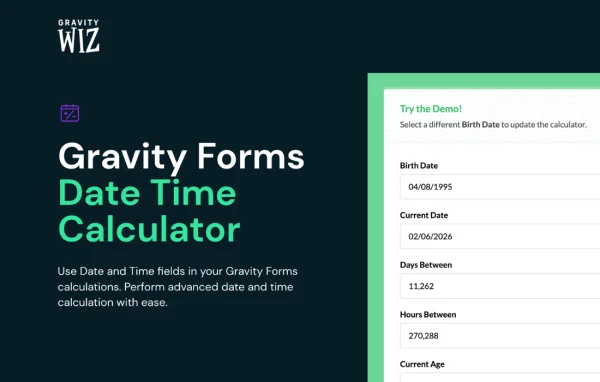
GP Date Time Calculator by Gravity Wiz is a Gravity Forms add-on that lets you use Date and Time fields inside calculations. You can measure durations, work out ages, count weekdays and tie pricing to time spans, all from the form builder without writing code.
- Version
- 1.0-beta-4.27
- Released
- Aug 4, 2026
- Developer
- Gravity Perks
- Type
- WordPress plugin
- Licence
- GPL
- Included in
- Every plan, or $5.59 a year on its own
What’s new in GP Date Time Calculator 1.0-beta-4.27
Version 1.0-beta-4.27 · Aug 4, 2026
Latest
- ImprovedImproved compatibility with Gravity Forms 3.0.
What it does
Gravity Forms handles numbers in calculations well, but dates and times are harder to work with on their own. This add-on closes that gap by letting Date and Time fields take part in formulas. You can find the span between two dates, total the hours between two times, or check a user's age from a birth date. Results can be shown in years, months, weeks, days, hours, minutes or seconds, so the output matches what your form needs.
It fits any form where time drives the result. A booking form can price a stay by the number of days selected, a timesheet can total hours worked, and a registration form can block underage submissions. Since it works with the regular Gravity Forms calculation fields, you can mix Date, Time and Number fields in one formula. It also connects with Calculated Product fields, so prices adjust as users pick their dates.
Best for
- Booking and rental sites pricing by days or hours
- Businesses collecting timesheets through Gravity Forms
- Event registrations that need age checks or age pricing
Features
Date and time in calculations
Use Date and Time fields directly in Gravity Forms calculation formulas, alongside Number fields, to build formulas that depend on when something happens.
Duration between two fields
Calculate the interval between any two Date or Time fields and express it in years, months, weeks, days, hours, minutes or seconds.
Age verification
Work out a user's age automatically from a date they enter, then use it to change form behavior or prevent submissions from underage users.
Age-based pricing
Apply different prices according to the calculated age of the person filling out the form, useful for tickets, classes or tiered registrations.
Weekday and weekend counts
Count only weekdays or only weekend days between two dates, which suits business day calculations and scheduling rules that treat weekends differently.
Duration-based pricing
Connect time spans to Gravity Forms Calculated Product fields so the price updates automatically based on the dates or times a user selects.
Timesheet and appointment use
Track hours worked, schedule appointments or detect milestones by combining date and time units in the formulas you already build in Gravity Forms.
Questions about GP Date Time Calculator
Does this work without Gravity Forms?
No. It is an add-on for Gravity Forms and works inside its form builder and calculation fields. You need Gravity Forms in place to use the date and time calculations it adds.
Can I charge customers based on how many days they book?
Yes. The add-on works with Gravity Forms Calculated Product fields, so you can multiply a daily or hourly rate by the duration between two selected dates or times, and the price updates as the user makes choices.
Can it skip weekends when counting days?
Yes. You can count only weekdays or only weekend days between two dates. That is helpful for business day estimates, lead times, or any schedule where weekends need to be handled separately.
Can I stop people under a certain age from submitting a form?
Yes. The add-on can determine a user's age from a date field and use that value to change form behavior, including preventing underage submissions. The same age value can also drive age-based pricing.
Is GP Date Time Calculator free?
The code of GP Date Time Calculator is licensed under the GPL, so anyone may use, change and share it. GPL Feast is a paid service: a plan or a single purchase gives you the download and automatic updates. The developer's own support, licence key and online services are not included.
Which version of GP Date Time Calculator is this?
Version 1.0-beta-4.27, released Aug 4, 2026. New versions appear here when the developer publishes them, and members get them as automatic updates.
How do I update GP Date Time Calculator?
Install the free GPL Feast Updater on your site and connect it with your API key. It installs new versions of GP Date Time Calculator automatically and keeps a backup, so you can roll back.
More from Gravity Perks






