Plugin
Updated
GP Page Transitions
This Gravity Forms add-on from Gravity Wiz animates the movement between pages of a multi-page form. It slides or fades each step into view, can advance users automatically once the last field on a page is filled, and checks required fields before they move on.
- Version
- 1.0.51
- Released
- Oct 15, 2026
- Developer
- Gravity Perks
- Type
- WordPress plugin
- Licence
- GPL
- Included in
- Every plan, or $5.59 a year on its own
What’s new in GP Page Transitions 1.0.51
Version 1.0.51 · Oct 15, 2026
Latest
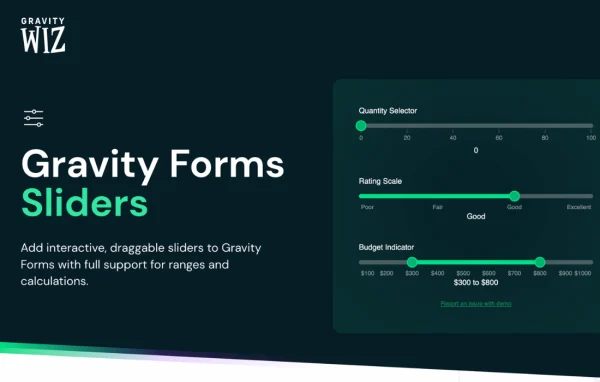
- FixedFixed an issue where required GP Sliders field prevented the Next button from working with soft validation enabled.
What it does
Long forms split across several pages can feel slow and choppy, with a full reload or abrupt jump at every step. This add-on replaces that with slide and fade animations, so each page moves smoothly into the next. It also adds an animated progress bar and page steps that highlight where the user is, which helps people see how much of the form remains and how far they have come.
Beyond the visuals, the plugin changes how users move through a form. Auto-progression sends them to the next page as soon as the final field on the current one is completed, and you can hide the Next and Previous buttons so progress depends on field completion alone. Soft validation flags empty required fields on the front end. Everything is configured from the Gravity Forms page settings, and it works alongside GP Populate Anything and GP Multi-Page Navigation.
Best for
- Sites running long multi-page Gravity Forms
- Agencies building interactive surveys, quizzes or applications
- Gravity Perks users wanting smoother form navigation
Features
Slide and fade animations
Built-in slide and fade effects animate the move from one form page to the next, replacing abrupt page changes with a smoother visual flow.
Automatic page progression
When the last field on a page is filled in, the form advances to the next page on its own, so users do not need to click a button.
Soft front-end validation
Required fields are checked in the browser to catch obvious mistakes early, without forcing users to submit each page before moving forward.
Animated progress bar and steps
Progress indicators and page steps animate as users move through the form, highlighting their current position in a multi-step form.
Hide navigation buttons
You can remove the Next and Previous buttons so that progression is driven entirely by completing fields on each page.
Configured in form settings
All features are turned on and adjusted directly from the Gravity Forms page settings, so setup stays inside the form editor you already use.
Mobile-friendly behavior
Input focusing, touch interactions and mobile keyboard handling are supported, so transitions behave properly when forms are filled out on phones.
Works with other Gravity Perks
The plugin runs alongside other Gravity Perks add-ons, including GP Populate Anything and GP Multi-Page Navigation, for more flexible multi-page forms.
GP Page Transitions older versions
- 1.0.50Sep 182 fixes
- 1.0.49Sep 101 fix
- 1.0.47Jul 301 fix
- 1.0.46Jul 10
- 1.0.45May 8
- 1.0.44Jan 8
- 1.0.43Oct 30, 2025
- 1.0.42Oct 10, 2025
- 1.0.41Sep 24, 2025
- 1.0.40May 15, 2025
Members and buyers of this product can download older versions.
38 older versions in all. If you need one that is not listed, ask support.
Questions about GP Page Transitions
Do I need Gravity Forms to use this plugin?
Yes. It is an add-on for Gravity Forms and works with multi-page forms built there. Its options appear in the Gravity Forms page settings, where you switch on transitions, auto-progression and the other features for each form.
Can the form move to the next page without a Next button?
Yes. Auto-progression advances the form as soon as the last field on the current page is completed. You can also hide the Next and Previous buttons entirely so users move forward only by filling in fields.
How does the soft validation work?
It checks required fields on the front end, in the browser, to catch obvious errors such as an empty required field. Users get that feedback without having to submit each page, which keeps the flow between pages uninterrupted.
Will it work with other Gravity Perks add-ons I already use?
It is built to run alongside other Gravity Perks plugins. GP Populate Anything and GP Multi-Page Navigation are both named as compatible, so you can combine dynamic field population or page navigation tools with animated transitions.
Is GP Page Transitions free?
The code of GP Page Transitions is licensed under the GPL, so anyone may use, change and share it. GPL Feast is a paid service: a plan or a single purchase gives you the download and automatic updates. The developer's own support, licence key and online services are not included.
Which version of GP Page Transitions is this?
Version 1.0.51, released Oct 15, 2026. New versions appear here when the developer publishes them, and members get them as automatic updates.
How do I update GP Page Transitions?
Install the free GPL Feast Updater on your site and connect it with your API key. It installs new versions of GP Page Transitions automatically and keeps a backup, so you can roll back.
More from Gravity Perks