
Plugin
Updated
GP Disable Entry Creation
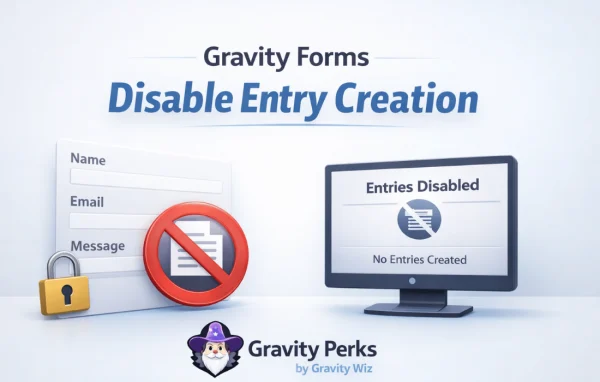
GP Disable Entry Creation is a Gravity Forms add-on by Gravity Wiz that keeps submitted entries out of your database. Gravity Forms normally saves an entry for every submission, so this plugin deletes each entry and its uploaded files once the submission process finishes.
- Version
- 2.0.4
- Released
- Jan 7, 2026
- Developer
- Gravity Perks
- Type
- WordPress plugin
- Licence
- GPL
- Included in
- Every plan, or $5.59 a year on its own
What’s new in GP Disable Entry Creation 2.0.4
Version 2.0.4 · Jan 7, 2026
Latest
- ImprovedUpdated code formatting to match WPCS 3.0 rules.
What it does
Many forms exist only to send an email notification or pass data to another service. In those cases the saved entries just pile up, and some of them may hold personal details you would rather not keep. Gravity Forms has no built-in way to skip entry creation, so this add-on handles the cleanup for you: after a form is processed, the entry and any associated files are removed automatically, with no manual deletion needed.
The plugin lives inside the Gravity Forms settings, where you turn it on for a form. You can use Gravity Forms conditional logic to decide when entries should be kept and when they should be deleted. It also works with User Registration feeds, waiting until a user is created, updated or activated before it removes the entry. That makes it a good fit for sites that want less stored personal data, including those working toward GDPR requirements.
Best for
- Gravity Forms sites using forms only for email notifications
- Sites sending form data to third-party services
- Site owners who want to store less personal data
Features
Automatic entry deletion
Each form entry is deleted right after the submission process completes, so submissions do not build up in your Gravity Forms entry list.
Removes associated files
Files uploaded with a submission are deleted along with the entry, so attachments do not linger on your server after the form is processed.
User Registration feed support
When a form uses a User Registration feed, the entry is deleted only after the user is created, updated or activated, so registration still completes normally.
Conditional entry removal
Gravity Forms conditional logic lets you choose which submissions are kept and which are deleted, based on the values entered in the form.
Less stored personal data
Because entries are removed after processing, personal details from submissions are not held in your database, which can help with privacy rules such as GDPR.
Built into form settings
The option sits inside the Gravity Forms settings, so you can enable it for a form without a separate configuration screen.
GP Disable Entry Creation older versions
- 2.0.3Jul 12, 20231 improvement, 1 fix
- 2.0.2Apr 18, 20231 fix
Members and buyers of this product can download older versions.
Questions about GP Disable Entry Creation
Does this stop Gravity Forms from creating entries at all?
Gravity Forms always creates an entry when a form is submitted. This plugin deletes that entry, along with any associated files, right after the submission process completes, so the result is that nothing stays in your database.
Will my email notifications and integrations still work?
Yes. The entry is removed only after the form finishes processing, so notifications and third-party integrations run first. The plugin is meant for exactly this case, where a form sends data elsewhere and you have no need to keep the entry.
Can I keep some entries and delete others?
Yes. You can use Gravity Forms conditional logic to decide when entry deletion applies, so submissions that meet your conditions are kept while the rest are removed.
Does it work with user registration forms?
It works with Gravity Forms User Registration feeds. The entry is deleted only after the user is created, updated or activated, so the registration step finishes before the data is removed.
Is GP Disable Entry Creation free?
The code of GP Disable Entry Creation is licensed under the GPL, so anyone may use, change and share it. GPL Feast is a paid service: a plan or a single purchase gives you the download and automatic updates. The developer's own support, licence key and online services are not included.
Which version of GP Disable Entry Creation is this?
Version 2.0.4, released Jan 7, 2026. New versions appear here when the developer publishes them, and members get them as automatic updates.
How do I update GP Disable Entry Creation?
Install the free GPL Feast Updater on your site and connect it with your API key. It installs new versions of GP Disable Entry Creation automatically and keeps a backup, so you can roll back.
More from Gravity Perks






