
Plugin
Updated
GP Live Preview
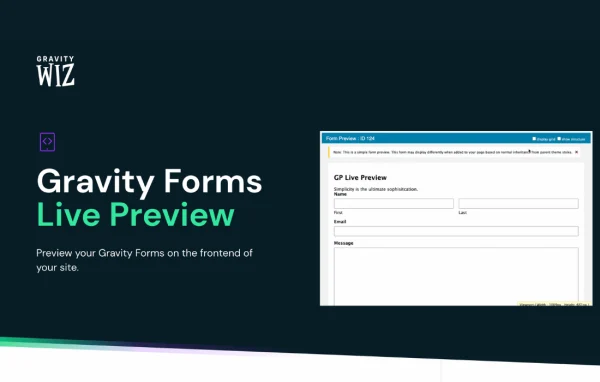
GP Live Preview is a Gravity Forms add-on plugin by Gravity Wiz. It adds a Live Preview button to the form editor toolbar so you can see a form on your site's actual frontend, with options that make testing and debugging faster.
- Version
- 1.6.14
- Released
- Feb 17, 2026
- Developer
- Gravity Perks
- Type
- WordPress plugin
- Licence
- GPL
- Included in
- Every plan, or $5.59 a year on its own
What’s new in GP Live Preview 1.6.14
Version 1.6.14 · Feb 17, 2026
Latest
- SecurityAdded deprecation notice with notice to install/activate GF Dev Tools.
What it does
The default Gravity Forms preview shows a form outside your theme, so it rarely matches what visitors will see. The usual workaround is creating a draft post or page with a shortcode just to check the form. This plugin removes that step. One click from the Gravity Forms toolbar opens the form live on your site's frontend, styled by your theme, so you can judge layout and behavior as visitors experience them.
Testing a complex form often means filling every required field, solving reCAPTCHA and clearing an inbox full of notification emails. The preview mode can make required fields optional, skip reCAPTCHA, turn off notification emails and ignore restrictions such as entry limits or scheduling. It can also reveal hidden fields for debugging and run forms with AJAX enabled, which the native preview does not support. That makes it a good fit for developers and site builders who iterate on forms often.
Best for
- Developers building complex Gravity Forms
- Agencies testing client forms before launch
- Site owners checking forms against their theme
Features
Live frontend preview
See your form on the actual site frontend with your theme applied, without creating posts or shortcode pages just to check how it looks.
One-click toolbar access
A Live Preview button sits in the Gravity Forms toolbar, so opening a frontend preview takes a single click from the form editor.
Optional required fields
Make mandatory fields optional while previewing, so you can submit a test entry quickly without filling in every input.
AJAX-enabled previews
Preview forms with AJAX turned on to see the same submission behavior visitors get, something the native Gravity Forms preview does not offer.
Reveal hidden fields
Show all hidden fields during preview without changing their settings, which helps you confirm values and catch problems while debugging.
Skip notification emails
Stop notification emails from being sent when you submit forms in preview mode, so test entries do not fill up inboxes.
Bypass form restrictions
Ignore entry limits, scheduling and similar restrictions during preview so you can test a form fully at any time.
reCAPTCHA bypass
Skip reCAPTCHA checks while previewing, letting you submit test entries repeatedly without solving a challenge each time.
GP Live Preview older versions
- 1.6.13May 15, 20251 improvement
- 1.6.12Feb 28, 20251 fix
- 1.6.11Sep 12, 20241 improvement
- 1.6.10Jan 6, 2024
- 1.6.9Dec 7, 2023
- 1.6.8Aug 3, 2023
- 1.6.7May 11, 2023
- 1.6.6Apr 18, 2023
Members and buyers of this product can download older versions.
Questions about GP Live Preview
How is this different from the built-in Gravity Forms preview?
The built-in preview shows the form outside your site's design and does not support AJAX. This plugin displays the form on your real frontend with your theme, supports AJAX, and adds testing options like optional required fields and hidden field display.
Will test submissions send emails to my team or customers?
You can disable notification emails for submissions made in preview mode. That way test entries do not trigger messages to admins, clients or the email addresses entered in the form.
Can I test a form that has reached its entry limit or is scheduled to close?
Yes. The preview can ignore form restrictions such as entry limits and scheduling, so you can keep testing a form even when those rules would block a normal visitor.
Does it work with other Gravity Perks add-ons?
It includes compatibility optimizations for popular Gravity Perks add-ons and is designed to give consistent previews on sites running various themes and plugins.
Is GP Live Preview free?
The code of GP Live Preview is licensed under the GPL, so anyone may use, change and share it. GPL Feast is a paid service: a plan or a single purchase gives you the download and automatic updates. The developer's own support, licence key and online services are not included.
Which version of GP Live Preview is this?
Version 1.6.14, released Feb 17, 2026. New versions appear here when the developer publishes them, and members get them as automatic updates.
How do I update GP Live Preview?
Install the free GPL Feast Updater on your site and connect it with your API key. It installs new versions of GP Live Preview automatically and keeps a backup, so you can roll back.
More from Gravity Perks






