
Plugin
Updated
GP Unique ID
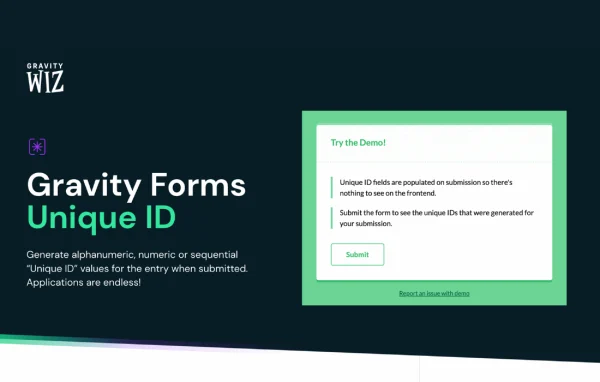
GP Unique ID by Gravity Wiz is a Gravity Forms add-on plugin that gives every form submission its own identifier. You can generate sequential numbers, numeric codes or alphanumeric strings, then use them as order numbers, ticket codes or invoice references.
- Version
- 1.5.21
- Released
- Feb 12, 2026
- Developer
- Gravity Perks
- Type
- WordPress plugin
- Licence
- GPL
- Included in
- Every plan, or $5.59 a year on its own
What’s new in GP Unique ID 1.5.21
Version 1.5.21 · Feb 12, 2026
Latest
- FixedFixed issue where Unique IDs were generated for entries marked as spam by honeypot submission speed checks.
What it does
Gravity Forms assigns entry IDs, but they are shared across all forms and rarely look like something you would hand to a customer. This plugin adds a dedicated field that creates a distinct ID when a form is submitted. You choose the format, set a starting number or length, and add a prefix or suffix so the result matches how your business labels orders, invoices, tickets or raffle entries. Sequential numbering is available for cases such as invoices, where many countries expect numbers to follow in order.
Once an ID exists, you can place it in confirmation messages and notification emails with merge tags, so customers and staff see the same reference number. Spam entries can be left out of ID generation, which keeps your sequence clean, including entries flagged by honeypot submission speed checks. If an ID is edited, the fast-forward option adjusts the sequence to stay consistent. The plugin also works alongside Gravity Flow and GravityView, and developers can extend it with filters and hooks.
Best for
- Gravity Forms sites that need order or invoice numbers
- Event, ticketing and raffle forms needing distinct entry codes
- Developers building custom Gravity Forms workflows
Features
Three ID formats
Generate alphanumeric, numeric or sequential IDs, so you can pick the style that fits order numbers, ticket codes or invoice numbering.
Custom ID settings
Set the starting number, the length of the code and an optional prefix or suffix to shape IDs around your own naming scheme.
Merge tag support
Insert the unique ID into confirmations, notification emails and other messages with merge tags, giving everyone a clear reference number.
Sequential invoice numbering
Produce numbers that follow in order, which helps with invoicing rules that require sequential numbering in many countries.
Spam entries excluded
Entries marked as spam, including those caught by honeypot submission speed checks, can be skipped so they do not consume IDs.
Fast-forward sequences
When an ID is edited manually, the sequence can be moved forward to keep numbering consistent and avoid gaps or duplicates.
GravityView inline editing
Administrators can edit unique IDs through GravityView Inline Edit, and the plugin also works with Gravity Flow workflows.
Developer filters and hooks
Filters and hooks let developers customize how IDs are generated and adapt the plugin to more advanced setups.
GP Unique ID older versions
- 1.5.20Aug 15, 20251 fix
- 1.5.19Jul 10, 20251 fix
- 1.5.18May 15, 20251 removal
- 1.5.17Apr 11, 2025
- 1.5.16Jan 11, 2025
- 1.5.15Jan 8, 2025
- 1.5.14Oct 10, 2024
- 1.5.13Sep 12, 2024
- 1.5.12Aug 28, 2024
- 1.5.11Jul 10, 2024
Members and buyers of this product can download older versions.
24 older versions in all. If you need one that is not listed, ask support.
Questions about GP Unique ID
Can I make the IDs look like my existing order numbers?
Yes. You can choose a numeric, alphanumeric or sequential format, set the starting number and code length, and add a prefix or suffix. That lets you match an existing scheme such as a store code followed by a running number.
Will customers see their ID in the confirmation email?
They can. The unique ID is available as a merge tag, so you can place it in confirmation messages, notification emails and other communications sent by Gravity Forms, giving the customer and your team the same reference.
Do spam submissions use up numbers in my sequence?
Spam entries can be excluded from ID generation, including entries flagged by honeypot submission speed checks. This keeps your sequence tidy so real submissions are not separated by numbers assigned to junk entries.
Does it work with GravityView and Gravity Flow?
Yes. The plugin is compatible with Gravity Flow and GravityView, and administrators can edit unique IDs through GravityView Inline Edit. If an edit changes the order, the fast-forward option keeps the sequence consistent.
Is GP Unique ID free?
The code of GP Unique ID is licensed under the GPL, so anyone may use, change and share it. GPL Feast is a paid service: a plan or a single purchase gives you the download and automatic updates. The developer's own support, licence key and online services are not included.
Which version of GP Unique ID is this?
Version 1.5.21, released Feb 12, 2026. New versions appear here when the developer publishes them, and members get them as automatic updates.
How do I update GP Unique ID?
Install the free GPL Feast Updater on your site and connect it with your API key. It installs new versions of GP Unique ID automatically and keeps a backup, so you can roll back.
More from Gravity Perks






