
Plugin
Updated
Gravity Perks Advanced Calculations
Gravity Perks Advanced Calculations by Gravity Wiz is a plugin that extends the calculation features in Gravity Forms. It adds spreadsheet-style math functions, conditional formulas and a better formula editor, so you can build price estimates, loan calculators and cost tools without custom code.
- Version
- 2.0.7
- Released
- Sep 30, 2026
- Developer
- Gravity Perks
- Type
- WordPress plugin
- Licence
- GPL
- Included in
- Every plan, or $5.59 a year on its own
What’s new in Gravity Perks Advanced Calculations 2.0.7
Version 2.0.7 · Sep 30, 2026
Latest
- SecurityAdded a warning when a calculation formula references a Total field, which Gravity Forms does not support in calculations.
- FixedFixed an issue where GP Advanced Calculations could produce different results before and after submission when calculations referenced an Address field's Country input on Gravity Forms 3.
What it does
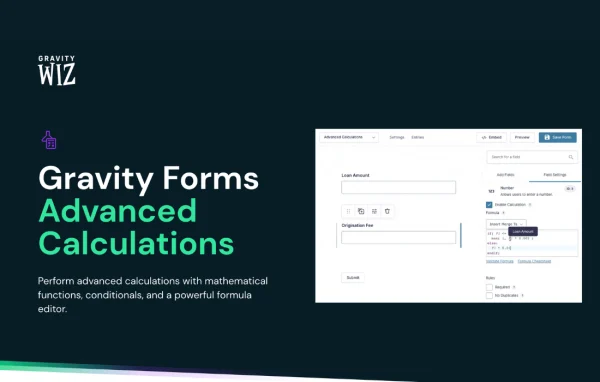
Gravity Forms can handle simple calculations, but complex formulas get hard to write and maintain with merge tags alone. This add-on gives Number and Calculated Product fields a wider set of math functions and lets one field run different formulas depending on what the visitor enters. It works on your existing fields automatically, so there is no separate setup step before you start writing better formulas.
Writing formulas happens in an editor with syntax highlighting, autocomplete and shorthand field references, which makes long expressions easier to read and check. You can write multi-line if, elseif and else statements, compare strings and work with formatted currency values. When the form is submitted, calculations run again on the server, so the stored results match the formula and cannot be altered in the browser. The plugin also warns you if a formula references a Total field, which Gravity Forms does not support in calculations.
Best for
- Gravity Forms sites offering price quotes or cost estimates
- Lenders and advisors building loan or mortgage calculators
- Developers creating logic-heavy forms without custom code
Features
Spreadsheet-style math functions
Use a wide range of math functions similar to those in a spreadsheet to build complex calculations directly inside your Gravity Forms fields.
Conditional formulas
Place multiple formulas in the same field and let the form switch between them based on user input or other conditions you define.
Multi-line if/else logic
Write layered conditional calculations using multi-line if, elseif and else statements for forms that need several branches of logic.
Formula editor with autocomplete
The editor offers syntax highlighting and autocompletion, which helps you spot mistakes and write long formulas with less trial and error.
Shorthand field references
Refer to fields with short references instead of full merge tags, so formulas stay cleaner and easier to edit later.
Server-side recalculation
Every calculation is run again on the server when the form is submitted, keeping saved results accurate and protected from tampering.
Currency and string handling
Formatted currency values are processed correctly, and string comparisons are supported, so formulas can respond to text answers as well as numbers.
Works with existing fields
Number and Calculated Product fields gain the new capabilities automatically, without extra configuration on forms you have already built.
Gravity Perks Advanced Calculations older versions
- 2.0.6Sep 181 fix
- 2.0.5Aug 281 improvement, 1 fix
- 2.0.4Jul 101 improvement
- 2.0.3Jul 2
- 2.0.2Jun 18
- 2.0May 20
- 1.1.22May 13
- 1.1.21Jan 15
- 1.1.20Nov 21, 2025
- 1.1.19Oct 3, 2025
Members and buyers of this product can download older versions.
44 older versions in all. If you need one that is not listed, ask support.
Questions about Gravity Perks Advanced Calculations
Does this work with forms I have already built?
Yes. It automatically improves the Number and Calculated Product fields in Gravity Forms, so your existing forms can use the new functions and editor without extra setup. You simply edit the formulas in those fields.
Can one field use different formulas depending on the answers?
It can. You can add conditional statements, including multi-line if, elseif and else blocks, so a single field applies a different calculation based on user input or other conditions in the form.
Can visitors change the calculated result before submitting?
Calculations are recalculated on the server when the form is submitted. That means the stored value comes from your formula, and changes made in the browser will not affect the saved result.
Do I need to know how to code to write formulas?
No custom coding is required. The formula editor provides syntax highlighting, autocomplete and shorthand field references, which make spreadsheet-style formulas easier to write and read for people comfortable with basic formulas.
Is Gravity Perks Advanced Calculations free?
The code of Gravity Perks Advanced Calculations is licensed under the GPL, so anyone may use, change and share it. GPL Feast is a paid service: a plan or a single purchase gives you the download and automatic updates. The developer's own support, licence key and online services are not included.
Which version of Gravity Perks Advanced Calculations is this?
Version 2.0.7, released Sep 30, 2026. New versions appear here when the developer publishes them, and members get them as automatic updates.
How do I update Gravity Perks Advanced Calculations?
Install the free GPL Feast Updater on your site and connect it with your API key. It installs new versions of Gravity Perks Advanced Calculations automatically and keeps a backup, so you can roll back.
More from Gravity Perks






