
Plugin
Updated
Gravity Perks Auto List Field
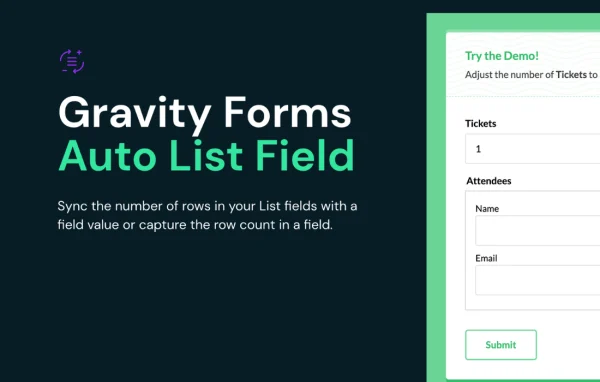
Gravity Perks Auto List Field by Gravity Wiz is an add-on for Gravity Forms that ties the number of rows in a List field to the value of another field. When a visitor enters a number, the list grows or shrinks to match, and the row count can be passed to other fields.
- Version
- 1.0.7
- Released
- Nov 12, 2025
- Developer
- Gravity Perks
- Type
- WordPress plugin
- Licence
- GPL
- Included in
- Every plan, or $5.59 a year on its own
What’s new in Gravity Perks Auto List Field 1.0.7
Version 1.0.7 · Nov 12, 2025
Latest
- FixedFixed an issue with count value computing incorrectly in certain payment gateway scenarios.
What it does
List fields in Gravity Forms let visitors add and remove rows by hand, which often leads to mismatched entries. If someone orders four tickets, you probably want four attendee rows, no more and no fewer. This add-on links a List field to a Number, Quantity, Single Product or Calculated Product field, so the rows adjust automatically as the value changes. Visitors fill in exactly the rows you need, and you skip the custom code that this kind of behavior would normally require.
It also works in the other direction. The add-on can count the rows in a List field and output that number into another field, where it can feed calculations or conditional logic. Row changes happen as the visitor types, without waiting for them to leave the field. Multi-column List fields are supported, and a merge tag in the format {Label:ID:count} lets you use the row count elsewhere. Developers can adjust behavior through filters and hooks, including which fields act as triggers and whether list action buttons are visible.
Best for
- Event sites collecting details for each ticket or attendee
- Order forms where product quantity sets the number of rows
- Developers building Gravity Forms with row-based calculations
Features
Sync rows to a field value
Link a List field to a Number, Quantity, Single Product or Calculated Product field so its row count always matches the value entered.
Automatic add and remove
Rows are added or removed as the trigger value changes, so visitors never need to adjust the list length by hand.
Row count output
Count the rows in a List field and send that number into another field for use in calculations or conditional logic.
Updates while typing
A keyup listener on trigger inputs changes the rows instantly as the visitor types, with no need to click out of the field.
Multi-column list support
Works with multi-column List fields, so each synced row can collect several related pieces of information, such as names and emails.
Count merge tag
Use the {Label:ID:count} merge tag to display or reuse the number of rows in a List field within your form setup.
Developer filters and hooks
Filters and hooks let developers change supported trigger fields, the visibility of list action buttons and frontend script options.
Gravity Perks Auto List Field older versions
- 1.0.6Jul 17, 20251 fix
- 1.0.5May 8, 20251 new
- 1.0.4Jun 21, 20231 improvement
- 1.0.3Apr 18, 2023
Members and buyers of this product can download older versions.
Questions about Gravity Perks Auto List Field
Which fields can control the number of List rows?
The row count can be tied to a Number, Quantity, Single Product or Calculated Product field. Developers can also use the provided filters to adjust which fields are supported as triggers.
Can I use the number of rows in a calculation?
Yes. The add-on can count the rows in a List field and output that value into another field, where you can use it in calculations or conditional logic. The {Label:ID:count} merge tag also exposes the count.
Do the rows update right away when a visitor changes the number?
They do. A keyup listener watches the trigger input, so rows are added or removed as the visitor types, without them having to move focus to another field first.
Does it require Gravity Forms?
Yes. Gravity Perks Auto List Field is an add-on for Gravity Forms and works with its List fields, including multi-column List fields.
Is Gravity Perks Auto List Field free?
The code of Gravity Perks Auto List Field is licensed under the GPL, so anyone may use, change and share it. GPL Feast is a paid service: a plan or a single purchase gives you the download and automatic updates. The developer's own support, licence key and online services are not included.
Which version of Gravity Perks Auto List Field is this?
Version 1.0.7, released Nov 12, 2025. New versions appear here when the developer publishes them, and members get them as automatic updates.
How do I update Gravity Perks Auto List Field?
Install the free GPL Feast Updater on your site and connect it with your API key. It installs new versions of Gravity Perks Auto List Field automatically and keeps a backup, so you can roll back.
More from Gravity Perks






