
Plugin
Updated
Gravity Perks Blocklist
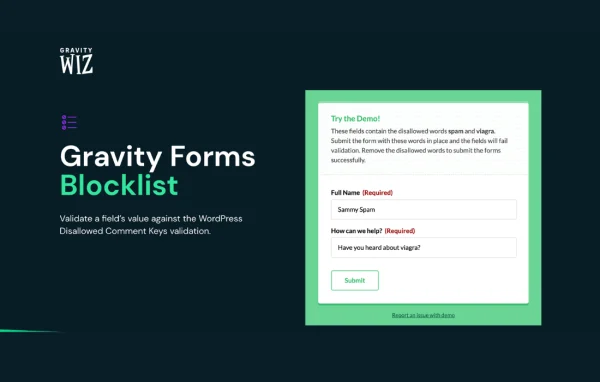
Gravity Perks Blocklist by Gravity Wiz is an add-on plugin for Gravity Forms that filters out unwanted submissions. It checks form entries against the Disallowed Comment Keys list built into WordPress, so entries containing blocked words, phrases or IP addresses can be stopped or sent to spam.
- Version
- 1.3.11
- Released
- Jul 29, 2026
- Developer
- Gravity Perks
- Type
- WordPress plugin
- Licence
- GPL
- Included in
- Every plan, or $3.99 a year on its own
What’s new in Gravity Perks Blocklist 1.3.11
Version 1.3.11 · Jul 29, 2026
Latest
- FixedFixed a compatibility issue with Gravity Forms 3.0 where enabling Blocklist honeypot could allow blocked submissions to be created as normal entries instead of being sent to spam.
What it does
Forms attract spam, junk entries and data you never asked for, such as reserved usernames, fake promo codes or email addresses you want to keep out. This add-on uses the Disallowed Comment Keys list that WordPress already keeps for comment moderation and applies it to Gravity Forms submissions. That means one list covers both your comments and your forms, and you only have to maintain it in one place.
You choose where the check runs: on a single field, on several fields or on every field in a form. When a submission matches the list, it can show a validation error, or it can be rejected quietly with a honeypot approach so spammers get no signal. You can also route blocked entries straight to spam. IP blocking accepts CIDR notation for whole network ranges, and developers can adjust the validation logic with filter hooks.
Best for
- Gravity Forms sites dealing with spam submissions
- Registration forms that need reserved username restrictions
- Developers who want custom validation rules for forms
Features
Uses Disallowed Comment Keys
Validates form fields against the Disallowed Comment Keys list in WordPress, so the same blocklist applies to your comments and your Gravity Forms entries.
Per-field or whole-form checks
Apply blocklist validation to one field, several selected fields or all fields in a form, depending on how the form is built.
Block words, phrases and IPs
Stops submissions that contain disallowed words, phrases or IP addresses, which helps filter out spam, invalid promo codes and other unwanted entries.
CIDR notation for IP ranges
Block IP addresses using CIDR notation, giving you precise control over entire network ranges that send spam or abusive submissions.
Silent honeypot rejection
Use honeypot behavior to reject blocked submissions quietly, without showing an error that would let spammers know their entry was caught.
Send matches to spam
Instead of displaying a validation error, blocklisted submissions can be sent directly to spam so you can review them later if needed.
Developer filter hooks
Filter hooks such as gpb_value, gpb_ip and gpb_user_agent let developers customize how values are validated and how the plugin responds.
Gravity Perks Blocklist older versions
- 1.3.10Nov 13, 20251 improvement
- 1.3.9Aug 28, 20251 improvement
- 1.3.8May 23, 20241 new
- 1.3.7Apr 4, 2024
- 1.3.6Apr 18, 2023
Members and buyers of this product can download older versions.
Questions about Gravity Perks Blocklist
Do I need Gravity Forms to use this?
Yes. Gravity Perks Blocklist is an add-on for Gravity Forms and works on the forms you build there. It adds blocklist validation to those forms using the Disallowed Comment Keys list in WordPress.
Where do I add the words and IP addresses to block?
The plugin reads the Disallowed Comment Keys list that WordPress already uses for comment moderation. Anything you add there, such as words, phrases or IP addresses, applies to both comments and the form fields you choose to validate.
Will spammers see that their entry was blocked?
Not if you prefer they don't. You can use the honeypot option to reject blocked submissions silently, or send blocklisted entries to spam instead of showing a validation error to the person submitting.
Can I block a whole range of IP addresses?
Yes. IP blocking supports CIDR notation, so you can block an entire network range with a single entry rather than listing every address one by one.
Is Gravity Perks Blocklist free?
The code of Gravity Perks Blocklist is licensed under the GPL, so anyone may use, change and share it. GPL Feast is a paid service: a plan or a single purchase gives you the download and automatic updates. The developer's own support, licence key and online services are not included.
Which version of Gravity Perks Blocklist is this?
Version 1.3.11, released Jul 29, 2026. New versions appear here when the developer publishes them, and members get them as automatic updates.
How do I update Gravity Perks Blocklist?
Install the free GPL Feast Updater on your site and connect it with your API key. It installs new versions of Gravity Perks Blocklist automatically and keeps a backup, so you can roll back.
More from Gravity Perks






