
Plugin
Updated
Gravity Perks Inventory
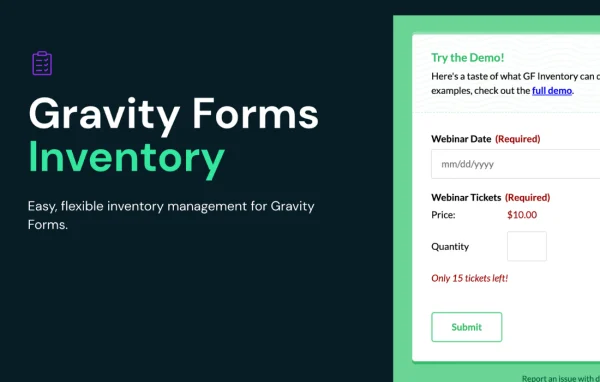
Gravity Perks Inventory by Gravity Wiz is a plugin that adds inventory management to Gravity Forms. You set stock levels on fields or individual choices, and the plugin enforces those limits so a form stops accepting entries for items that have run out.
- Version
- 1.0.32
- Released
- Oct 7, 2026
- Developer
- Gravity Perks
- Type
- WordPress plugin
- Licence
- GPL
- Included in
- Every plan, or $5.59 a year on its own
What’s new in Gravity Perks Inventory 1.0.32
Version 1.0.32 · Oct 7, 2026
Latest
- FixedFixed an issue where inventory limits were appended to choices for non inventory fields when loading them into the Bulk Add editor.
- FixedFixed an issue where submitting a form could take a long time when a choice field with many inventory-limited choices showed available inventory.
What it does
If you sell products, event tickets or appointment slots through Gravity Forms, you need a way to stop people from ordering more than you have. Without inventory control, you end up tracking quantities by hand and contacting customers when something is oversold. This plugin lets you assign a stock level to a field or to each choice inside it, then automatically blocks submissions once that quantity is used up. It works with all Gravity Forms Product fields and choice-based fields such as Radio Buttons, Checkboxes, Drop Downs and Multi Selects.
Setup happens inside the form editor, where inventory limits can be turned on with a single click. Beyond simple stock counts, you can share one inventory pool across several fields and forms, or scope inventory by grouping fields, such as pairing a Date field with a Product field to create a separate stock count for each day. An inventory dashboard shows stock levels and sales activity in one place. Developers can use filters and hooks to build custom inventory rules.
Best for
- Event organizers selling limited tickets through Gravity Forms
- Small shops taking product orders with Gravity Forms
- Businesses booking workshops, appointments or reservations by date
Features
Per-field inventory limits
Set a stock quantity on an individual field so the form stops accepting entries once that amount has been claimed, which helps you avoid overselling.
Choice-level stock
Give each choice in a field its own availability, which suits items offered in different sizes, colors or other variations.
Product and choice field support
Works with Radio Buttons, Checkboxes, Drop Downs, Multi Selects and their Gravity Forms Product field equivalents.
Shared inventory pools
Draw from a single inventory across multiple fields and forms, useful when the same item is sold on different forms or to different audiences.
Scoped inventory by field groups
Combine fields such as Date and Product to create date-specific inventories for daily workshops, recurring events or similar schedules.
Inventory dashboard
Review stock levels and sales activity from one screen so you can see what is left and make adjustments when needed.
One-click setup in the editor
Turn on inventory limits directly in the Gravity Forms form editor without switching to a separate settings area.
Filters and hooks for developers
Use the available filters and hooks to write custom dynamic inventory rules or connect inventory logic to your own workflows.
Gravity Perks Inventory older versions
- 1.0.31Oct 14 fixes
- 1.0.30Sep 251 fix
- 1.0.29Sep 101 new
- 1.0.27Aug 8
- 1.0.26Jul 23
- 1.0.25Jul 10
- 1.0.24Apr 11
- 1.0.23Mar 19
- 1.0.22Mar 12
- 1.0.21Feb 19
Members and buyers of this product can download older versions.
59 older versions in all. If you need one that is not listed, ask support.
Questions about Gravity Perks Inventory
Does this plugin work on its own or does it need Gravity Forms?
It is an add-on for Gravity Forms. It adds inventory limits to Gravity Forms fields, so you need Gravity Forms on your site to use it. All configuration happens inside the Gravity Forms form editor.
Can I set different stock levels for sizes or colors?
Yes. Inventory can be set at the choice level, so each option in a field, such as a particular size or color, can have its own quantity. When one choice sells out, the others stay available until their own limits are reached.
Can I limit spots per day for a recurring workshop?
Yes. Scoped inventory lets you group fields, such as a Date field with a Product field, so each date gets its own stock count. That fits daily workshops, recurring events and other date-based bookings.
Can two forms sell from the same stock?
Yes. Shared inventory lets multiple fields and forms draw from one pool. This is handy when you sell the same item on separate forms for different audiences and want the counts to stay in sync.
Is Gravity Perks Inventory free?
The code of Gravity Perks Inventory is licensed under the GPL, so anyone may use, change and share it. GPL Feast is a paid service: a plan or a single purchase gives you the download and automatic updates. The developer's own support, licence key and online services are not included.
Which version of Gravity Perks Inventory is this?
Version 1.0.32, released Oct 7, 2026. New versions appear here when the developer publishes them, and members get them as automatic updates.
How do I update Gravity Perks Inventory?
Install the free GPL Feast Updater on your site and connect it with your API key. It installs new versions of Gravity Perks Inventory automatically and keeps a backup, so you can roll back.
More from Gravity Perks






