
Plugin
Updated
Gravity Perks QR Code
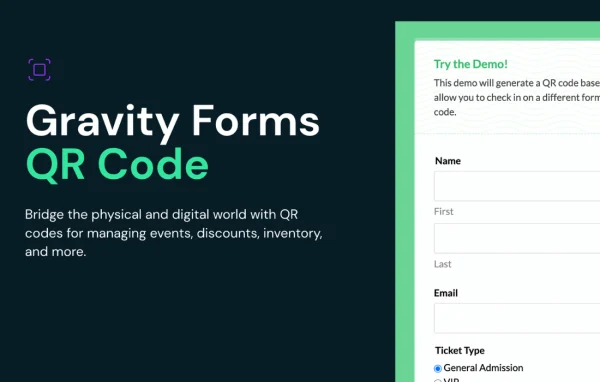
Gravity Perks QR Code by Gravity Wiz is a Gravity Forms add-on plugin that brings QR codes into your forms. It can generate a unique QR code from submitted form data, and it can scan QR codes and barcodes with a device camera to fill in form fields.
- Version
- 1.0.17
- Released
- Jul 2, 2025
- Developer
- Gravity Perks
- Type
- WordPress plugin
- Licence
- GPL
- Included in
- Every plan, or $5.59 a year on its own
What’s new in Gravity Perks QR Code 1.0.17
Version 1.0.17 · Jul 2, 2025
Latest
- ImprovedUpdated the gpqr_file_name PHP filter hook to include the $entry parameter in its $meta array, allowing QR code file names to be customized based on entry data.
What it does
Plenty of form-based workflows need to move between screens and the real world. You might sell event tickets and check people in at the door, hand out coupon codes, or log products by barcode. This add-on handles both directions inside Gravity Forms. It builds QR codes from any field value or merge tag, and it lets visitors or staff scan codes with their camera so the captured data lands in a form field without manual typing.
Generated codes can appear in confirmations, notifications and PDFs, and anywhere else that supports merge tags or shortcodes. That includes other Gravity Forms tools such as Gravity PDF, GravityView and Entry Blocks. You can set the size, color and content of each code to match your branding. Scanning also reads barcode formats like UPC and EAN, and developers get JavaScript and PHP filter hooks to adjust scanning, encoding, output and even file names based on entry data.
Best for
- Event organizers selling tickets and checking in attendees
- Shops and promoters distributing scannable coupon codes
- Businesses tracking inventory with UPC or EAN barcodes
Features
QR codes from form data
Generate a QR code from any field value or merge tag, so each submission can produce its own unique code for tickets, coupons or records.
Camera scanning in forms
Scan QR codes with a device camera and have the captured data inserted straight into Gravity Forms fields, cutting down on typing errors.
Custom size, color and content
Adjust the size, color and content of your QR codes so they fit your branding and the job they need to do.
Works with other add-ons
Display QR codes in confirmations, notifications and PDFs, and with Gravity PDF, GravityView and Entry Blocks wherever merge tags or shortcodes are supported.
UPC and EAN barcode scanning
Scan barcode formats beyond QR codes, including UPC and EAN, which helps connect forms with existing inventory and retail systems.
Drag and drop images
On desktop, drag and drop an image containing a QR code onto the form to populate fields without needing a camera.
Advanced scanning options
Turn on camera zoom and change how scanning behaves using JavaScript filters for finer control over the scanning experience.
PHP filter hooks
Developers can customize QR code generation, encoding, output and file names through PHP filter hooks, including file names based on entry data.
Gravity Perks QR Code older versions
- 1.0.16Jun 25, 20251 new
- 1.0.15May 15, 20251 removal
- 1.0.14May 1, 20251 improvement
- 1.0.13Oct 24, 2024
- 1.0.10Jul 12, 2023
- 1.0.9May 3, 2023
- 1.0.8Apr 18, 2023
Members and buyers of this product can download older versions.
Questions about Gravity Perks QR Code
Can I use this to check in event attendees?
Yes. Each form submission can generate a unique QR code that you send in a confirmation, notification or PDF ticket. At the event, staff can scan the code with a device camera into a form, which fills in the matching field data for check-in.
Does it scan regular product barcodes too?
It does. Along with QR codes, the scanner reads other barcode formats such as UPC and EAN. That makes it possible to tie your Gravity Forms entries to existing inventory or retail systems that already use those barcodes.
Can I put QR codes inside PDFs or entry views?
Yes. Codes can be shown anywhere merge tags or shortcodes are supported, including confirmations and notifications. It works with other Gravity Forms plugins such as Gravity PDF, GravityView and Entry Blocks, so you can place codes in generated documents and entry displays.
Can I change how the QR codes look?
You can set the size, color and content of each QR code. For deeper changes, developers can use PHP filter hooks to customize generation, encoding, output and file names, plus JavaScript filters to adjust scanning behavior.
Is Gravity Perks QR Code free?
The code of Gravity Perks QR Code is licensed under the GPL, so anyone may use, change and share it. GPL Feast is a paid service: a plan or a single purchase gives you the download and automatic updates. The developer's own support, licence key and online services are not included.
Which version of Gravity Perks QR Code is this?
Version 1.0.17, released Jul 2, 2025. New versions appear here when the developer publishes them, and members get them as automatic updates.
How do I update Gravity Perks QR Code?
Install the free GPL Feast Updater on your site and connect it with your API key. It installs new versions of Gravity Perks QR Code automatically and keeps a backup, so you can roll back.
More from Gravity Perks






