Plugin
Updated
Jet Messenger
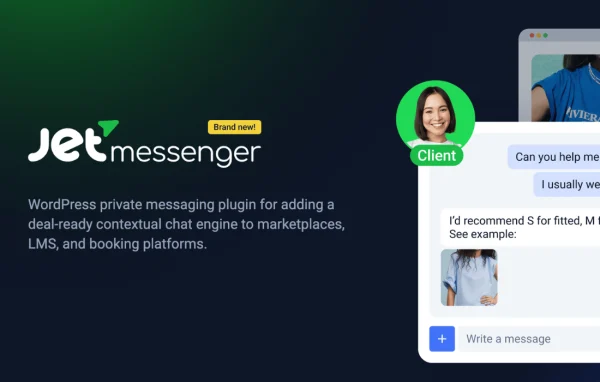
JetMessenger by Crocoblock is a WordPress plugin that adds private messaging between users on your own site. People can chat in real time, and conversations can be tied to a specific product, booking or user profile so each discussion stays organized.
Install this firstPlease install the Crocoblock Activator Plugin from here to Activate the Jet Plugins
Go to product- Version
- 1.2.0
- Released
- Aug 20, 2026
- Developer
- Jet Plugins
- Type
- WordPress plugin
- Requires
- Elementor
- Licence
- GPL
- Included in
- Every plan, or $3.99 a year on its own
What’s new in Jet Messenger 1.2.0
Version 1.2.0
Latest
- NewAdmin notifications feature.
- FixedPrevent re-render stale content in the chat after messages refresh.
What it does
Many sites need a way for users to talk to each other without trading email addresses or moving to a third-party chat app. Marketplaces, booking platforms, online communities and membership sites all run into this. JetMessenger keeps those conversations on your website, with one-on-one private chats that happen in real time. Users get notified about new messages, and the chat window works on desktops, tablets and phones, so people can reply from whatever device they have at hand.
The plugin requires Elementor, and you can place messaging elements on Elementor-built pages and adjust the look of the messenger to match your site. Its contextual messaging links a conversation to a product, service, booking or user profile, which helps both sides know exactly what a chat is about. It also works alongside other Crocoblock plugins, making it a natural fit if your site already uses that toolset for listings, profiles or bookings. Site admins can receive notifications as well.
Best for
- Marketplaces where buyers and sellers need to talk
- Booking sites handling questions about specific reservations
- Membership sites and online communities built with Elementor
Features
Real-time messaging
Users exchange messages instantly on your site, so conversations move along without page reloads or waiting for replies to appear.
Contextual conversations
Link a chat to a specific product, service, booking or user profile, keeping each discussion organized around the item it concerns.
Private one-on-one chats
Conversations happen privately between two users, which suits buyer and seller exchanges, booking questions or member-to-member contact.
Elementor page integration
Add messaging elements to pages built with Elementor, giving you control over where the chat appears and how it fits the layout.
Customizable messenger design
Adjust the look and feel of the chat interface so it matches your brand colors and the overall style of your website.
Message notifications
Users receive alerts about new messages, and admins can get notifications too, helping everyone respond in a timely way.
Works across devices
The chat window is responsive and usable on desktops, tablets and smartphones, so users can keep talking wherever they are.
Crocoblock plugin compatibility
Works alongside other Crocoblock plugins, so it can connect with the listings, profiles or bookings you already manage with that toolset.
Jet Messenger older versions
- 1.1.0Jul 23 new, 1 improvement
- 1.0.0May 211 new
Members and buyers of this product can download older versions.
Questions about Jet Messenger
Do I need Elementor to use this plugin?
Yes. The plugin requires Elementor. It lets you place messaging elements on Elementor-built pages and style the chat interface to match your site, so it fits best on websites already designed with Elementor.
Can a conversation be linked to a product or booking?
Yes. Contextual messaging lets you tie a chat to a specific product, service, booking or user profile. That way both people know what the conversation is about, and discussions stay organized instead of mixing several topics together.
Are the chats private between users?
Chats are one-on-one private conversations between users. This makes the plugin suitable for situations like a customer asking a seller about an item or a guest contacting a host about a reservation.
Will users know when they get a new message?
Yes. The plugin includes a notification system that alerts users to new messages so they can reply promptly. There is also an admin notifications feature for site administrators.
Is Jet Messenger free?
The code of Jet Messenger is licensed under the GPL, so anyone may use, change and share it. GPL Feast is a paid service: a plan or a single purchase gives you the download and automatic updates. The developer's own support, licence key and online services are not included.
Which version of Jet Messenger is this?
Version 1.2.0, released Aug 20, 2026. New versions appear here when the developer publishes them, and members get them as automatic updates.
How do I update Jet Messenger?
Install the free GPL Feast Updater on your site and connect it with your API key. It installs new versions of Jet Messenger automatically and keeps a backup, so you can roll back.
What does Jet Messenger need?
Jet Messenger needs Elementor installed and active.
More from Jet Plugins