Plugin
Updated
JetEngine
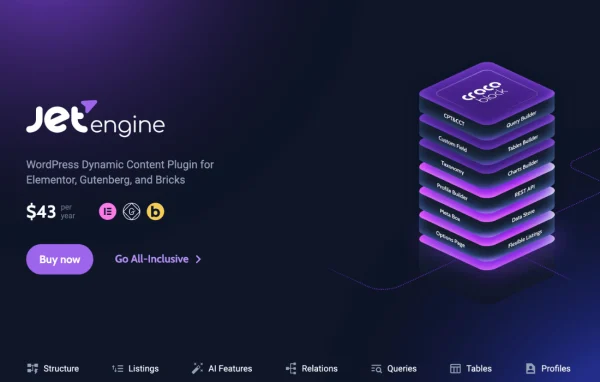
JetEngine is a WordPress plugin by Crocoblock for building dynamic, data-driven websites without heavy coding. It lets you create custom post types, fields and relations, then display that content through listings, maps, tables and charts in Elementor, Gutenberg or Bricks.
Install this firstPlease install the Crocoblock Activator Plugin from here to Activate the Jet Plugins
Go to product- Version
- 3.9.0
- Released
- Oct 13, 2026
- Developer
- Jet Plugins
- Type
- WordPress plugin
- Requires
- Elementor
- Licence
- GPL
- Included in
- Every plan, or $5.59 a year on its own
What’s new in JetEngine 3.9.0
Version 3.9.0
Latest
- NewNested Repeaters functionality.
- NewRepeaters. Additional dynamic tags to get the repeater data.
- NewAsync Listings module.
- NewAdmin Pages module.
- NewQuery Builder. File query type.
- NewBricks integration. Listing settings UI inside Bricks editor.
- ImprovedAdvanced date field. Refine sub fields UI/UX.
What it does
Sites like directories, portfolios, catalogs and listing platforms need structured data and flexible ways to show it. Out of the box, WordPress gives you posts and pages, so building those projects usually means custom code. This plugin fills that gap with tools for custom post types, custom content types, taxonomies, metadata and relationships between them, all managed from one place. The plugin requires Elementor, and it also works with the Gutenberg and Bricks editors.
Once your data is structured, you use the Query Builder to pull exactly what you need, with AI help available for generating SQL queries. You then design listings as grids, sliders, carousels, maps or calendars, or present numbers through tables and charts. Conditional visibility rules decide what each visitor sees, and a behavioral data store keeps track of things like likes and wishlists. Shortcodes, macros and REST API support let you place data across the site and connect it with outside systems.
Best for
- Directories, real estate and other listing websites
- Agencies building custom data-driven client sites
- Elementor, Gutenberg or Bricks users needing dynamic content
Features
Custom post and content types
Create custom post types and custom content types, along with taxonomies and custom fields, to organize every kind of content your site holds.
Relations between data
Link post types, content types, taxonomies and users with one-to-one, one-to-many or many-to-many relations to display connected content.
Query Builder with AI help
Build custom queries from a single interface, with AI assistance that can generate SQL queries for precise data retrieval without writing code yourself.
AI website structure builder
Describe your site in natural language prompts and generate a dynamic site structure to start from, saving setup time on new projects.
Dynamic listings and layouts
Display dynamic content as grids, sliders, carousels, maps and calendars, so listings match the kind of content you are presenting.
Tables and charts
Show data in interactive tables and charts, with 12 chart types and Google Charts integration for stats, analytics or product catalogs.
Map Sync filtering
The Map Sync widget or block filters custom posts as visitors zoom or pan a map, useful for real estate listings and store locators.
Conditional visibility and user data
Show or hide elements based on user data, meta values or other rules, and store user actions such as wishlists, likes and favorites.
JetEngine older versions
- 3.8.16.1Oct 102 fixes
- 3.8.16Sep 303 new, 1 improvement, 9 fixes
- 3.8.15.4Sep 251 improvement, 1 fix
- 3.8.15.3Sep 21
- 3.8.15.2Sep 17
- 3.8.15.1Sep 17
- 3.8.15Sep 9
- 3.8.14.3Aug 26
- 3.8.14.2Aug 19
- 3.8.14.1Aug 17
Members and buyers of this product can download older versions.
113 older versions in all. If you need one that is not listed, ask support.
Questions about JetEngine
Which page builders does JetEngine work with?
It requires Elementor, and it also supports the Gutenberg block editor and Bricks. That means you can build dynamic listings and layouts using whichever of these editors you prefer for a given project.
Can I connect different types of content together?
Yes. The relations system links custom post types, custom content types, taxonomies and users. You can set up one-to-one, one-to-many or many-to-many relations, then display the related items together in your listings.
Do I need to know SQL to build custom queries?
No. The Query Builder gives you a single interface for building custom queries, and its AI assistance can generate SQL queries for you. This helps you pull precise data without writing the code by hand.
Can I show plugin data outside of listings?
Yes. Shortcodes and macros let you output data anywhere on the site. REST API compatibility also allows data exchange with external systems, and the Glossary feature provides reusable option sets for post types, filters and forms.
Is JetEngine free?
The code of JetEngine is licensed under the GPL, so anyone may use, change and share it. GPL Feast is a paid service: a plan or a single purchase gives you the download and automatic updates. The developer's own support, licence key and online services are not included.
Which version of JetEngine is this?
Version 3.9.0, released Oct 13, 2026. New versions appear here when the developer publishes them, and members get them as automatic updates.
How do I update JetEngine?
Install the free GPL Feast Updater on your site and connect it with your API key. It installs new versions of JetEngine automatically and keeps a backup, so you can roll back.
What does JetEngine need?
JetEngine needs Elementor installed and active.
More from Jet Plugins