Plugin
Updated
JetPopup
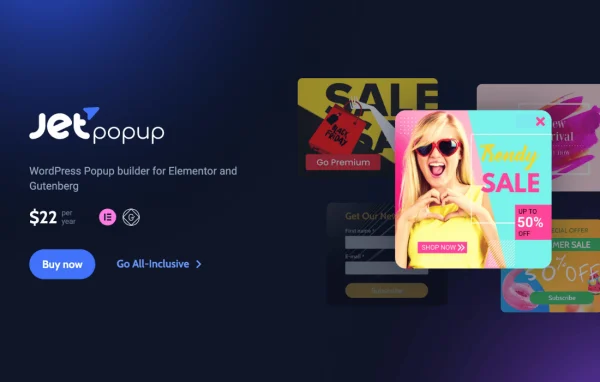
JetPopup by Crocoblock is a WordPress plugin for building popups with Elementor widgets or the Gutenberg block editor. It gives you presets, trigger options and display conditions so you can decide what each popup says, where it appears and when it opens.
Install this firstPlease install the Crocoblock Activator Plugin from here to Activate the Jet Plugins
Go to product- Version
- 2.2.3.4
- Released
- Oct 15, 2026
- Developer
- Jet Plugins
- Type
- WordPress plugin
- Requires
- Elementor
- Licence
- GPL
- Included in
- Every plan, or $4.79 a year on its own
What’s new in JetPopup 2.2.3.4
Version 2.2.3.4 · Oct 15, 2026
Latest
- FixedRender dynamic popups for JetEngine listing sources.
- FixedDynamic popup rendering for JetBooking query items.
- FixedAllow popup content from public CPTs with publicly_queryable disabled.
- FixedAvoid using taxonomy archive IDs as popup post context.
What it does
Popups are a common way to collect email subscribers, announce a discount or show a cookie notice, but building them by hand takes code and careful timing. This plugin lets you design popup layouts with the full set of Elementor widgets through drag and drop, or create and manage them in the native block editor. It requires Elementor, and you can start from ready-made presets for countdown timers, discounts, subscriptions, GDPR notifications and cookie policies.
Once a popup is designed, you choose how and when it shows. Triggers include page load, exit intent, scroll percentage, widget interaction, user inactivity and specific dates. Inclusion and exclusion conditions limit popups to certain pages, post types or templates. You can pick a display style such as a classic modal, slide-in bar, bordering or full view, add animations like fade, zoom or flip, and translate content with WPML for multilingual sites.
Best for
- Elementor sites that need email signup or promotion popups
- Stores announcing discounts, countdowns or scheduled sales events
- Agencies building multilingual sites that use WPML
Features
Elementor widget layouts
Design popup layouts with drag and drop using all Elementor widgets, so you can add forms, buttons, social links or contact details without writing code.
Gutenberg editor support
Create and manage popups inside the native WordPress block editor if you prefer working with blocks instead of Elementor.
Multiple trigger options
Open popups on page load, exit intent, scroll percentage, widget interaction, user inactivity or on specific dates you set in advance.
Ready-made popup presets
Start from presets built for countdown timers, discounts, subscriptions, GDPR notifications, cookie policies and other common popup types, then adjust them to fit your site.
Conditional display rules
Set inclusion and exclusion conditions so a popup appears only on chosen pages, post types or templates, keeping messages relevant to each section.
Choice of display styles
Pick a classic modal, slide-in bar, bordering or full view layout, or build a custom style that matches your design.
Animation effects
Apply entrance animations such as fade, zoom, bounce, slide, flip and rotate to control how each popup appears on screen.
WPML compatibility
Localize popup content with WPML so visitors on multilingual sites see popups in their own language.
JetPopup older versions
- 2.2.3.3Oct 71 fix
- 2.2.3.2Oct 22 fixes
- 2.2.3.1Sep 291 fix
- 2.2.3Sep 25
- 2.2.2Aug 8
- 2.2.1.1Jul 21
- 2.2.1Jun 24
- 2.2.0Apr 30
- 2.1.0Apr 6
- 2.0.21.1Feb 16
Members and buyers of this product can download older versions.
40 older versions in all. If you need one that is not listed, ask support.
Questions about JetPopup
Do I need Elementor to use JetPopup?
Yes, the plugin requires Elementor. Once it is active, you can design popups with Elementor widgets, and you can also create and manage popups in the Gutenberg block editor if you prefer working with blocks.
Can I show a popup only on certain pages?
Yes. Conditional display rules let you set inclusion and exclusion conditions based on pages, post types or templates. That way a discount popup can stay on product pages while a newsletter popup runs on your blog.
What can trigger a popup to open?
You can trigger popups on page load, when a visitor shows exit intent, after they scroll a set percentage, when they interact with a widget, after a period of inactivity, or on specific dates and times you schedule.
Are there templates for cookie notices and GDPR messages?
Yes. The presets include GDPR notifications and cookie policy popups, along with countdown timers, discount offers and subscription forms. You can use a preset as a starting point and edit it with Elementor widgets.
Is JetPopup free?
The code of JetPopup is licensed under the GPL, so anyone may use, change and share it. GPL Feast is a paid service: a plan or a single purchase gives you the download and automatic updates. The developer's own support, licence key and online services are not included.
Which version of JetPopup is this?
Version 2.2.3.4, released Oct 15, 2026. New versions appear here when the developer publishes them, and members get them as automatic updates.
How do I update JetPopup?
Install the free GPL Feast Updater on your site and connect it with your API key. It installs new versions of JetPopup automatically and keeps a backup, so you can roll back.
What does JetPopup need?
JetPopup needs Elementor installed and active.
More from Jet Plugins