Plugin
Updated
Jet Product Tables
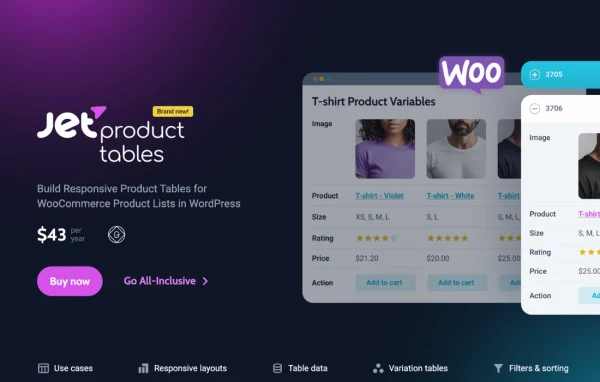
JetProductTables by Crocoblock is a WooCommerce plugin for building customizable, responsive product tables. You can create tables with Gutenberg blocks, Elementor widgets or shortcodes, choose which product fields appear, and give shoppers search, filters and sorting so they can scan a catalog quickly.
Install this firstPlease install the Crocoblock Activator Plugin from here to Activate the Jet Plugins
Go to product- Version
- 1.2.4.1
- Released
- Oct 9, 2026
- Developer
- Jet Plugins
- Type
- WordPress plugin
- Requires
- Elementor
- Licence
- GPL
- Included in
- Every plan, or $3.99 a year on its own
What’s new in Jet Product Tables 1.2.4.1
Version 1.2.4.1 · Oct 9, 2026
Latest
- FixedPrevent XSS vulnerability in Product Table filters.
What it does
Standard WooCommerce shop pages show products as a grid of cards, which works for browsing but gets slow when customers want to compare items or order from a long list. A product table puts that information in rows and columns, so shoppers can see SKUs, prices, stock status and images side by side. This plugin lets you decide which fields show up and build the table with the tool you already use, whether that is the block editor, Elementor or a shortcode placed anywhere on the site.
Once a table is in place, you can add AJAX search and filters, sorting options and pagination to keep large catalogs manageable. Sticky headers stay visible while visitors scroll, so column labels never disappear. On phones, you can pick how the table behaves: it can scroll horizontally, collapse columns or switch to a card layout. The plugin pulls data from WooCommerce products and also supports custom post types and extra metadata for more unusual catalogs. It requires Elementor.
Best for
- WooCommerce stores with large or detailed product catalogs
- Wholesale and B2B shops where buyers compare SKUs and stock
- Elementor site builders creating custom shop layouts
Features
Three ways to build tables
Create product tables with Gutenberg blocks, Elementor widgets or shortcodes, so you can place them in whichever editor or page layout your site already uses.
Choose your product fields
Pick the product data each table displays, such as SKUs, prices, stock status and images, and leave out the columns your customers do not need.
AJAX search and filters
Shoppers can search and filter the table without a full page reload, which helps them narrow a long product list down to what they want.
Sorting and pagination
Add sorting options and pagination controls so visitors can reorder products and move through large inventories in manageable pages.
Sticky table headers
Column headers stay pinned at the top while visitors scroll, keeping labels like price and stock in view on long tables.
Mobile layout options
Choose how tables appear on small screens: horizontally scrollable, with collapsed columns, or transformed into card-style displays that are easier to read on phones.
Custom post types and metadata
Tables can work with custom post types and additional metadata, which gives you room to build listings for catalogs that go beyond standard product fields.
Jet Product Tables older versions
- 1.2.4May 132 improvements, 1 fix
- 1.2.3Dec 2, 20251 new, 2 fixes
- 1.2.2Aug 22, 20252 fixes
- 1.2.1Jul 11, 2025
Members and buyers of this product can download older versions.
Questions about Jet Product Tables
Do I need Elementor to use this plugin?
Yes, the plugin lists Elementor as a requirement. Once it is active, you can still build tables with Gutenberg blocks or shortcodes as well as Elementor widgets, so you are free to use the method that fits each page.
What product information can I show in a table?
You choose the fields for each table. Examples include SKUs, prices, stock status and images. The plugin also supports custom post types and additional metadata, so you can include extra details if your catalog stores them.
How do the tables look on mobile devices?
You can set a mobile behavior for your tables. Options are a horizontally scrollable table, a layout with collapsed columns, or a card-style display that turns each row into a stacked card for easier reading on small screens.
Can customers search and filter products inside the table?
Yes. Tables can include AJAX search and filters, along with sorting options and pagination. Sticky headers keep column labels visible while scrolling, which helps on long lists.
Is Jet Product Tables free?
The code of Jet Product Tables is licensed under the GPL, so anyone may use, change and share it. GPL Feast is a paid service: a plan or a single purchase gives you the download and automatic updates. The developer's own support, licence key and online services are not included.
Which version of Jet Product Tables is this?
Version 1.2.4.1, released Oct 9, 2026. New versions appear here when the developer publishes them, and members get them as automatic updates.
How do I update Jet Product Tables?
Install the free GPL Feast Updater on your site and connect it with your API key. It installs new versions of Jet Product Tables automatically and keeps a backup, so you can roll back.
What does Jet Product Tables need?
Jet Product Tables needs Elementor installed and active.
More from Jet Plugins