Plugin
Updated
JetMenu
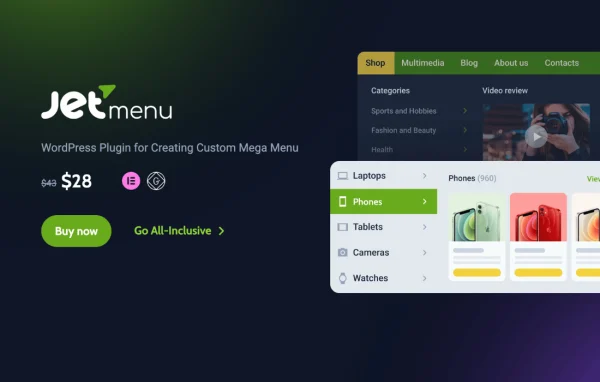
JetMenu by Crocoblock is a WordPress plugin for building mega menus on sites that use Elementor. It lets you design navigation with images, icons, templates and multi-column layouts using a drag and drop builder, with no code required.
Install this firstPlease install the Crocoblock Activator Plugin from here to Activate the Jet Plugins
Go to product- Version
- 3.0.5.1
- Released
- Oct 9, 2026
- Developer
- Jet Plugins
- Type
- WordPress plugin
- Requires
- Elementor
- Licence
- GPL
- Included in
- Every plan, or $3.99 a year on its own
What’s new in JetMenu 3.0.5.1
Version 3.0.5.1 · Oct 9, 2026
Latest
- FixedStored XSS in Mega Menu settings attribute.
- FixedInvalid custom selector handling in Mega Menu.
What it does
Standard WordPress menus are simple lists of links, which can feel limiting on stores, blogs and business sites with a lot of content. This plugin replaces them with mega menus that can hold product categories, images, audio, video, contact details, blog post previews and dynamic content. You can build horizontal, vertical or hamburger menus and place them in headers, sidebars or hamburger panels, so navigation can be as simple or as detailed as your site needs.
Menu content is designed visually in the Elementor sidebar and the WordPress panel, and it also works with the Gutenberg editor. You can pull in Elementor templates or Crocoblock widgets such as Smart Posts List and Tiles to build richer layouts inside a dropdown. Responsive controls cover mobile, tablet and desktop, including custom breakpoints and separate menus per device. A preset manager with export and import lets you save styles and reuse them on other projects.
Best for
- Online stores with many product categories to organize
- Blogs and magazines wanting post previews in navigation
- Agencies building Elementor sites for multiple clients
Features
Drag and drop menu builder
Design mega menu layouts visually in the Elementor sidebar and WordPress panel, with no coding needed, and edit menus in Elementor or Gutenberg.
Horizontal, vertical and hamburger layouts
Pick the menu style that suits your design, and place menus in headers, sidebars or hamburger panels, with an option to roll up horizontal items.
Rich content in dropdowns
Add product categories, images, audio, video, contact info, blog post previews, dynamic content and templates directly inside your menu panels.
Separate mobile and desktop menus
Create two distinct menu versions so mobile visitors and desktop visitors each get navigation and content suited to their screen.
Custom breakpoints and animations
Control when the menu switches layout across mobile, tablet and desktop, and choose animations for how submenus appear.
Icons, badges and typography
Add custom SVG icons and badges to flag promotions or new items, and adjust fonts and spacing to match your site's styling.
Templates and Crocoblock widgets
Insert pre-built Elementor templates or Crocoblock widgets like Smart Posts List and Tiles to build complex, content-driven menu layouts.
Preset manager with export and import
Save style presets and menu configurations, then export and import them to keep a consistent design across different projects.
JetMenu older versions
- 3.0.5Sep 221 new, 2 fixes
- 3.0.4Aug 228 fixes
- 3.0.3Jul 252 improvements, 6 fixes
- 3.0.2.1Jul 4
- 3.0.2Jun 23
- 3.0.1.1May 18
- 3.0.1May 8
- 3.0.0Apr 30
- 2.4.18Dec 8, 2025
- 2.4.17Nov 6, 2025
Members and buyers of this product can download older versions.
34 older versions in all. If you need one that is not listed, ask support.
Questions about JetMenu
Do I need Elementor to use this mega menu plugin?
Yes, it requires Elementor. Menu content is built using the Elementor sidebar and the WordPress panel, and the plugin is also compatible with the Gutenberg editor for creating and editing menus.
Can I show a different menu on phones than on desktop?
Yes. You can create separate mobile and desktop menus, set custom breakpoints for when the layout changes, and apply different menus and styles for mobile, tablet and desktop devices.
What kind of content can go inside the dropdowns?
You can add product categories, images, audio, video, contact details, blog post previews, dynamic content and Elementor templates. Crocoblock widgets such as Smart Posts List and Tiles can also be placed inside menus for more complex layouts.
Can I reuse a menu design on another site?
Yes. JetMenu includes a preset manager where you save style presets and menu configurations. These can be exported and imported, which helps agencies and freelancers keep designs consistent across projects.
Is JetMenu free?
The code of JetMenu is licensed under the GPL, so anyone may use, change and share it. GPL Feast is a paid service: a plan or a single purchase gives you the download and automatic updates. The developer's own support, licence key and online services are not included.
Which version of JetMenu is this?
Version 3.0.5.1, released Oct 9, 2026. New versions appear here when the developer publishes them, and members get them as automatic updates.
How do I update JetMenu?
Install the free GPL Feast Updater on your site and connect it with your API key. It installs new versions of JetMenu automatically and keeps a backup, so you can roll back.
What does JetMenu need?
JetMenu needs Elementor installed and active.
More from Jet Plugins