Plugin
Updated
JetBlocks
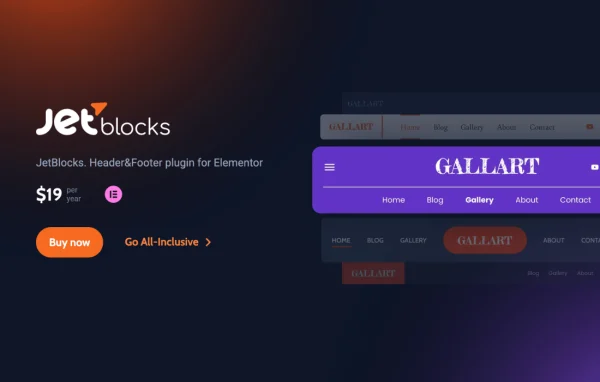
JetBlocks by Crocoblock is a WordPress plugin that adds header and footer widgets to the Elementor page builder. It gives you menus, a hamburger panel, login forms, search, breadcrumbs and a WooCommerce cart, so you can build these site areas visually without writing code.
Install this firstPlease install the Crocoblock Activator Plugin from here to Activate the Jet Plugins
Go to product- Version
- 1.5.2.2
- Released
- Oct 9, 2026
- Developer
- Jet Plugins
- Type
- WordPress plugin
- Requires
- Elementor
- Licence
- GPL
- Included in
- Every plan, or $4.79 a year on its own
What’s new in JetBlocks 1.5.2.2
Version 1.5.2.2
Latest
- FixedCross-Site Scripting (XSS) vulnerability in the plugin interface.
What it does
Headers and footers carry a lot of a site's navigation, yet building them well in a page builder often means piecing together several tools. This plugin collects the widgets you usually need for those areas in one place. It requires Elementor and works inside its visual editor, so you drag widgets into a header or footer template and style them there. You can add a site logo, a customizable navigation menu, a search bar and a breadcrumb trail that shows visitors where they are in your site's structure.
Beyond navigation, the plugin covers user access and shopping. Login and registration forms can sit right in the header or footer, and a reset password form lets users recover their accounts without leaving your site. For stores running WooCommerce, a shopping cart widget with a dropdown displays cart contents. A hamburger panel gives mobile visitors a compact way to reach links and templates, and the sticky sections effect keeps chosen header or footer sections visible as people scroll.
Best for
- Elementor users building custom headers and footers
- WooCommerce stores wanting a cart in the header
- Sites that need login forms in the header
Features
Navigation menu widget
Add customizable navigation menus to your headers and footers and adjust their look in Elementor without writing any code.
Hamburger panel
Build a mobile-friendly hamburger menu that opens a panel holding navigation links and templates, usable on any device.
WooCommerce cart with dropdown
Place a WooCommerce shopping cart in the header or footer, with a dropdown that displays the current cart contents to shoppers.
Login and registration forms
Put user login and registration forms directly in your header or footer so visitors can sign in or create accounts quickly.
Reset password form
Give users a form to reset their passwords on your own site, so they do not have to leave to regain access.
Breadcrumbs and search
Show a breadcrumb trail of the page hierarchy and add a search bar to headers or footers for finding content.
Sticky sections effect
Keep selected header or footer sections fixed on screen while visitors scroll down the page.
Site logo widget
Insert your brand logo into headers and footers to keep a consistent visual identity across the site.
JetBlocks older versions
- 1.5.2.1Sep 151 fix
- 1.5.2Sep 92 new, 1 fix
- 1.5.1Aug 41 new, 1 improvement, 2 fixes
- 1.5.0.1Jul 7
- 1.5.0Jun 19
- 1.4.1May 15
- 1.4.0.1Apr 9
- 1.4.0Mar 5
- 1.3.23Jan 26
- 1.3.22Dec 16, 2025
Members and buyers of this product can download older versions.
33 older versions in all. If you need one that is not listed, ask support.
Questions about JetBlocks
Do I need Elementor to use this plugin?
Yes. The plugin requires Elementor. Its widgets work inside the Elementor editor, where you add them to header and footer sections and style them visually alongside your other Elementor content.
Can I show a shopping cart in my site header?
Yes, if your store uses WooCommerce. The shopping cart widget can go in the header or footer, and its dropdown displays the items currently in the cart so shoppers can see their selections.
Does it help with mobile navigation?
It includes a hamburger panel, a mobile-friendly menu that gives visitors access to navigation links and templates on any device. You can pair it with the sticky sections effect to keep the header visible while scrolling.
Can users log in and reset passwords from the header?
Yes. JetBlocks provides login and registration form widgets you can place in the header or footer, plus a reset password form so users can recover access without leaving your website.
Is JetBlocks free?
The code of JetBlocks is licensed under the GPL, so anyone may use, change and share it. GPL Feast is a paid service: a plan or a single purchase gives you the download and automatic updates. The developer's own support, licence key and online services are not included.
Which version of JetBlocks is this?
Version 1.5.2.2, released Oct 9, 2026. New versions appear here when the developer publishes them, and members get them as automatic updates.
How do I update JetBlocks?
Install the free GPL Feast Updater on your site and connect it with your API key. It installs new versions of JetBlocks automatically and keeps a backup, so you can roll back.
What does JetBlocks need?
JetBlocks needs Elementor installed and active.
More from Jet Plugins