Plugin
Updated
JetStyleManager
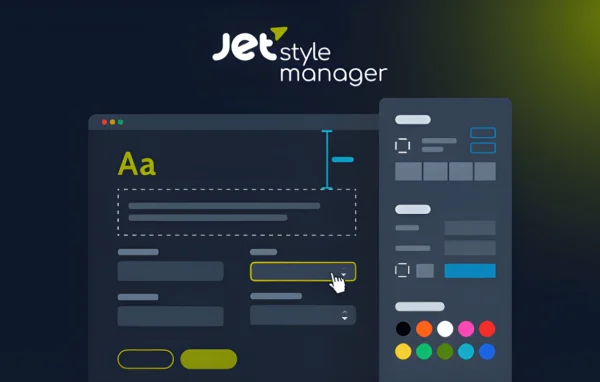
JetStyleManager by Crocoblock is a WordPress plugin that adds detailed style controls to Gutenberg blocks. You can adjust typography, colors, spacing, borders and alignment for each block, and set different styles for desktop, tablet and mobile, all without writing code.
Install this firstPlease install the Crocoblock Activator Plugin from here to Activate the Jet Plugins
Go to product- Version
- 1.3.8
- Released
- Aug 21, 2024
- Developer
- Jet Plugins
- Type
- WordPress plugin
- Requires
- Elementor
- Licence
- GPL
- Included in
- Every plan, or $3.19 a year on its own
What’s new in JetStyleManager 1.3.6
Version 1.3.6
Latest
- FixedAllowed memory exhausted in block editor (improving optimization)
What it does
The default block editor gives you a limited set of design options, so getting a block to look exactly right often means writing custom CSS. This plugin closes that gap by adding a broad set of style options to Gutenberg blocks. You can work on borders, margins, padding, alignment, colors and dimensions directly in the editor, and fine-tune text with font family, size, weight, color, line height, letter spacing and style settings.
Styles can be set separately for desktops, tablets and smartphones through dedicated responsive controls, so a layout can adapt to each screen size. You can combine several styling parameters on one block to build more distinctive designs, and the settings are organized into more than 10 types of style controls. The plugin also works with Gutenberg-compatible JetPlugins such as JetEngine, JetSmartFilters and JetFormBuilder, and it requires Elementor to be active on your site.
Best for
- Designers building custom layouts in the Gutenberg editor
- Developers styling JetEngine, JetSmartFilters or JetFormBuilder blocks
- Blogs, portfolios and business sites needing responsive block styling
Features
Styling for Gutenberg blocks
Adds a broad range of style options to Gutenberg blocks, so each block can get its own tailored look without custom code.
Layout and spacing controls
Adjust borders, margins, padding, alignment, colors and dimensions for a block from inside the editor.
Detailed typography settings
Control font family, size, color, weight, line height, letter spacing and style to shape how text appears in each block.
Responsive style options
Set separate styles for desktops, tablets and mobile devices using dedicated responsive controls, so blocks fit each screen size.
Multi-parameter styling
Apply several styling parameters to a block at the same time to build more complex, distinctive designs without coding.
More than 10 control types
Style settings are grouped into more than 10 different types of controls inside an interface that keeps your custom styles manageable.
Works with JetPlugins
Style blocks from Gutenberg-compatible JetPlugins such as JetEngine, JetSmartFilters and JetFormBuilder with the same set of controls.
Lightweight approach
Adds custom styling to blocks while aiming to avoid loading unnecessary code on your site.
JetStyleManager older versions
- 1.3.6Apr 18, 2023
Members and buyers of this product can download older versions.
Questions about JetStyleManager
Do I need to know CSS to style my blocks?
No. The plugin gives you visual controls for typography, colors, spacing, borders, alignment and dimensions right in the block editor, so you can shape the look of each block without writing a single line of code.
Can I set different styles for mobile and desktop?
Yes. Dedicated responsive controls let you tailor styles separately for desktops, tablets and smartphones. This helps you adjust things like spacing or font size so your content reads well on every screen size.
Does it work with other Crocoblock plugins?
It works with Gutenberg-compatible JetPlugins, including JetEngine, JetSmartFilters and JetFormBuilder. You can use the same styling controls to adjust how blocks from those plugins look on your pages.
What does JetStyleManager require to run?
JetStyleManager requires the Elementor plugin to be active on your WordPress site. Once it is in place, the plugin adds its style controls to Gutenberg blocks in the block editor.
Is JetStyleManager free?
The code of JetStyleManager is licensed under the GPL, so anyone may use, change and share it. GPL Feast is a paid service: a plan or a single purchase gives you the download and automatic updates. The developer's own support, licence key and online services are not included.
Which version of JetStyleManager is this?
Version 1.3.8, released Aug 21, 2024. New versions appear here when the developer publishes them, and members get them as automatic updates.
How do I update JetStyleManager?
Install the free GPL Feast Updater on your site and connect it with your API key. It installs new versions of JetStyleManager automatically and keeps a backup, so you can roll back.
What does JetStyleManager need?
JetStyleManager needs Elementor installed and active.
More from Jet Plugins