Plugin
Updated
LatePoint Addon - Outlook Calendar
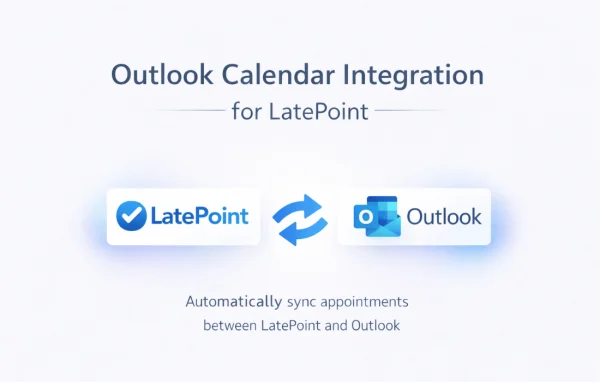
This is a WordPress plugin addon by LatePoint that connects the LatePoint booking system to Microsoft Outlook. Appointments booked on your site appear in your Outlook calendar automatically, so you can keep one accurate schedule and avoid double bookings.
- Version
- 1.1.1
- Released
- Aug 6, 2026
- Developer
- LatePoint
- Type
- WordPress plugin
- Licence
- GPL
- Included in
- Every plan, or $0.79 on its own
What’s new in LatePoint Addon - Outlook Calendar 1.1.1
Version 1.1.1
Latest
- FixedFixed Outlook Calendar failing to connect on sites behind Cloudflare or other security firewalls that block requests to WordPress URLs.
What it does
If you take bookings through LatePoint but run your day from Outlook, keeping both calendars in line by hand is tedious and easy to get wrong. A missed entry can lead to two clients booked into the same slot. This addon links the two so that appointments made in LatePoint are reflected in Outlook without manual copying, and the sync works in both directions to help prevent scheduling conflicts.
Once your Outlook account is connected, new bookings, reschedules and cancellations from LatePoint carry over to your Outlook calendar as they happen. The addon can work with more than one Outlook account, which helps teams where each staff member keeps their own calendar, or individuals who split work across accounts. Booking details are exchanged securely between LatePoint and Outlook. It suits consultants, service businesses and anyone who already treats Outlook as their main schedule.
Best for
- Consultants and coaches who schedule clients in Outlook
- Service businesses taking appointments through LatePoint
- Teams where staff use separate Outlook calendars
Features
Two-way calendar sync
Keeps LatePoint appointments and your Outlook calendar aligned in both directions, which helps you avoid scheduling conflicts and double bookings.
Real-time booking updates
New bookings, reschedules and cancellations made in LatePoint show up in your Outlook calendar right away, so your schedule stays current.
Multiple Outlook accounts
Connect more than one Outlook account and manage appointments across different calendars, useful for teams or people who use separate work accounts.
Simple account connection
Linking LatePoint to your Outlook account is designed to be straightforward and does not call for technical expertise.
Bookings in one place
All your LatePoint appointments are gathered in your Outlook calendar, giving you a single view of meetings, consultations and daily commitments.
Secure data exchange
Booking information passes securely between LatePoint and Outlook, helping protect appointment details and client privacy.
LatePoint Addon - Outlook Calendar older versions
- 1.1.0Apr 291 improvement
- 1.0.0Mar 101 new
Members and buyers of this product can download older versions.
Questions about LatePoint Addon - Outlook Calendar
Do I need LatePoint for this addon to work?
Yes. This is an addon for the LatePoint booking plugin. It takes the appointments created in LatePoint and syncs them with Microsoft Outlook, so it relies on LatePoint being in place on your WordPress site.
Will rescheduled or cancelled appointments update in Outlook?
Yes. Along with new bookings, reschedules and cancellations made in LatePoint are reflected in your Outlook calendar in real time, so the entries in Outlook match what is actually booked.
Can my team connect their own Outlook calendars?
The addon supports multiple Outlook accounts, so appointments can be managed across different Outlook calendars. That gives teams, or individuals with more than one account, flexibility in how bookings are organized.
How does it help prevent double bookings?
The sync runs in both directions and keeps LatePoint and Outlook aligned automatically. Because both calendars reflect the same appointments without manual entry, it is much harder for two bookings to land in the same time slot.
Is LatePoint Addon - Outlook Calendar free?
The code of LatePoint Addon - Outlook Calendar is licensed under the GPL, so anyone may use, change and share it. GPL Feast is a paid service: a plan or a single purchase gives you the download and automatic updates. The developer's own support, licence key and online services are not included.
Which version of LatePoint Addon - Outlook Calendar is this?
Version 1.1.1, released Aug 6, 2026. New versions appear here when the developer publishes them, and members get them as automatic updates.
How do I update LatePoint Addon - Outlook Calendar?
Install the free GPL Feast Updater on your site and connect it with your API key. It installs new versions of LatePoint Addon - Outlook Calendar automatically and keeps a backup, so you can roll back.
More from LatePoint