Plugin
Updated
LearnPress Assignments
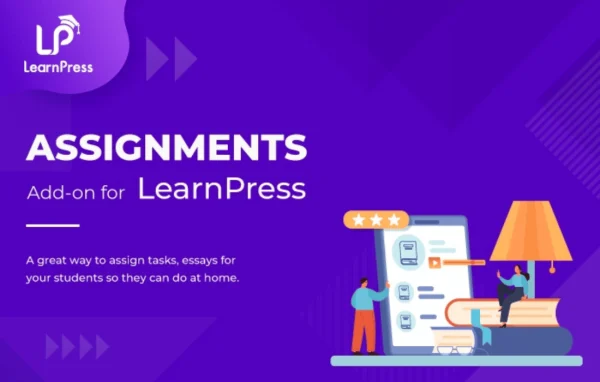
LearnPress Assignments is an add-on plugin by ThimPress that brings assignments into LearnPress courses on WordPress. Instructors can create tasks, collect student submissions as files or written answers, and grade them with feedback from the WordPress dashboard.
- Version
- 4.2.2
- Released
- Oct 6, 2026
- Developer
- LearnPress
- Type
- WordPress plugin
- Requires
- LearnPress
- Licence
- GPL
- Included in
- Every plan, or $6.39 a year on its own
What’s new in LearnPress Assignments 4.2.2
Version 4.2.2 · Oct 6, 2026
Latest
- SecurityFixed security (Props @meganatucker).
What it does
Quizzes check what a student remembers, but many courses also need practical work: an essay, a design file, a project folder. This plugin fills that gap for sites built on LearnPress, which it requires. You can place one or several assignments anywhere in a course, write instructions and requirements for each, and set deadlines so students know exactly when work is due and what is expected of them.
Students submit their work by uploading files such as PDF, DOC, images or ZIP archives, or by typing an answer in a rich text editor. You decide which file types are allowed, how large uploads can be and how many attempts each student gets. Instructors receive an email when a submission arrives, then grade it and leave feedback in the backend, with scores passed to the LearnPress gradebook.
Best for
- Online course sites running LearnPress
- Instructors who grade essays, projects or file submissions
- Schools and training providers using WordPress for e-learning
Features
Assignments anywhere in a course
Add one or more assignments at any point in your course structure so practical tasks sit right next to the lessons they relate to.
File uploads and text answers
Students can upload PDF, DOC, image or ZIP files, or write their answer directly in a built-in rich text editor.
Deadlines and retake limits
Set a submission window for each assignment and control how many attempts a student is allowed before the task closes.
Instructions and character limits
Write detailed instructions and requirements for every assignment, and set character limits on written answers to keep responses focused.
Grading with personal feedback
Review submissions, assign grades and write feedback from the backend, with scores syncing to the LearnPress gradebook.
Passing grade and maximum points
Define a passing grade and a maximum score for each assignment so students and instructors can follow progress clearly.
File type and size control
Choose which file formats students may upload and set size limits to keep submissions consistent and manageable.
Instructor email notifications
Instructors get an email alert when a student submits an assignment, making it easier to review work promptly.
LearnPress Assignments older versions
- 4.2.1Jul 311 fix
- 4.2.0Apr 301 fix
- 4.1.9Nov 6, 20251 fix
- 4.1.8Oct 21, 2025
- 4.1.7Sep 26, 2025
- 4.1.6Sep 7, 2025
- 4.1.5Jul 9, 2025
- 4.1.4Mar 5, 2025
- 4.1.3Dec 19, 2024
- 4.1.2Dec 13, 2024
Members and buyers of this product can download older versions.
12 older versions in all. If you need one that is not listed, ask support.
Questions about LearnPress Assignments
Does this plugin work without LearnPress?
No. It is an add-on for LearnPress and requires that plugin to be active. It adds assignment features to the courses you build with LearnPress.
What kinds of files can students submit?
Students can upload files such as PDF, DOC, images and ZIP archives. You can also restrict the allowed file types and set upload size limits, or let students type their answer in a rich text editor instead.
Can I limit how many times a student resubmits?
Yes. Each assignment can have a retake limit that controls the number of attempts allowed, along with a deadline that sets the submission window.
How do grades connect to the rest of the course?
You grade submissions and leave feedback from the WordPress backend. Scores sync to the LearnPress gradebook, and you can set a passing grade and maximum points for each assignment.
Is LearnPress Assignments free?
The code of LearnPress Assignments is licensed under the GPL, so anyone may use, change and share it. GPL Feast is a paid service: a plan or a single purchase gives you the download and automatic updates. The developer's own support, licence key and online services are not included.
Which version of LearnPress Assignments is this?
Version 4.2.2, released Oct 6, 2026. New versions appear here when the developer publishes them, and members get them as automatic updates.
How do I update LearnPress Assignments?
Install the free GPL Feast Updater on your site and connect it with your API key. It installs new versions of LearnPress Assignments automatically and keeps a backup, so you can roll back.
What does LearnPress Assignments need?
LearnPress Assignments needs LearnPress installed and active.
More from LearnPress