Plugin
Updated
LearnPress Collections
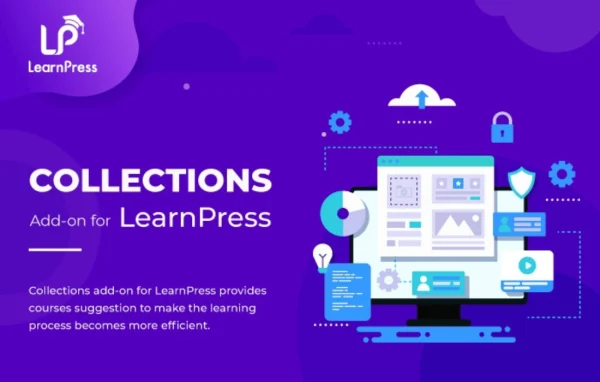
LearnPress Collections is a WordPress plugin add-on by ThimPress for sites built on LearnPress. It lets you group related courses into collections by topic, skill level or difficulty, so students can find connected courses and follow a clear learning path.
- Version
- 4.1.0
- Released
- Aug 24, 2026
- Developer
- LearnPress
- Type
- WordPress plugin
- Requires
- LearnPress
- Licence
- GPL
- Included in
- Every plan, or $3.99 a year on its own
What’s new in LearnPress Collections 4.1.0
Version 4.1.0 · Aug 24, 2026
Latest
- NewSeparated Learning Path and Collection types with dedicated admin and frontend behavior.
- NewCollection sorting, pagination, grid/list layouts, and course-detail memberships.
- NewCourse Bank popup with search and pagination for adding courses in the collection editor.
- ImprovedLearning Path courses now follow the order configured in admin instead of newest-first.
- ImprovedCollections can be reordered in admin and use that curated order as their default frontend sorting.
- ImprovedCollection type is selected directly from accessible Collection and Learning Path cards.
- ImprovedHardened two-way course relationships during save and permanent deletion.
- ImprovedCollection cards identify their type and use View Path or View Collection actions.
What it does
A course catalog gets harder to browse as it grows. Students land on a long list of courses with no sense of which ones belong together or what to take first. This add-on gives you a way to organize that catalog into curated groups. You can build a collection around a subject, or set up a learning path that guides students through courses in a set order for skill progression. Collection cards on the frontend show their type and offer a View Path or View Collection action, so visitors know what they are opening.
Everything is managed inside the LearnPress dashboard, with no coding needed to create, edit or remove collections. In the collection editor, a Course Bank popup with search and pagination helps you pick courses to add. You can reorder collections in admin, and that order becomes the default sorting on the frontend. Learning paths keep the course order you configure instead of showing the newest courses first. Display options include grid and list layouts, sorting, pagination and a setting for how many courses appear per page. The add-on requires LearnPress.
Best for
- Instructors selling several related courses on LearnPress
- Training centers that offer structured skill tracks
- Online schools with large, growing course catalogs
Features
Collections and learning paths
Choose between two types: collections for grouping related courses, and learning paths for ordered sequences, each with its own admin and frontend behavior.
Course Bank popup
Add courses to a collection from a popup in the editor that includes search and pagination, which helps when your catalog is large.
Curated course order
Learning path courses follow the order you set in admin, so students see the intended sequence rather than a newest-first list.
Grid and list layouts
Display collections in grid or list layouts on the frontend, with sorting and pagination to keep longer collections easy to browse.
Adjustable courses per page
Set how many courses appear on each page of a collection. The default is 10, and you can change it to suit your layout.
Reorder collections in admin
Drag collections into the order you want in admin, and that curated order is used as the default sorting for visitors.
Dashboard management
Create, edit and remove collections directly in the LearnPress dashboard without writing any code.
Clear collection cards
Cards label whether each item is a collection or a learning path and use View Path or View Collection buttons.
LearnPress Collections older versions
- 4.0.5May 61 fix
- 4.0.4Oct 21, 20251 fix
- 4.0.3Oct 2, 20251 improvement, 1 fix
- 4.0.2Jul 9, 2025
- 4.0.1Apr 18, 2023
Members and buyers of this product can download older versions.
Questions about LearnPress Collections
What is the difference between a collection and a learning path?
A collection groups related courses, for example by subject or skill level. A learning path is meant for a sequence, and its courses follow the order you configure in admin. Each type has its own behavior in the admin area and on the frontend, and cards label which type they are.
Does this work without LearnPress?
No. It is an add-on for LearnPress, so you need LearnPress running on your WordPress site. Collections are managed from inside the LearnPress dashboard.
Can I control how collections look on my site?
Yes. You can show collections in grid or list layouts, use sorting and pagination, and set how many courses appear per page, with 10 as the default. Collections also follow the order you arrange in admin by default.
Is it hard to add courses to a collection?
The collection editor includes a Course Bank popup where you can search your courses and page through results, then add the ones you want. No coding is required.
Is LearnPress Collections free?
The code of LearnPress Collections is licensed under the GPL, so anyone may use, change and share it. GPL Feast is a paid service: a plan or a single purchase gives you the download and automatic updates. The developer's own support, licence key and online services are not included.
Which version of LearnPress Collections is this?
Version 4.1.0, released Aug 24, 2026. New versions appear here when the developer publishes them, and members get them as automatic updates.
How do I update LearnPress Collections?
Install the free GPL Feast Updater on your site and connect it with your API key. It installs new versions of LearnPress Collections automatically and keeps a backup, so you can roll back.
What does LearnPress Collections need?
LearnPress Collections needs LearnPress installed and active.
More from LearnPress