
Plugin
Updated
MT Knowledgebase
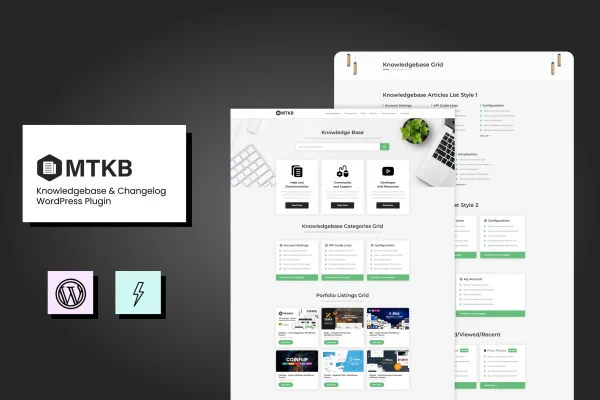
MT Knowledgebase by ModelTheme is a WordPress plugin for building a knowledge base and a changelog on your own site. It gives you articles, categories and tags for documentation, plus a place to record product updates and fixes, with live search so visitors can find answers quickly.
- Version
- 1.3
- Released
- Mar 12, 2024
- Type
- WordPress plugin
- Requires
- Elementor
- Licence
- GPL
- Included in
- Every plan, or $3.99 on its own
What’s new in MT Knowledgebase 1.3
Version 1.3 · Mar 12, 2024
Latest
What it does
Support teams and product companies often answer the same questions again and again, and customers lose track of what changed in the latest release. This plugin gives you one place for both. You write documentation as knowledge base articles, sort them with categories and tags, and keep a running changelog of updates, fixes and improvements. Visitors can look things up on their own, which gives your team a clearer record to point people toward.
The plugin requires Elementor and also works with WPBakery, so you can design knowledge base pages with the builder you already use. Shortcodes let you place knowledge base elements on any page, and a live AJAX search form returns matching articles and changelog entries as visitors type. Logged-in users can vote on and like articles, related articles appear alongside each entry, and the layout is responsive and retina ready. It suits SaaS providers, software developers and service businesses that publish help content.
Best for
- SaaS companies publishing help docs and release notes
- Support teams wanting a self-service knowledge base
- Software developers tracking product changes for customers
Features
Articles, categories and tags
Create knowledge base articles and organize them with categories and tags, so your documentation forms a structured resource center that visitors can browse by topic.
Built-in changelog
Keep a running log of updates, fixes and improvements for your products or services, giving customers a clear record of what has changed over time.
Live AJAX search
A search form shows matching articles and changelog entries instantly as visitors type, helping them reach the right answer without paging through lists.
Voting and likes
Logged-in users can vote on and like articles, which gives you feedback on your content and highlights the entries people find most helpful.
Elementor and WPBakery support
Design your knowledge base pages with Elementor or WPBakery, so you can fit the documentation into your existing site layout and page building workflow.
Shortcodes for placement
Customizable shortcodes let you insert knowledge base elements anywhere on your site, giving you control over where documentation and search appear.
Related articles
Each article automatically suggests related knowledge base entries, pointing readers to additional information connected to the topic they are reading.
Responsive, retina ready layout
Documentation pages adapt to phones, tablets and desktops, and display sharply on high resolution screens.
Questions about MT Knowledgebase
Does this plugin need Elementor?
Yes, Elementor is listed as a requirement. The plugin also works with WPBakery, and shortcodes let you place knowledge base elements on pages across your site, so you can build documentation pages with the page builder you prefer.
Can I run a changelog and a knowledge base from the same plugin?
Yes. MT Knowledgebase handles both. You can write and organize help articles with categories and tags, and separately maintain a changelog of updates, fixes and improvements for your products or services.
How do visitors find the right article?
A live AJAX search form shows matching articles and changelog entries as visitors type. Categories and tags help with browsing, and each article suggests related entries so readers can move on to connected topics.
Can readers give feedback on articles?
Logged-in users can vote on and like articles. This gives you a sense of which content people find helpful and brings the most useful entries in your knowledge base to the surface.
Is MT Knowledgebase free?
The code of MT Knowledgebase is licensed under the GPL, so anyone may use, change and share it. GPL Feast is a paid service: a plan or a single purchase gives you the download and automatic updates. The developer's own support, licence key and online services are not included.
Which version of MT Knowledgebase is this?
Version 1.3, released Mar 12, 2024. New versions appear here when the developer publishes them, and members get them as automatic updates.
How do I update MT Knowledgebase?
Install the free GPL Feast Updater on your site and connect it with your API key. It installs new versions of MT Knowledgebase automatically and keeps a backup, so you can roll back.
What does MT Knowledgebase need?
MT Knowledgebase needs Elementor installed and active.
You might also like






