Plugin
Updated
Post SMTP Pro Add-On
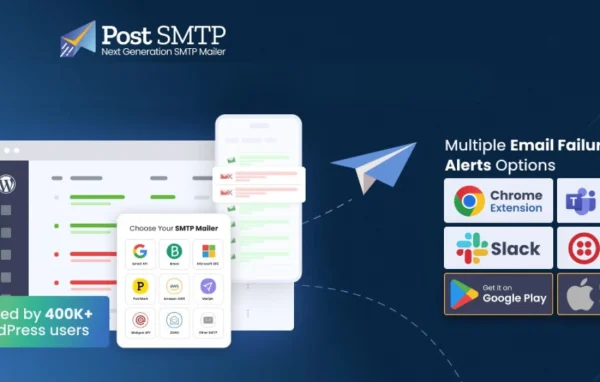
Post SMTP Pro Add-On by Post SMTP is a WordPress plugin that replaces the default mail-sending method with an authenticated SMTP connection. It works with services like Gmail, Office 365, Amazon SES and Mailgun, and it keeps a record of every email your site sends or fails to send.
- Version
- 1.5.4
- Released
- Aug 24, 2026
- Developer
- Post SMTP
- Type
- WordPress plugin
- Licence
- GPL
- Included in
- Every plan, or $4.79 a year on its own
What’s new in Post SMTP Pro Add-On 1.5.4
Version 1.5.4 · Aug 24, 2026
Latest
- ImprovedAdded compatibility with WordPress 7.1.
- ImprovedUpdated translation strings for the latest version.
- ImprovedEnhanced Google One Click middleware for failed notification emails.
- FixedResolved a fatal error in the Microsoft 365 extension related to token caching (WP_Error handling).
- FixedFixed newsletter email rendering issues when sent through the Microsoft 365 API.
- FixedResolved an issue where OAuth callbacks were hijacked during Office 365 Authentication.
- FixedFixed email sending compatibility issues with FluentCRMpro.
- FixedResolved an issue where email logs were missing for certain periods.
What it does
WordPress sends email through a basic mail function that often lacks proper authentication, so messages like password resets, order notices and form replies can land in spam or never arrive. This plugin swaps that method for a secure SMTP connection to the mail service you choose. Supported options include Gmail, Office 365, Amazon SES and Mailgun, among others. For major providers it supports OAuth authentication, so the connection is authorized through the provider and no plain password needs to be stored in your settings.
Setup runs through a step-by-step wizard, which helps if you are not comfortable configuring mail servers by hand. Once it is running, detailed logs show each message that went out and each one that failed, so you can trace problems quickly. Notifications tell you when delivery breaks, and fallback routing tries an alternative SMTP server if your main connection fails. You can adjust email headers to match your sending identity, and developers get hooks and filters for custom workflows.
Best for
- Online stores that depend on order and account emails
- Business sites with contact forms that must reach the inbox
- Agencies managing email delivery across client WordPress sites
Features
Authenticated SMTP sending
Replaces the default WordPress mail method with a secure, authenticated SMTP connection, so your site's messages are sent the way mail services expect.
Multiple mail providers
Connect to Gmail, Office 365, Amazon SES, Mailgun and other SMTP services, choosing whichever provider you already use for your domain.
Guided setup wizard
A step-by-step wizard walks you through configuring your mail settings, which makes the process manageable for people with limited technical experience.
Sent and failed email logs
Keeps detailed records of every email sent and every delivery failure, giving you a clear history to check when someone says a message never arrived.
Failure notifications
Sends you an alert when email delivery problems occur, so you can fix a broken connection before it affects many messages.
Fallback email routing
If the primary SMTP connection fails, the plugin automatically tries alternative SMTP servers so your site's emails can still go out.
OAuth authentication
Supports OAuth for secure authentication with major email providers, which helps protect your mail account against unauthorized access.
Custom headers and developer hooks
Adjust email headers to suit your sending identity, and use the available hooks and filters to tailor the plugin to specific workflows.
Post SMTP Pro Add-On older versions
- 1.5.3Jun 252 fixes
- 1.5.2Apr 75 fixes
- 1.5.1Mar 192 fixes
- 1.5.0Jan 23
- 1.4.5Nov 26, 2025
- 1.4.4Nov 12, 2025
Members and buyers of this product can download older versions.
Questions about Post SMTP Pro Add-On
Which email services can I connect to?
The plugin works with Gmail, Office 365, Amazon SES and Mailgun, along with other SMTP services. You pick the provider you prefer, and it handles sending your WordPress email through that authenticated connection instead of the default mail function.
How will I know if my site's emails stop sending?
You get notifications when delivery problems occur, and the email logs record every message that was sent or failed. Together they let you spot an issue quickly and see exactly which messages were affected, which makes troubleshooting much easier.
What happens if my main SMTP connection goes down?
Fallback email routing kicks in. If the primary connection fails, the plugin automatically tries alternative SMTP servers you have set up, so your site can keep sending emails while you look into the problem with the main connection.
Is Post SMTP Pro Add-On free?
The code of Post SMTP Pro Add-On is licensed under the GPL, so anyone may use, change and share it. GPL Feast is a paid service: a plan or a single purchase gives you the download and automatic updates. The developer's own support, licence key and online services are not included.
Which version of Post SMTP Pro Add-On is this?
Version 1.5.4, released Aug 24, 2026. New versions appear here when the developer publishes them, and members get them as automatic updates.
How do I update Post SMTP Pro Add-On?
Install the free GPL Feast Updater on your site and connect it with your API key. It installs new versions of Post SMTP Pro Add-On automatically and keeps a backup, so you can roll back.
You might also like






