Plugin
Updated
Smart Admin Assistant Pro
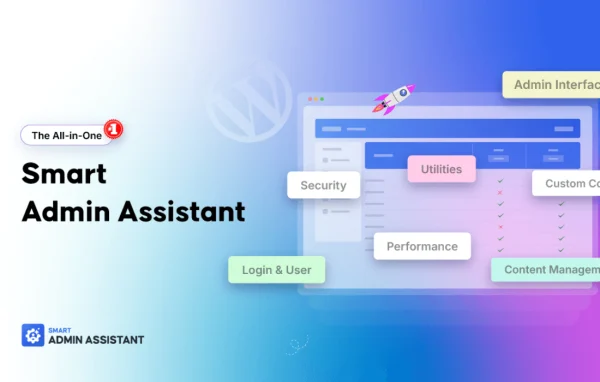
Smart Admin Assistant Pro by BdThemes is a WordPress plugin that gathers many dashboard tools into one modular package. It covers content management, admin interface changes, login security and backend utilities, and you switch on only the modules you want.
- Version
- 2.4.1
- Released
- Sep 26, 2026
- Developer
- BdThemes
- Type
- WordPress plugin
- Requires
- Smart Admin Assistant
- Licence
- GPL
- Included in
- Every plan, or $6.39 a year on its own
What’s new in Smart Admin Assistant Pro 1.4.0
Version 1.4.0
Latest
- NewMajor update with Debug Log Viewer, Developer Tools, URL redirect runtime support, and a redesigned login page template builder.
What it does
A typical WordPress backend collects small single-purpose plugins over time: one to duplicate posts, another to hide notices, another to rename menu items, another for login protection. This plugin puts those jobs in one place. You can clone posts, reorder content, hide or adjust admin notices, rename and rearrange admin menus, and tighten the login page with brute force protection and custom redirects, all from a single settings panel.
The modular setup is the main idea. Each tool is a separate module, so you turn on what your site needs and leave the rest off. Role based controls let you decide which users see which features, and branding options let you add your logo and adjust dashboard elements for clients or teams. Extra tools include a debug log viewer, developer tools, URL redirects and a login page template builder, which makes it a practical fit for agencies managing client dashboards.
Best for
- Agencies building branded dashboards for client sites
- Site owners tired of many small admin plugins
- Developers who want debug and redirect tools in the dashboard
Features
Post duplication and ordering
Clone posts with a click and reorder content so archives stay organized and new drafts can start from existing work.
Admin notice control
Hide or customize the admin notices that pile up in the dashboard, so users see fewer distractions while they work.
Menu customization and renaming
Rearrange WordPress admin menus and rename items to match your branding or make navigation simpler for clients and editors.
Login and security tools
Protect the login page with brute force protection and set custom login redirects, plus build login page designs with a template builder.
Modular activation
Turn on only the modules you need and leave the others disabled, which keeps the admin area tidy and avoids extra plugins.
Role based controls
Set features and access permissions by user role, so each person sees the tools that suit their responsibilities on the site.
Custom admin branding
Add your logo and adjust dashboard elements to give clients or team members a consistent, branded admin interface.
Debug and developer tools
Read the debug log from inside the dashboard and use developer tools and URL redirect support for troubleshooting and site maintenance.
Smart Admin Assistant Pro older versions
- 2.4.0Sep 15
- 1.7.0Aug 24
- 1.6.4Aug 15
- 1.6.2Aug 10
- 1.6.2Aug 10
- 1.6.1Aug 4
- 1.4.0Jun 12
- 1.3.1May 13
- 1.3.0May 11
- 1.2.2Apr 2
Members and buyers of this product can download older versions.
15 older versions in all. If you need one that is not listed, ask support.
Questions about Smart Admin Assistant Pro
Do I have to use every module at once?
No. Each tool is a separate module, and you enable only the ones you need. Unused modules stay off, so your admin area only shows the features you actually chose to turn on.
Can I limit features to certain user roles?
Yes. The plugin includes role based controls for configuring features and access permissions by user role. That helps you keep editors, clients and administrators focused on the tools that match their part of the site.
What login security options are included?
The login tools include brute force protection and custom login redirects. There is also a login page template builder, so you can change how the login screen looks as well as how it behaves.
Can I brand the dashboard for my clients?
Yes. You can add your logo, modify dashboard elements, and rename or rearrange admin menu items. Together these let you present a consistent admin interface that matches your agency or client branding.
Is Smart Admin Assistant Pro free?
The code of Smart Admin Assistant Pro is licensed under the GPL, so anyone may use, change and share it. GPL Feast is a paid service: a plan or a single purchase gives you the download and automatic updates. The developer's own support, licence key and online services are not included.
Which version of Smart Admin Assistant Pro is this?
Version 2.4.1, released Sep 26, 2026. New versions appear here when the developer publishes them, and members get them as automatic updates.
How do I update Smart Admin Assistant Pro?
Install the free GPL Feast Updater on your site and connect it with your API key. It installs new versions of Smart Admin Assistant Pro automatically and keeps a backup, so you can roll back.
What does Smart Admin Assistant Pro need?
Smart Admin Assistant Pro needs Smart Admin Assistant installed and active.
More from BdThemes