
Plugin
Updated
Support Ticket Management System for WordPress
This WordPress plugin turns your site into a helpdesk where customers submit support requests and your team works through them as tickets. It handles ticket tracking, agent accounts and groups, and reporting, all from inside the WordPress dashboard.
- Version
- 1.9
- Released
- Sep 11, 2024
- Type
- WordPress plugin
- Licence
- GPL
- Included in
- Every plan, or $3.99 on its own
What’s new in Support Ticket Management System for WordPress 1.9
Version 1.9 · Sep 11, 2024
Latest
What it does
Support requests that arrive through scattered emails and contact forms are easy to lose and hard to follow up on. The Support Ticket Management System for WordPress gives every request a ticket, so your team can organize, prioritize and track each one until it is resolved. Customers can open tickets directly on your website or by email, and both routes land in the same place. Because the plugin runs natively inside WordPress, you can manage support without moving to a separate external help desk service.
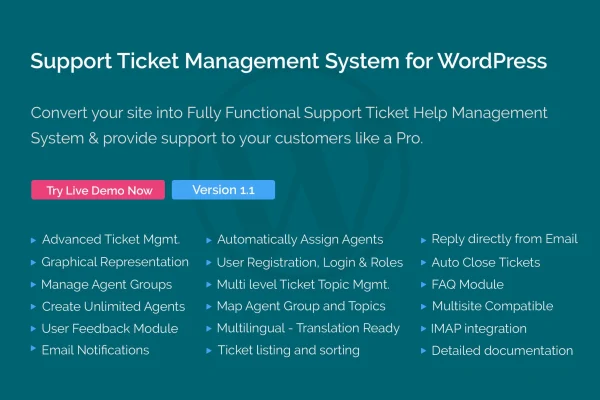
The plugin is built around a team model. You can add as many agents and agent administrators as you need, with no per-user fees, and sort them into groups that match how your business is organized. Graphical reports show ticket volume, agent performance, customer ratings and feedback, which helps you see where support is working and where it is slowing down. The interface is responsive, so agents can handle tickets from phones and tablets as well as desktops.
Best for
- Businesses handling customer support through their WordPress site
- Support teams that need many agent accounts
- Agencies replacing a paid external help desk service
Features
Ticket tracking and prioritization
Organize incoming support requests as tickets, set priorities and track each one through to resolution so nothing slips through the cracks.
Unlimited agent accounts
Add as many agents and agent administrators as your team needs, with no additional cost for each extra user.
Customizable agent groups
Group agents according to your business structure, such as by department or product, to keep workflows clear and responsibilities easy to assign.
Website and email tickets
Customers can submit tickets through a form on your website or by sending an email, and both are captured in the same system.
Graphical reporting
Charts cover ticket volume, agent performance, customer ratings and feedback, giving you a visual read on how your support team is doing.
Automated responses
Send automated replies to customers, so they get an acknowledgment of their request while an agent prepares a full answer.
Responsive interface
The helpdesk works across screen sizes, letting agents read and answer tickets from mobile devices as well as desktop computers.
Native WordPress dashboard
Ticket management lives inside your WordPress admin, so your team handles support in the same place they already manage the site.
Support Ticket Management System for WordPress older versions
- 1.8Oct 10, 2023
Members and buyers of this product can download older versions.
Questions about Support Ticket Management System for WordPress
Can customers send support requests by email?
Yes. Customers can open tickets by email or through your website, and both types of requests are collected in the same ticketing system so your agents work from one queue.
Is there a limit on how many agents I can add?
No. You can create unlimited agent and agent administrator accounts and organize them into groups, with no extra cost for each additional user.
What kind of reports does it provide?
The plugin includes graphical reports on ticket volume, agent performance, customer ratings and customer feedback. These help you see workload trends and how individual agents are handling their tickets.
Do I need a separate help desk service alongside it?
The plugin is designed to run your helpdesk inside WordPress. Ticket submission, agent management and reporting all happen in your dashboard, so an external help desk service is not required for these tasks.
Is Support Ticket Management System for WordPress free?
The code of Support Ticket Management System for WordPress is licensed under the GPL, so anyone may use, change and share it. GPL Feast is a paid service: a plan or a single purchase gives you the download and automatic updates. The developer's own support, licence key and online services are not included.
Which version of Support Ticket Management System for WordPress is this?
Version 1.9, released Sep 11, 2024. New versions appear here when the developer publishes them, and members get them as automatic updates.
How do I update Support Ticket Management System for WordPress?
Install the free GPL Feast Updater on your site and connect it with your API key. It installs new versions of Support Ticket Management System for WordPress automatically and keeps a backup, so you can roll back.
You might also like






