
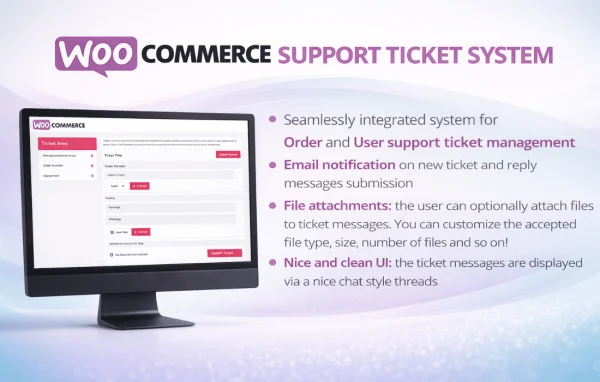
Plugin
Updated
Support Ticket System
WooCommerce Support Ticket System is a WordPress plugin that adds a ticketing help desk to your WooCommerce store. Customers submit support requests from your site, often tied to a specific order, and your team tracks, assigns and answers them from one dashboard inside WordPress.
- Version
- 18.6
- Released
- Oct 7, 2026
- Type
- WordPress plugin
- Requires
- WooCommerce
- Licence
- GPL
- Included in
- Every plan, or $3.99 on its own
What’s new in Support Ticket System 18.6
Version 18.6
Latest
- FixedMinor bugfix.
What it does
Customer questions tend to arrive through email, contact forms and social messages, which makes them easy to lose and hard to follow up on. This plugin moves that work into a ticket system that lives inside your WooCommerce setup. Customers can open a ticket about an order, a product or any other question without leaving your store, and each request stays in one place with its full history of replies.
On the admin side, you get a dashboard for organizing, prioritizing and responding to tickets. Tickets can be linked to specific WooCommerce orders, so agents see the context right away, and they can be assigned to different team members. Email notifications go out when tickets are created, answered and resolved. It requires WooCommerce, and it suits shops that want structured support without running a separate help desk service.
Best for
- WooCommerce stores handling frequent order questions
- Shops with several staff members sharing support duties
- Store owners replacing scattered email support with tickets
Features
Order-linked tickets
Tickets can be connected directly to specific WooCommerce orders, so agents can see which purchase a customer is asking about before they reply.
Customer ticket submission
Customers can create support requests about their orders, products or other questions from within your store, without needing to send a separate email.
Automatic email notifications
Customers and agents receive email alerts when a ticket is created, when someone replies and when the ticket is marked as resolved.
Ticket management dashboard
A backend interface lets you organize, prioritize and respond to incoming tickets, keeping your support queue in one place inside WordPress.
Customizable ticket fields
You can adjust the ticket submission form to ask for the details your team needs to understand and resolve each customer issue.
Multi-agent assignment
Assign tickets to different team members and collaborate internally, so several people can share the support workload for your store.
Spam protection
Built-in protections help guard against spam tickets and help protect the customer information submitted through the support form.
Support reporting
Reports give you an overview of support activity so you can review how your team handles tickets and spot areas to improve over time.
Support Ticket System older versions
- 18.5Apr 11 improvement
- 18.4Feb 61 improvement
- 18.3Jan 291 fix
- 18.2Dec 25, 2025
- 18.1Dec 16, 2025
- 18.0Apr 7, 2025
- 17.9Jan 29, 2025
- 17.8Nov 1, 2024
- 17.4May 14, 2024
- 17.3Apr 19, 2024
Members and buyers of this product can download older versions.
15 older versions in all. If you need one that is not listed, ask support.
Questions about Support Ticket System
Does this plugin work without WooCommerce?
No. It is built for WooCommerce stores and requires WooCommerce to be active. Tickets can be linked to WooCommerce orders, and the support tools sit within your existing store setup in WordPress.
Can customers attach a ticket to a specific order?
Yes. Customers can create support requests related to their orders, and tickets can be linked directly to specific WooCommerce orders. This gives your agents the purchase context they need when they read and answer the request.
Can more than one person on my team answer tickets?
Yes. The plugin supports multiple agents, so you can assign tickets to different team members and collaborate internally. Email notifications keep agents informed when tickets are created or receive replies.
Can I change what information the ticket form asks for?
Yes. The ticket fields are customizable, so you can tailor the submission form to collect the details that matter for your products and orders, which helps your team resolve issues with fewer back-and-forth messages.
Is Support Ticket System free?
The code of Support Ticket System is licensed under the GPL, so anyone may use, change and share it. GPL Feast is a paid service: a plan or a single purchase gives you the download and automatic updates. The developer's own support, licence key and online services are not included.
Which version of Support Ticket System is this?
Version 18.6, released Oct 7, 2026. New versions appear here when the developer publishes them, and members get them as automatic updates.
How do I update Support Ticket System?
Install the free GPL Feast Updater on your site and connect it with your API key. It installs new versions of Support Ticket System automatically and keeps a backup, so you can roll back.
What does Support Ticket System need?
Support Ticket System needs WooCommerce installed and active.
You might also like






