
Plugin
Updated
TW WhatsApp Chat Rotator
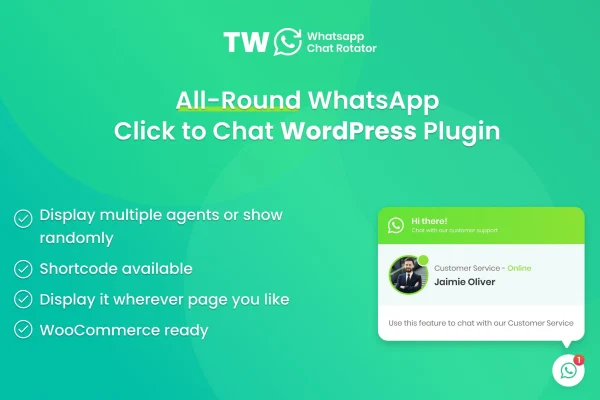
TW WhatsApp Chat Rotator is a WordPress plugin that puts a floating WhatsApp chat button on your site so visitors can message your team directly. It works with WooCommerce and can spread incoming chats across several agents using departments and view percentages you set.
- Version
- 1.2.1
- Released
- May 24, 2023
- Type
- WordPress plugin
- Requires
- WooCommerce
- Licence
- GPL
- Included in
- Every plan, or $3.99 on its own
What’s new in TW WhatsApp Chat Rotator 1.2.1
Version 1.2.1 · May 24, 2023
Latest
- NewAdd option to enable/disable daily email report
- NewAdd option to change the text on WhatsApp button
What it does
Many visitors would rather send a quick WhatsApp message than fill out a contact form or wait for an email reply. This plugin gives them a one-click button that opens a WhatsApp chat with your team, without hunting for a contact page. For stores running WooCommerce, the chat option can sit on product pages or at checkout, where shoppers often have last-minute questions about sizing, shipping or stock.
The rotator is what makes it useful for teams. You add multiple agents, group them by department or role, and give each one a view percentage that controls how often their button appears. You can also show every agent at once or pick one at random. Custom chat links let you place WhatsApp contact points on landing pages too, and the layout adapts to mobile, tablet and desktop screens.
Best for
- WooCommerce stores offering pre-sale help over WhatsApp
- Support teams sharing chats across several agents
- Service businesses that take inquiries through WhatsApp
Features
Floating chat button
A floating WhatsApp button stays visible on your pages, so visitors can start a conversation with your team without leaving the page they are reading.
View percentage rotation
Set a percentage for each agent and the plugin rotates which agent appears, helping you spread customer conversations across your team in the proportions you choose.
Agents by department
Assign different agents to specific departments, such as sales or support, so customer questions reach the person best placed to answer them.
Random or full agent display
Choose whether to show all your agents at the same time or let the plugin randomly display one, depending on how you want visitors to reach you.
Custom WhatsApp chat links
Create your own WhatsApp chat links and place them anywhere on your site or on landing pages to add more ways for customers to contact you.
WooCommerce support
Built to work with WooCommerce, so online stores can offer WhatsApp help on product pages or at checkout when shoppers need answers before buying.
Editable button text
Change the text shown on the WhatsApp button so the wording matches your brand voice and tells visitors exactly what to expect.
Daily email report option
Turn a daily email report on or off, depending on whether you want regular summaries of chat activity sent to your inbox.
Questions about TW WhatsApp Chat Rotator
Can I split incoming chats between several team members?
Yes. You can add multiple agents and give each a view percentage, which controls how often that agent's chat button appears. This lets you balance conversations across your team, for example sending more chats to a full-time agent than to a part-time one.
Does it work with my WooCommerce store?
Yes. The plugin requires WooCommerce and is designed to work with it, so you can offer WhatsApp chat on product pages or at checkout. Shoppers can ask questions about an item or their order without leaving your store.
Can I route customers to different departments?
You can assign agents to specific departments or roles, so questions go to the right person. You can also choose to show all agents at once, letting visitors pick, or display one agent at random.
Can I add WhatsApp links outside the floating button?
Yes. The plugin lets you create custom WhatsApp chat links that you can place anywhere on your site or on landing pages, giving visitors more places to start a conversation with you.
Is TW WhatsApp Chat Rotator free?
The code of TW WhatsApp Chat Rotator is licensed under the GPL, so anyone may use, change and share it. GPL Feast is a paid service: a plan or a single purchase gives you the download and automatic updates. The developer's own support, licence key and online services are not included.
Which version of TW WhatsApp Chat Rotator is this?
Version 1.2.1, released May 24, 2023. New versions appear here when the developer publishes them, and members get them as automatic updates.
How do I update TW WhatsApp Chat Rotator?
Install the free GPL Feast Updater on your site and connect it with your API key. It installs new versions of TW WhatsApp Chat Rotator automatically and keeps a backup, so you can roll back.
What does TW WhatsApp Chat Rotator need?
TW WhatsApp Chat Rotator needs WooCommerce installed and active.
You might also like






