Plugin
Updated
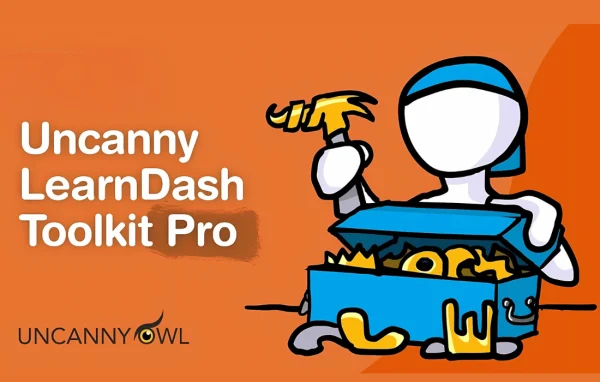
Uncanny Toolkit Pro for LearnDash
Uncanny Toolkit Pro for LearnDash is a plugin by Uncanny Owl that extends LearnDash with over 30 add-on modules. It covers lesson autocompletion, certificate handling, group controls, bulk user imports and extra reporting, so course admins can handle common tasks with less manual work.
- Version
- 4.4
- Released
- Nov 13, 2025
- Developer
- Uncanny Owl
- Type
- WordPress plugin
- Requires
- Uncanny Toolkit for LearnDash
- Licence
- GPL
- Included in
- Every plan, or $9.59 a year on its own
What’s new in Uncanny Toolkit Pro for LearnDash 4.4
Version 4.4 · Nov 13, 2025
Latest
- NewLearner Transcript – Added an option to allow public transcript access with a shareable link and copy-to-clipboard feature for easier viewing and sharing of transcript records #773
- ImprovedImplemented new, standardized Uncanny Owl admin UI theme
- ImprovedImport Users – Enhanced CSV import functionality to support multiple delimiters (comma, semicolon, tab, pipe) with automatic detection #855
- FixedAutocomplete Lessons & Topics – Set $force to true when calling learndash_process_mark_complete #817
- FixedCourse Dashboard – PHP warning Undefined array key “has_graded” #858
- FixedDuplicate Pages & Posts module – Duplicating a course no longer enables nested URLs #836
- FixedEmail Course Certificates – Refactored hardcoded certificate paths to dynamic upload directory with fallbacks #842
- FixedImport Users – Fixed password reset token regeneration issue in CSV #845
What it does
LearnDash handles the core of an online course site, but many admins find themselves wanting extra controls for groups, certificates and learner progress. This plugin fills those gaps with a set of modules you can switch on as needed. It builds on the free Uncanny Toolkit, which needs to be on your site, and adds features such as group-based drip lessons, course access expiration with email notifications, and automated PDF certificate emails to students, admins and group leaders.
On the admin side, you can bulk import users from a CSV file with error checking before upload, and have them assigned to courses and groups automatically. Reports gain over a dozen extra data columns plus custom user metadata. You can clone courses, lessons, topics, quizzes, pages and posts instead of rebuilding them. For learners, course grids, dashboards, resume controls and transcripts make it easier to see progress and pick up where they left off.
Best for
- LearnDash course sites with many learners
- Organizations running group or cohort-based training
- Admins who issue certificates to students
Features
Autocomplete lessons and topics
Mark lessons and topics as complete automatically when a learner views them or when a quiz is graded, so students do not need to click a completion button.
Certificate preview and bulk export
Preview certificates right on the quiz edit page for quick testing, and generate certificates in bulk for courses, quizzes or groups.
Automated certificate emails
Send PDF certificates by email to students, admins and group leaders automatically when a course or quiz is completed.
Group drip and course expiration
Control lesson access by LearnDash group and set course access expiration dates, with email notifications sent to learners about their access.
Group pages and registration links
Build branded group pages with logos, set custom login redirects, and create unique registration URLs that enroll new users into a group automatically.
Bulk user import from CSV
Import users in bulk with error checking before upload and automatic course and group assignment. CSV files with comma, semicolon, tab or pipe delimiters are detected automatically.
Extra reporting columns
Add over a dozen extra data columns and custom user metadata to LearnDash reports, giving administrators and group leaders more detail on learner activity.
Clone courses and content
Duplicate pages, posts, courses, lessons, topics and quizzes so you can start new content from an existing structure.
Uncanny Toolkit Pro for LearnDash older versions
- 4.3.2May 15, 20251 new, 2 improvements, 8 fixes
- 4.3.1Nov 29, 20245 improvements, 3 fixes
- 4.3Jul 17, 20242 new, 2 improvements, 5 fixes
- 4.2.1May 23, 2024
- 4.2Feb 15, 2024
- 4.1.4.2Jan 6, 2024
- 4.1.4.1Dec 5, 2023
- 4.1.4Nov 24, 2023
- 4.1.3.1Nov 20, 2023
- 4.1.3Nov 2, 2023
Members and buyers of this product can download older versions.
15 older versions in all. If you need one that is not listed, ask support.
Questions about Uncanny Toolkit Pro for LearnDash
Do I need anything else for this to work?
Yes. It extends the LearnDash learning management system and is built on top of the free Uncanny Toolkit, so both need to be on your WordPress site for the Pro modules to work.
Can I give certain groups their own discussion forum?
Yes. A bbPress integration lets you grant forum access to specific LearnDash groups, so only learners in that group can join the discussion.
Can learners share their course transcript?
There is a learner transcript feature, and you can choose to allow public access through a shareable link. A copy-to-clipboard option makes it easy for learners to pass that link along.
Will it help me onboard a large class at once?
The user import module accepts CSV files, checks them for errors before upload, and assigns imported users to the right courses and groups automatically, which suits large-scale onboarding.
Is Uncanny Toolkit Pro for LearnDash free?
The code of Uncanny Toolkit Pro for LearnDash is licensed under the GPL, so anyone may use, change and share it. GPL Feast is a paid service: a plan or a single purchase gives you the download and automatic updates. The developer's own support, licence key and online services are not included.
Which version of Uncanny Toolkit Pro for LearnDash is this?
Version 4.4, released Nov 13, 2025. New versions appear here when the developer publishes them, and members get them as automatic updates.
How do I update Uncanny Toolkit Pro for LearnDash?
Install the free GPL Feast Updater on your site and connect it with your API key. It installs new versions of Uncanny Toolkit Pro for LearnDash automatically and keeps a backup, so you can roll back.
What does Uncanny Toolkit Pro for LearnDash need?
Uncanny Toolkit Pro for LearnDash needs Uncanny Toolkit for LearnDash installed and active.
More from Uncanny Owl
Plugin



