
Plugin
Updated
WhatsApp Chat
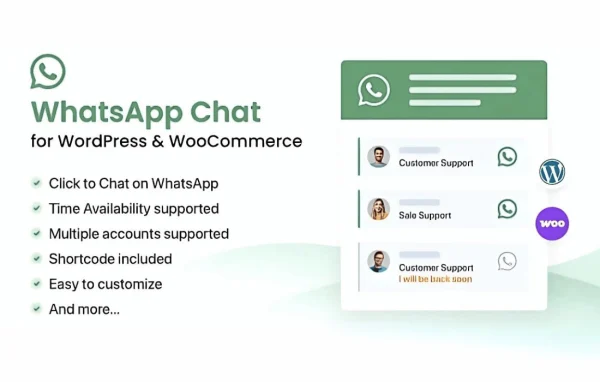
WhatsApp Chat by NinjaTeam is a WordPress plugin that places a WhatsApp chat button on your site. Visitors tap or click it to start a conversation with you in WhatsApp, which gives them a quick, familiar way to ask questions or get help.
- Version
- 3.8.2
- Released
- May 21, 2026
- Developer
- NinjaTeam
- Type
- WordPress plugin
- Licence
- GPL
- Included in
- Every plan, or $3.99 on its own
What’s new in WhatsApp Chat 3.8.2
Version 3.8.2 · May 21, 2026
Latest
- ImprovedCompatible with WP 7.0
What it does
Many visitors would rather send a quick message than fill out a contact form or wait on an email reply. This plugin puts a chat button on your pages that opens a WhatsApp conversation with your business. You can route people to different team members or departments by adding several WhatsApp numbers, and you can offer preset messages so customers can start a chat with one click.
The button is customizable, so you can change its color, size, position and text to fit your design. Visibility rules let you show or hide it by device type, page or user role. It works on mobile and desktop, supports WPML and right-to-left languages, and can connect with Google Analytics to track chat engagement. Setup happens through a settings interface and needs no coding.
Best for
- Online stores answering product questions over WhatsApp
- Service businesses that take inquiries by message
- Multilingual or right-to-left language websites
Features
Customizable chat button
Adjust the button's color, size, position and text so it matches your site's design and brand.
Multiple agents
Add several WhatsApp numbers so chats go to the right department or team member instead of one shared inbox.
Preset message templates
Offer predefined messages that visitors can send with one click, making it quicker for them to start a conversation.
Visibility rules
Show or hide the chat button based on device type, specific pages or user roles to target where it appears.
Responsive on all devices
The button is designed to display and work properly on both mobile phones and desktop screens.
WPML and RTL support
Works with WPML for multilingual sites and supports right-to-left languages for audiences that read in those scripts.
Google Analytics tracking
Connect with Google Analytics to monitor how visitors interact with the chat button on your site.
No coding required
Configure the button, agents and display options through a settings interface without writing any code.
WhatsApp Chat older versions
- 3.8.1Apr 301 fix
- 3.7.4Apr 211 improvement, 1 fix
- 3.7.3Jun 19, 20251 fix
- 3.7.1Apr 4, 2025
- 3.7Jan 15, 2025
- 3.6.9Nov 13, 2024
- 3.6.8Jul 29, 2024
- 3.6.7Jun 19, 2024
- 3.6.6Jun 3, 2024
- 3.6.5May 10, 2024
Members and buyers of this product can download older versions.
24 older versions in all. If you need one that is not listed, ask support.
Questions about WhatsApp Chat
Can I send chats to different people on my team?
Yes. You can add several WhatsApp numbers as agents and assign them to different departments or team members, so visitors reach the person best placed to answer their question.
Can I hide the button on certain pages?
Yes. Visibility controls let you show or hide the chat button based on page rules, device type and user roles, so it only appears where you want visitors to see it.
Does it work on a multilingual site?
It is compatible with WPML and supports right-to-left languages, which makes it a fit for sites that serve visitors in several languages or in scripts such as Arabic or Hebrew.
Can I track how often visitors use the chat button?
The plugin can integrate with Google Analytics, letting you monitor chat engagement alongside the rest of your site's analytics data.
Is WhatsApp Chat free?
The code of WhatsApp Chat is licensed under the GPL, so anyone may use, change and share it. GPL Feast is a paid service: a plan or a single purchase gives you the download and automatic updates. The developer's own support, licence key and online services are not included.
Which version of WhatsApp Chat is this?
Version 3.8.2, released May 21, 2026. New versions appear here when the developer publishes them, and members get them as automatic updates.
How do I update WhatsApp Chat?
Install the free GPL Feast Updater on your site and connect it with your API key. It installs new versions of WhatsApp Chat automatically and keeps a backup, so you can roll back.
You might also like






