Plugin
Updated
WooCommerce Checkout Manager PRO
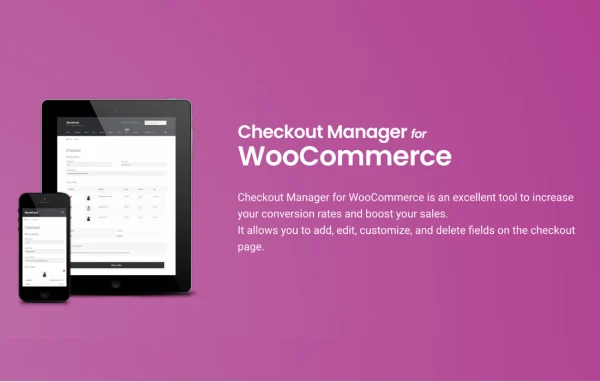
WooCommerce Checkout Manager PRO by QuadLayers is a WordPress plugin for customizing the WooCommerce checkout page. It lets you add new fields, edit or remove existing ones and control when fields appear, so the checkout asks customers for the information your store actually needs.
- Version
- 7.6.7
- Released
- Jul 21, 2026
- Developer
- QuadLayers
- Type
- WordPress plugin
- Requires
- WooCommerce and WooCommerce Checkout Manager
- Licence
- GPL
- Included in
- Every plan, or $5.59 a year on its own
What’s new in WooCommerce Checkout Manager PRO 7.6.7
Version 7.6.7
Latest
- FixedWooCommerce compatibility.
What it does
The default WooCommerce checkout uses a fixed set of fields, and many stores need something different. Some want to drop fields they never use, while others need extra details such as delivery notes, company data or product preferences. This plugin gives you control over the Billing, Shipping and Additional sections, so you can add custom fields, change existing ones or remove them. It requires WooCommerce and works alongside the base WooCommerce Checkout Manager plugin.
Beyond basic field editing, the plugin adds conditional logic that shows or hides fields on the checkout and My Account pages based on set conditions. You can attach fees to fields so a customer's selection adds a charge, and dropdowns can use Select2 for searchable selection. In the admin, fields can be sorted and filtered, and custom field data appears in the WooCommerce order details, keeping the collected information next to each order.
Best for
- WooCommerce stores that need extra customer information at checkout
- Shops selling paid add-ons or optional services during checkout
- Freelancers and agencies customizing checkout forms for client stores
Features
Custom fields in any section
Add new fields to the Billing, Shipping or Additional sections of the checkout to collect the customer details that matter to your business.
Edit or remove existing fields
Change the default WooCommerce checkout fields or delete the ones you do not need, keeping the form shorter and more relevant.
Fees attached to fields
Apply an extra fee based on what a customer selects in a checkout field, useful for paid options or add-on services.
Conditional field display
Show or hide fields on the checkout and My Account pages depending on conditions you set, so customers only see fields that apply to them.
Sorting and filtering in admin
Sort and filter checkout fields from the admin dashboard, making it easier to organize and manage a larger set of fields.
Select2 dropdowns
Dropdown fields can use Select2, which adds search and easier selection for customers choosing from longer lists of options.
Custom data in order details
Values from custom checkout fields appear in the order details in the WooCommerce admin, so you can review them when processing orders.
WooCommerce Checkout Manager PRO older versions
- 7.6.6May 23
- 7.6.5May 211 fix
- 7.6.4Mar 20
- 7.6.3Dec 11, 20251 new
- 7.6.2Nov 10, 20251 fix
- 7.5.9Sep 25, 2025
- 7.5.7Aug 8, 2025
- 7.5.6Aug 6, 2025
- 7.5.4Jul 18, 2025
- 7.5.3Jun 12, 2025
Members and buyers of this product can download older versions.
27 older versions in all. If you need one that is not listed, ask support.
Questions about WooCommerce Checkout Manager PRO
Can I remove checkout fields I do not use?
Yes. You can edit or delete existing WooCommerce checkout fields, which helps keep the form short. You can also add your own fields to the Billing, Shipping or Additional sections if you need information the default checkout does not collect.
Can a field add a charge to the order?
Yes. The plugin lets you attach fees to fields, so a customer's selection during checkout can add a charge. This suits options such as gift wrapping, express handling or other paid extras you want to offer at checkout.
Can fields appear only in certain situations?
Conditional logic lets you show or hide fields on the checkout and My Account pages based on conditions you define. Customers then see only the fields that apply to their order, which keeps the page less cluttered.
What do I need to run it?
The plugin requires WooCommerce. It also relies on the base WooCommerce Checkout Manager plugin, with this PRO version adding features such as conditional fields, field fees and Select2 dropdowns.
Is WooCommerce Checkout Manager PRO free?
The code of WooCommerce Checkout Manager PRO is licensed under the GPL, so anyone may use, change and share it. GPL Feast is a paid service: a plan or a single purchase gives you the download and automatic updates. The developer's own support, licence key and online services are not included.
Which version of WooCommerce Checkout Manager PRO is this?
Version 7.6.7, released Jul 21, 2026. New versions appear here when the developer publishes them, and members get them as automatic updates.
How do I update WooCommerce Checkout Manager PRO?
Install the free GPL Feast Updater on your site and connect it with your API key. It installs new versions of WooCommerce Checkout Manager PRO automatically and keeps a backup, so you can roll back.
What does WooCommerce Checkout Manager PRO need?
WooCommerce Checkout Manager PRO needs WooCommerce and WooCommerce Checkout Manager installed and active.
More from QuadLayers