Plugin
Updated
wp whatsapp chat pro
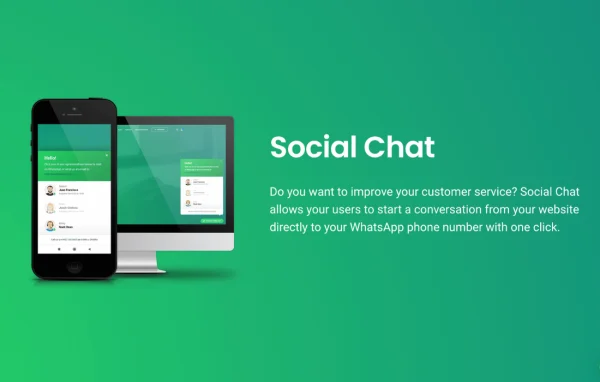
Social Chat PRO by QuadLayers is a WordPress plugin that adds a WhatsApp chat box to your site. Visitors click once to start a conversation with your team on WhatsApp, and you control how the chat window looks and what it says.
- Version
- 8.3.11
- Released
- Jul 21, 2026
- Developer
- QuadLayers
- Type
- WordPress plugin
- Requires
- WP Whatsapp Chat
- Licence
- GPL
- Included in
- Every plan, or $5.59 a year on its own
What’s new in wp whatsapp chat pro 8.3.11
Version 8.3.11 · Jul 21, 2026
Latest
What it does
Many visitors have a quick question before they buy or book, and a contact form can feel slow. This plugin gives them a direct line to your WhatsApp number from any page. A visitor clicks the chat button, sees a greeting from your team, and can open a WhatsApp conversation right away. It works as an add-on to the free WP WhatsApp Chat plugin from the same developer, adding extra agent and customization options on top of it.
You can set up several agents, each with their own name and label, so visitors can pick the right person for sales, support or another department. The chatbox itself can be styled with your own colors and icons, and you can write the welcome prompts and automated messages people see. Visitors can also type their opening message inside the chatbox before moving to WhatsApp. It suits businesses that already handle customer questions on WhatsApp and want an easy way for site visitors to reach them.
Best for
- Businesses that handle customer questions through WhatsApp
- Support teams with several agents or departments
- Agencies adding chat to client WordPress sites
Features
One-click WhatsApp chat
Visitors start a WhatsApp conversation with your team in a single click from your website, sending them straight to your chosen WhatsApp number.
Multiple agent accounts
Add support agents with individual names and labels so visitors can contact the right person or department for their question.
Customizable chatbox design
Adjust the chat window colors, icons and messages so the chatbox matches the look of your brand and the rest of your site.
Custom welcome messages
Write your own welcome prompts and automated replies for agents and users, giving each conversation a friendly and consistent start.
Typed opening message
Visitors can type their first message directly in the chatbox, so the conversation already has context when it arrives on WhatsApp.
Works across multiple sites
Use the chat setup on one website or across several, which is handy for agencies and owners running more than one site.
wp whatsapp chat pro older versions
- 8.0.7Jan 28
- 8.0.6Jan 20
- 8.0.5Jan 5
- 8.0.4Dec 30, 2025
- 8.0.2Dec 24, 2025
- 7.7.6Sep 25, 2025
- 7.7.5Sep 8, 2025
- 7.7.4Aug 12, 2025
- 7.7.2Jun 28, 2025
- 7.7.0May 14, 2025
Members and buyers of this product can download older versions.
27 older versions in all. If you need one that is not listed, ask support.
Questions about wp whatsapp chat pro
Do I need the free WP WhatsApp Chat plugin as well?
Yes. This plugin works as an add-on to the free WP WhatsApp Chat plugin from QuadLayers. The free plugin provides the core chat button, and this version adds features like multiple agents, custom messages and chatbox styling.
Can I add more than one person to the chat?
Yes. You can add multiple agents, each with their own name and label. Visitors see the list in the chatbox and can choose who to contact, which helps when different people handle sales, support or other topics.
Can I change how the chatbox looks?
You can customize the chat window colors, icons and messages. This lets you match the chatbox to your brand colors and write greetings in your own voice, so it feels like part of your site.
Where do the conversations actually happen?
Conversations take place in WhatsApp. When a visitor clicks the chat button, they connect to your WhatsApp number, so your team replies from WhatsApp as usual. Visitors can type their opening message in the chatbox first.
Is wp whatsapp chat pro free?
The code of wp whatsapp chat pro is licensed under the GPL, so anyone may use, change and share it. GPL Feast is a paid service: a plan or a single purchase gives you the download and automatic updates. The developer's own support, licence key and online services are not included.
Which version of wp whatsapp chat pro is this?
Version 8.3.11, released Jul 21, 2026. New versions appear here when the developer publishes them, and members get them as automatic updates.
How do I update wp whatsapp chat pro?
Install the free GPL Feast Updater on your site and connect it with your API key. It installs new versions of wp whatsapp chat pro automatically and keeps a backup, so you can roll back.
What does wp whatsapp chat pro need?
wp whatsapp chat pro needs WP Whatsapp Chat installed and active.
More from QuadLayers