
Plugin
Updated
WooCommerce Lottery
WooCommerce Lottery by wpgenie is a WordPress plugin that adds lottery and prize giveaway features to a WooCommerce store. You sell tickets like regular products, set a draw date with a countdown, and let the plugin choose and announce the winner when the lottery ends.
- Version
- 2.2.11
- Released
- Oct 14, 2026
- Developer
- wpgenie
- Type
- WordPress plugin
- Requires
- WooCommerce
- Licence
- GPL
- Included in
- Every plan, or $3.99 on its own
What’s new in WooCommerce Lottery 2.2.11
Version 2.2.11
Latest
- SecuritySecurity issue
What it does
Running a prize draw by hand means tracking ticket sales, counting entries, picking a winner fairly and telling everyone the result. This plugin moves that work into your store. It requires WooCommerce, and each lottery is sold through your existing WooCommerce setup, so tickets go through the same checkout and payment gateways you already use for your products. You decide the ticket price, how many tickets are available, when the draw happens and what the prize is.
Once a lottery is live, a countdown timer shows visitors how long they have left to enter. When time runs out, the plugin selects a winner automatically and can display the result on your site. Participants receive automatic emails about their ticket purchases, the lottery status and the winner announcement. Built-in reporting lets you review ticket sales, entries and winner data, which helps when planning your next giveaway. The front end is mobile friendly.
Best for
- WooCommerce stores running prize giveaways or raffles
- Businesses selling tickets for timed prize draws
- Shop owners adding promotions alongside regular products
Features
Multiple lotteries with custom pricing
Set up as many lotteries as you need, each with its own ticket price, so you can match every draw to a specific promotion or prize.
Automatic winner selection
When a lottery ends, the plugin picks the winner for you, so there is no manual drawing or counting of entries.
Countdown timers
Each lottery can display a countdown clock that shows visitors exactly how much time remains before the draw closes.
Ticket limits and draw settings
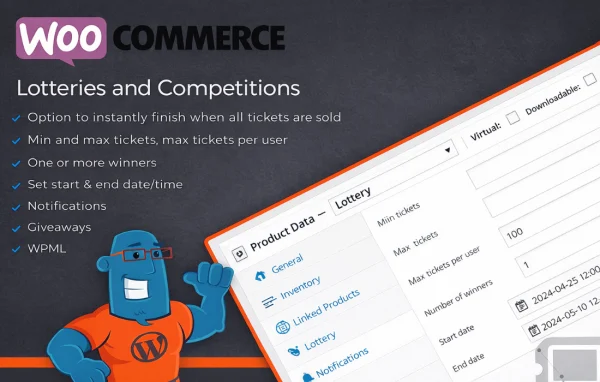
Control ticket quantity limits, draw dates and prize details for each lottery to fit the audience and the prize on offer.
WooCommerce checkout and payments
Tickets are sold alongside your other products and paid for through the payment gateways you already have configured in WooCommerce.
Automated email notifications
Participants get automatic emails confirming ticket purchases, updating them on lottery status and letting them know who won.
Sales and entry reporting
Track ticket sales, participant entries and winner data from built-in reports to review how each lottery performed.
On-site winner announcements
Show winners directly on your website so past and future participants can see the results of each draw.
WooCommerce Lottery older versions
- 2.2.10Aug 242 fixes
- 2.2.9May 64 fixes
- 2.2.8Feb 32 new, 4 fixes
- 2.2.7Mar 10, 2025
- 2.2.6Nov 20, 2024
- 2.2.5Sep 5, 2024
- 2.2.2Feb 15, 2024
- 2.2.1Dec 16, 2023
- 2.2.0Oct 27, 2023
- 2.1.11Jun 27, 2023
Members and buyers of this product can download older versions.
11 older versions in all. If you need one that is not listed, ask support.
Questions about WooCommerce Lottery
Do I need WooCommerce to use this plugin?
Yes. The plugin requires WooCommerce. Lottery tickets are sold as part of your WooCommerce store and use its checkout and payment gateways, so WooCommerce needs to be set up on your site first.
How is the winner chosen?
The plugin selects a winner automatically once the lottery ends. You can then display the winner on your website, and participants are notified through the automatic winner announcement emails.
Can I limit how many tickets are sold?
Yes. Each lottery has its own settings where you can set ticket quantity limits, the draw date, the ticket price and the prize details, so every draw can be configured differently.
Can I see who entered and how many tickets sold?
The plugin includes reporting that tracks ticket sales, participant entries and winner data. Entry lists can be sorted, which makes it easier to review participants for each lottery.
Is WooCommerce Lottery free?
The code of WooCommerce Lottery is licensed under the GPL, so anyone may use, change and share it. GPL Feast is a paid service: a plan or a single purchase gives you the download and automatic updates. The developer's own support, licence key and online services are not included.
Which version of WooCommerce Lottery is this?
Version 2.2.11, released Oct 14, 2026. New versions appear here when the developer publishes them, and members get them as automatic updates.
How do I update WooCommerce Lottery?
Install the free GPL Feast Updater on your site and connect it with your API key. It installs new versions of WooCommerce Lottery automatically and keeps a backup, so you can roll back.
What does WooCommerce Lottery need?
WooCommerce Lottery needs WooCommerce installed and active.
You might also like






