
Plugin
Updated
WPBot Pro Wordpress Chatbot
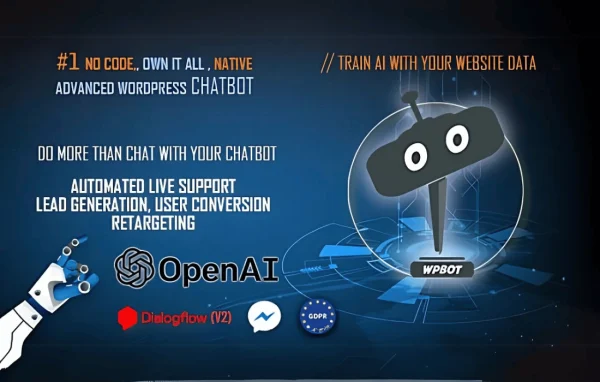
WPBot Pro WordPress Chatbot is a plugin that adds a chat assistant directly inside your WordPress site. It answers visitor questions around the clock, searches your site content for answers and collects leads through conversational forms, all managed from your WordPress backend.
- Version
- 15.2.7
- Released
- Aug 28, 2026
- Type
- WordPress plugin
- Requires
- WooCommerce
- Licence
- GPL
- Included in
- Every plan, or $3.99 on its own
What’s new in WPBot Pro Wordpress Chatbot 15.2.7
Version 15.2.7 · Aug 28, 2026
Latest
What it does
Many site owners cannot answer every visitor question as it comes in, and outside chat services add another platform to manage. This plugin runs natively in WordPress, so the bot, its responses and the information it gathers live in your own dashboard. It can greet returning visitors, keep conversations contextual and search your website content to find relevant answers. It requires WooCommerce, so it fits naturally on sites already running a WooCommerce store.
Beyond answering questions, the bot can build conversational forms that ask for emails, phone numbers and feedback inside the chat window. Replies can include clickable cards, images and buttons. Onsite retargeting shows offers and subscription prompts at moments such as exit intent. For smarter dialogue you can connect OpenAI or DialogFlow, and Facebook Messenger and WhatsApp integrations let you reach users on those platforms. The chat layout is responsive across desktop and mobile, and bot responses can be adjusted without code.
Best for
- WooCommerce stores that want automated answers to shopper questions
- Small businesses collecting leads through chat
- Sites wanting AI chat through OpenAI or DialogFlow
Features
Native WordPress chatbot
The bot is built into WordPress itself, so conversations and settings are handled from your site backend without relying on an external chat service.
Site content search
The chatbot can search across your website content to find and return helpful answers to the questions visitors type into the chat.
Conversational forms
Create interactive forms inside the chat that ask visitors step by step for details such as their email, phone number or feedback.
Rich card responses
Reply with clickable cards, images and buttons in the chat window, giving visitors clear options to tap instead of typing every answer.
OpenAI and DialogFlow support
Connect OpenAI or DialogFlow to give the bot more natural, AI-driven dialogue when visitors ask questions outside your preset responses.
Messenger and WhatsApp integration
Link the chatbot with Facebook Messenger and WhatsApp so you can extend conversations to messaging platforms your visitors already use.
Exit intent retargeting
Show targeted offers and subscription prompts at chosen moments, including when a visitor appears about to leave the page.
Returning visitor greetings
Greet people who come back to your site and keep conversations contextual, so the chat feels more personal on repeat visits.
WPBot Pro Wordpress Chatbot older versions
- 15.2.5Jun 23
- 13.7.0May 22, 2025
- 12.7.6Jan 10, 2025
- 12.6.4Dec 9, 2023
Members and buyers of this product can download older versions.
Questions about WPBot Pro Wordpress Chatbot
Do I need WooCommerce to use this chatbot?
Yes. The plugin lists WooCommerce as a requirement, so your WordPress site needs WooCommerce in place. That makes it a natural fit for online stores that want a chat assistant answering shopper questions.
Can the bot answer questions using my own site content?
It can. The chatbot includes a search feature that looks through your website content to find relevant answers, so visitors can get help drawn from the pages and information you have already published.
Does it work with AI services like ChatGPT?
The plugin integrates with OpenAI and DialogFlow. Connecting either service lets the bot hold more natural, human-like conversations, alongside the responses you set up yourself in the WordPress backend.
Can I collect contact details through the chat?
Yes. You can build conversational forms inside the chat that gather emails, phone numbers and feedback. Exit intent prompts can also invite visitors to subscribe or view an offer before they leave.
Is WPBot Pro Wordpress Chatbot free?
The code of WPBot Pro Wordpress Chatbot is licensed under the GPL, so anyone may use, change and share it. GPL Feast is a paid service: a plan or a single purchase gives you the download and automatic updates. The developer's own support, licence key and online services are not included.
Which version of WPBot Pro Wordpress Chatbot is this?
Version 15.2.7, released Aug 28, 2026. New versions appear here when the developer publishes them, and members get them as automatic updates.
How do I update WPBot Pro Wordpress Chatbot?
Install the free GPL Feast Updater on your site and connect it with your API key. It installs new versions of WPBot Pro Wordpress Chatbot automatically and keeps a backup, so you can roll back.
What does WPBot Pro Wordpress Chatbot need?
WPBot Pro Wordpress Chatbot needs WooCommerce installed and active.
You might also like






