
Plugin
Updated
xdocs
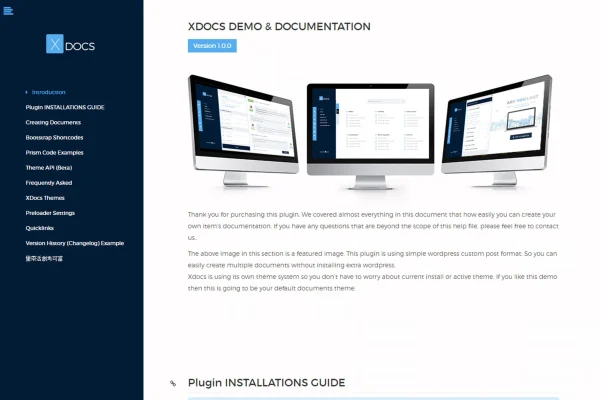
X Docs is a WordPress plugin for creating product documentation inside your own site. You write help files and manuals the same way you write a regular post, then publish them online with a built-in theme or export them as HTML for offline use.
- Version
- 1.1.1
- Released
- May 2, 2023
- Type
- WordPress plugin
- Licence
- GPL
- Included in
- Every plan, or $3.99 on its own
What’s new in xdocs 1.1.1
Version 1.1.1 · May 2, 2023
Latest
What it does
Writing documentation for a digital product often means juggling separate tools, static HTML files and manual styling. X Docs moves that work into WordPress. You create documents with the familiar post editor, so anyone comfortable writing a blog post can put together a help file. Several documents can be managed from one interface, which helps when you maintain guides for more than one product.
The plugin ships with its own theme system, so your docs get a clean look without installing a separate WordPress theme. Templates are based on Bootstrap and use shortcodes, and the layout adapts to desktops, tablets and phones. For technical products, Prism syntax highlighting keeps code snippets readable. When you need a copy outside your site, you can export a document as HTML that keeps the same styling as the online version.
Best for
- Developers documenting themes, plugins or scripts
- Digital product sellers who ship help files
- Businesses publishing user manuals on WordPress
Features
Post-style document editing
Create documentation the same way you write WordPress posts, so non-technical team members can contribute without learning a new tool.
Bootstrap-based templates
Documentation uses responsive Bootstrap templates and shortcodes, giving pages a tidy, consistent layout without extra customization work.
Built-in theme system
A custom themes API lets you change how your docs look, with no need to install an additional WordPress theme for them.
Prism syntax highlighting
Code snippets are highlighted with Prism, which makes technical instructions, configuration examples and code samples easier for readers to follow.
Multiple documents in one place
Manage documentation for several products from a single interface, keeping each product's manual organized and easy to maintain.
HTML export
Export any document as an HTML file with matching theme styling, useful for offline access or bundling help files with a product.
Responsive layout
Documentation pages adjust to desktops, tablets and smartphones, so readers can check instructions on whatever device they have handy.
Questions about xdocs
Do I need a separate theme to display my documentation?
No. The plugin includes its own theme system with Bootstrap-based templates, so your documentation gets a clean, responsive layout without installing an additional WordPress theme. You can also adjust the visual style through its custom themes API.
Can I give customers an offline copy of the docs?
Yes. You can export your documentation as HTML files that keep the same styling as the online version. That works well for including a help file with a product download or sharing it outside your site.
Is it suitable for technical documentation with code?
It is. Prism syntax highlighting is supported, so code snippets display with clear formatting and color, which helps readers follow technical setup steps and code examples.
Can I document more than one product?
Yes. You can create multiple documents and manage them all from one interface, which makes it easier to keep separate manuals organized for each product you sell or support.
Is xdocs free?
The code of xdocs is licensed under the GPL, so anyone may use, change and share it. GPL Feast is a paid service: a plan or a single purchase gives you the download and automatic updates. The developer's own support, licence key and online services are not included.
Which version of xdocs is this?
Version 1.1.1, released May 2, 2023. New versions appear here when the developer publishes them, and members get them as automatic updates.
How do I update xdocs?
Install the free GPL Feast Updater on your site and connect it with your API key. It installs new versions of xdocs automatically and keeps a backup, so you can roll back.
You might also like






